Readers who prioritise sound
If you’re reading poetry aloud, you’ll want your words and pauses to come across clearly from your chosen spot. Zoom Support recommends testing your audio settings before a meeting.


For a reading from a fixed spot, first test the webcam’s sound, microphone and framing at the actual reading location; a higher resolution is no substitute for a sound check. If you move around while reading, automatic tracking may help, but you’ll need to do a trial run and check the entire area that could appear on screen. Logitech and OBSBOT describe these features for specific models, but that doesn’t tell you how they’ll work in your shared-house room.
If you’re reading poetry aloud, you’ll want your words and pauses to come across clearly from your chosen spot. Zoom Support recommends testing your audio settings before a meeting.
If you share your home with others, you’ll need a frame you can control and should also consider potential background noise. The Data Protection Conference warns that people near you may also be picked up on video or audio during a video conference.
If you want to stand up or move to a different spot while reading, consider whether a fixed position will do or whether tracking would be useful. Logitech and OBSBOT describe these features for specific models.
First, test the sound at your chosen reading spot. Then check the framing and privacy, and finally decide whether you really need lighting or tracking for your reading.
| What you need | What to look for | Who is it most important to? |
|---|---|---|
| Clear speech | Test the microphone and audio filters with quiet and loud passages, as well as typical shared-house noises. Zoom Support provides an audio and microphone test for meetings. | If I’m reading poetry aloud, I want quiet passages and pauses to come across clearly too. Around 36% of consumers put clear speech first. |
| Control over picture and sound | Check the framing and background noise in the room where you’ll actually be reading. A lens cover blocks the camera, but doesn’t automatically mute the microphone. | If housemates or private areas are near the camera, I want to keep them out of shot and off the stream as much as possible. Around 29% of consumers put privacy in shared accommodation first. |
| Framing when moving | Check whether a fixed position will cover your movements. If you’re considering auto-framing or tracking, test your entire route and the software you’ll need. | If I want to stand up or move while reading, I want to stay in shot without accidentally showing more of the room. Around 21% of consumers care most about freedom of movement. |
| Picture quality in low light | Check your chosen spot for shadows and glare. Sandberg describes the Streamer USB Webcam Pro as having built-in lighting that can be adjusted by touch. | If my reading spot is poorly lit, I want a practical picture solution without assuming that the room’s lighting will work as it is. Around 14% of consumers put room lighting first. |
A higher video resolution doesn’t tell you whether your audience will hear you clearly from your chosen spot.
Test your voice, the microphone you’ve selected and the software filters in conditions that reflect your reading.
If the webcam’s microphone isn’t good enough at your reading spot, you may need a separate audio solution. Find out with a sound check before your reading.
A wider or moving frame may pick up housemates and private areas.
Check the preview, your entire route and every adjustable camera position before the reading.
A cover blocks the lens, but doesn’t prove that the microphone is muted.
Check the camera and microphone separately in the software you’re using, and close the cover between sessions.
Brio 100 for a fixed spot on your own; Brio 500 if you want to move around while reading.
PowerConf C200 for a fixed reading spot where you want to adjust the framing.
Tiny 2 Lite for readings where you’ll actually move around in front of the camera.
Taxon QHD for a mostly fixed spot if you want autofocus and a wide viewing angle.
Streamer USB Webcam Pro for a reading from a fixed spot with limited lighting.
These Joybuy products are options for using a webcam at a fixed reading spot. Test the framing and microphone in your actual room before your reading.
 No image available
For a fixed reading spot: check the framing and sound with the microphone you plan to use for your reading.
Features listed in the product title: Full HD, 1080p, 60 FPS and black.
 No image available
If these features suit your fixed reading spot, check the framing and how clearly your voice comes across in the room beforehand.
Features listed in the product title: Sony IMX363 sensor, PDAF autofocus, two microphones, lens cover, 75° viewing angle and USB-A/USB-C.
 No image available
For a fixed reading spot: test the framing and microphone sound in conditions that reflect your reading.
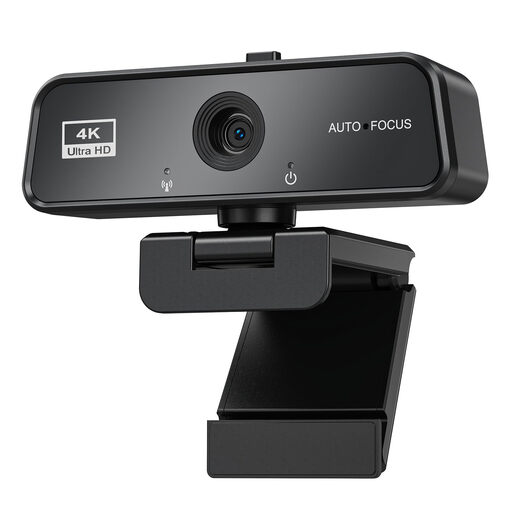
Features listed in the product title: autofocus, microphone, privacy cover, 3840×2160, 30FPS, USB 3.0 and automatic light correction.
 No image available
If you plan to use the camera from a fixed spot, check in advance that the framing and sound work for your seating position.
Feature listed in the product title: USB.
 No image available
For a fixed reading spot, check that the camera suits how you’re positioned in your shared-house room and consider what area it captures.
Features listed in the product title: ConferenceCam for conference rooms and offices.
From your chosen reading spot, speak a quiet passage and a loud one, and make sure you’ve selected the microphone you plan to use. Zoom Support offers a speaker and microphone test. Try audio filters with your own reading rather than assuming they’ll work as expected.
No. A closed cover blocks the lens, but doesn’t control the sound during your reading. Also check the framing and background noise. The Data Protection Conference warns that people nearby may be affected by the picture or sound of a video conference too.
The consumer advice centre explains that online purchases usually come with a 14-day right to cancel; the start of the cancellation period and any exceptions depend on the individual case. If an item is faulty, remember that your statutory rights against the seller are separate from any voluntary guarantee.
Section 201 of the German Criminal Code makes it a criminal offence to record another person’s non-publicly spoken words on an audio device without authorisation. Whether a particular statement is covered depends on the circumstances; this doesn’t mean that every live broadcast is a recording. Discuss any planned recordings with the people affected beforehand, and do your best to keep unintentional voices from your shared home out of the stream.