What should you look for when buying?
First, check reception of your preferred station where you plan to place the radio. Then decide how important shared listening and easy-to-understand controls are. Only choose additional reception options or portability if you’ll use them day to day.
The figures group consumers choosing a radio for local programmes in a shared lounge according to their most important purchase priority.
| Priority |
What to check when buying |
Who is this important to? |
| Receiving local stations |
Check Digitalradio Deutschland e. V.’s programme map and indoor reception forecast for the station and postcode; test reception where you plan to place the radio. |
If a particular local station matters to me, I want to know whether I can receive it via DAB+ where I plan to put the radio in the lounge. Around 36% of consumers rank reception of a local station as their most important purchase priority. |
| Listening together |
Check the speaker configuration and dimensions of the specific model; if possible, try listening from several seats. |
If several people are listening in the room, the radio should work well from different seats. Around 29% of consumers put playback for multiple listeners first. |
| Easy-to-use controls |
Compare the display, preset buttons, station memory and volume control on the specific device. |
If different people use the radio, I want to be able to find and change stations quickly. Around 21% of consumers prioritise easy-to-understand controls. |
| Flexible placement |
Check the power supply and, where relevant, the battery pack; only consider FM and internet radio if the specific model supports them. |
If I want to move the radio or use another way to receive stations, I need the right power options and features. Around 14% of consumers rank flexible placement or additional reception options as their most important priority. |
Joybuy products for your lounge
The Joybuy products below include radios for indoor use, including stereo models and radios with several reception options. For terrestrial DAB+ reception, make sure DAB+ is explicitly listed for the specific model.
 No image available
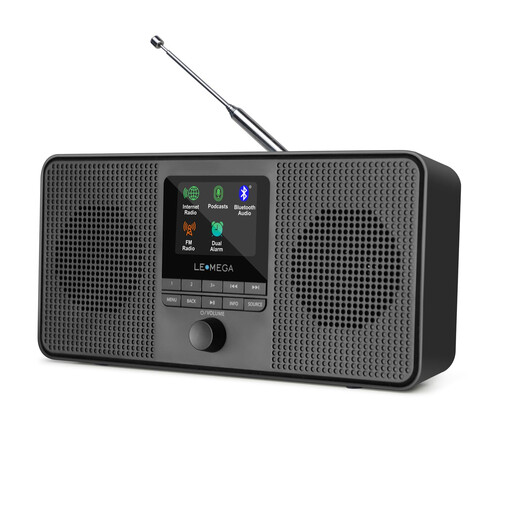
LEMEGA IR4S Internet Radio
A useful option if you want stereo and additional ways to listen; make sure to check DAB+ support before buying.
The title and description list DAB, FM and internet radio. The description also lists two 2.5-inch stereo speaker drivers, Bluetooth, a headphone socket and 20 FM presets.
Joybuy
 No image available
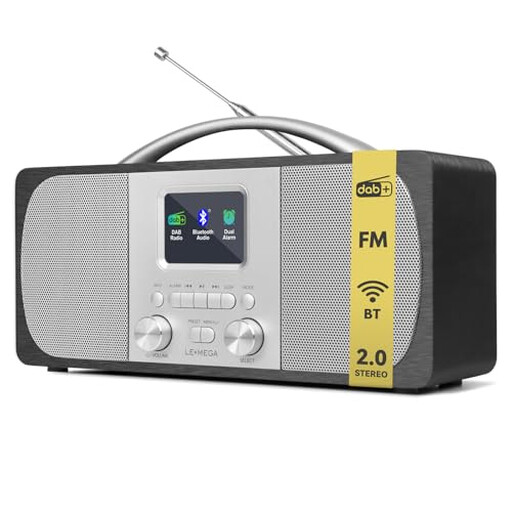
LEMEGA DR6 Stereo DAB Radio
A DAB+ stereo option for listening together, with presets for quickly tuning in to your favourite stations.
Features listed include DAB+, FM, two stereo speakers, 40 presets and simple controls. The description also lists a 2.4-inch colour display, while the product title specifies mains and battery power.
Joybuy
 No image available
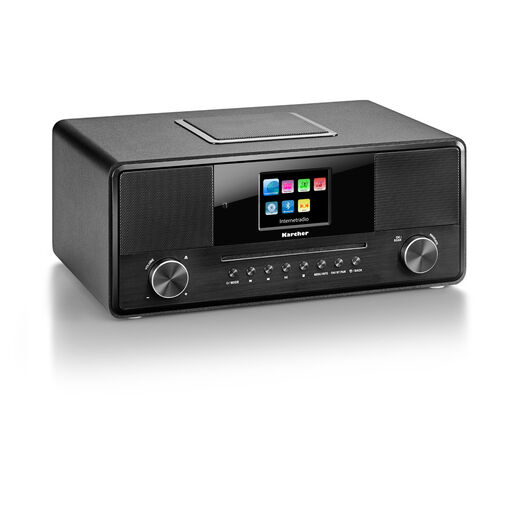
Karcher DAB 9000CDi
A versatile option if you want internet radio and other features alongside DAB+.
The title and description list DAB+, FM, Wi-Fi and internet radio. Other listed features include a CD player, Bluetooth, a 2.8-inch colour display, built-in subwoofer and remote control. The title gives the audio output as 36 W.
Joybuy
 No image available
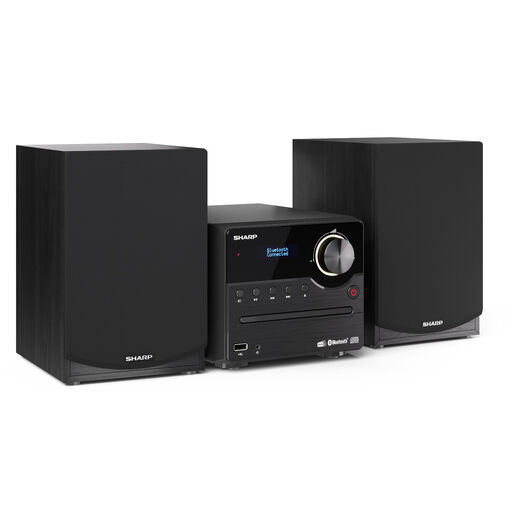
SHARP XL-B517D(BK)
A stereo system for shared listening, with CD and USB playback as well as radio reception.
Features listed include DAB+, FM, Bluetooth, CD/MP3 and USB playback, plus two separate speakers. The product title gives the output as 45 W.
Joybuy
 No image available
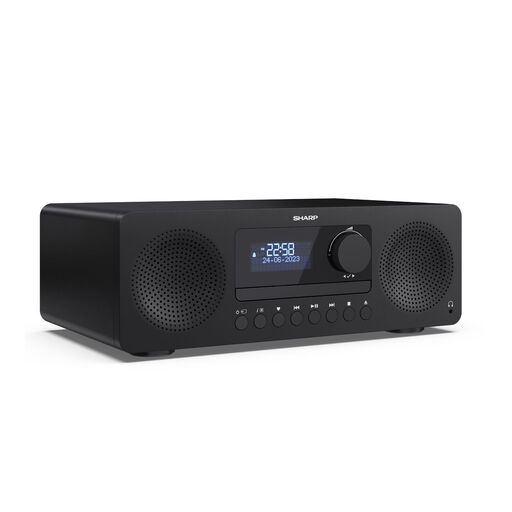
SHARP XL-B720D Tokyo DAB+ All-in-one Hi-Fi System
An all-in-one option for the lounge if you want built-in speakers and several playback options.
The title and description list DAB+, FM, stereo and built-in speakers. Other features listed in the title include Bluetooth 5.3, CD, USB, AUX and 20 presets.
Joybuy
Frequently asked questions
How can I find out whether my local station is available on DAB+ in the lounge?
Look up the specific station on Digitalradio Deutschland e. V.’s regional programme map, then check the indoor reception forecast for your postcode. A forecast is no substitute for scanning for stations or checking reception where you’ll actually place the radio.
What can I do if reception is poor after setting up the radio?
Adjust the aerial or move the radio, then check reception of your preferred programme again. Roberts recommends these steps for a weak DAB signal.
Does DAB+ in the lounge need Wi-Fi or a data plan?
No. Terrestrial DAB+ receives programmes via transmitters and doesn’t need the internet. Internet radio on a hybrid device is a separate way to listen and requires a suitable internet connection.
What are my rights when buying online, and who should I contact if the radio develops a fault?
For a distance purchase from a trader by a consumer, EU rules generally provide a 14-day right to cancel from the day you receive the goods, although exceptions may apply. The European Union’s Your Europe website also explains the two-year minimum legal guarantee for faulty goods. You should contact the seller to make a claim for a fault. Consumer rights may not apply in the same way to purchases made by a business.
Are broadcasting fees or music licences due for radio in a shared lounge?
It depends on how the room is used. The Beitragsservice of ARD, ZDF and Deutschlandradio explains that private households generally pay one broadcasting contribution per home, while businesses and institutions are subject to rules based on their premises. GEMA lists public radio playback as a possible use covered by Tariff R. Whether the specific lounge is covered depends on the operator, audience and how the space is used.


