Team working with large media files
If a shared server supports several editing or graphics workstations, first check which devices actually support faster Ethernet connections.


For a shared studio, your switch should match the Ethernet ports on the media server and workstations: a faster switch alone won’t make slower devices or connections faster. For a shared network, a suitable unmanaged model may be enough; if you need to separate workgroups, you’ll need VLAN functionality and a compatible configuration for the rest of the network. The number and type of ports you need, as well as where the switch will be placed, also matter.
If a shared server supports several editing or graphics workstations, first check which devices actually support faster Ethernet connections.
If different teams or devices need different levels of access to the server and network, VLAN functionality and responsibility for network configuration should both be considered when choosing a switch.
If the switch will be in the studio itself and you don’t need network separation, focus on suitable ports, straightforward operation and the cooling system of the specific model.
Start by checking the actual Ethernet ports on the server and workstations. You can then weigh up access separation, your port plan and where the switch will be placed.
| Consideration | What to check before buying | Who it matters most to |
|---|---|---|
| Speed to the media server | Check the Ethernet speeds of the server and clients, and match them to suitable RJ45 or SFP+ ports. | If you transfer large media files between the server and workstations, the speed of the entire connection path matters. Around 36% of consumers put transfer speed first. |
| Access separation | Decide which groups can access the server and who will configure the switch, uplink and, where needed, router. | If teams need different levels of access to shared devices or files, plan how to separate them and which connections to allow. Around 29% of consumers prioritise separate access areas. |
| Number and type of ports | Count the ports for the server, workstations and uplink individually, taking speed and connection type into account. | If you’re connecting several devices, you’ll want enough suitable ports without confusing RJ45 with SFP+. A suitable port plan is a priority for around 21% of consumers. |
| Noise where it’s installed | Check whether the specific model has a fan and where it will be used. | If the switch is in a workspace that’s in use, its cooling system is an important consideration. Around 14% of consumers prioritise quiet operation. |
A faster switch won’t change the server’s port. RJ45 and SFP+ are different connection types.
Make a note of the ports on every device involved before choosing ports and cables.
VLANs need to be set up. Which groups can communicate across network segments also depends on routing and access rules.
Before buying, decide which access is needed and who will take care of the network configuration.
A switch may combine different numbers of 2.5 GbE and 10 GbE ports, or different connection types. So the total port count alone won’t tell you whether you can connect the server and workstations.
Draw up a port plan for your devices and uplink, and only allow for additional ports you’re actually planning to use.
The product ranges mentioned offer different port and management options.
According to QNAP, the QSW-2104-2T-R2 combines different RJ45 speeds in an unmanaged desktop switch.
According to NETGEAR Germany, the MS308 is an unmanaged desktop switch with eight 2.5 GbE RJ45 ports.
According to the manufacturer, the CRS310-8G+2S+IN is designed for networks with their own administrator.
These models cover wired Gigabit connections, VLAN functionality and different port counts for media servers and workstations. Before choosing, check that the speed, connection type and power supply are suitable for the devices you’ll be connecting.
 No image available
For a compact Gigabit connection where five RJ45 ports and VLAN or port isolation features fit your network plan.
Five Gigabit RJ45 ports; powered via USB-C or 802.3af/at PoE. For PoE, a compatible source must be connected to port 1; the switch itself doesn’t provide PoE output.
 No image available
For a managed Gigabit network where compatible SFP devices are planned alongside RJ45 devices.
Eight Gigabit RJ45 ports and two SFP slots; fanless according to the product name. For an SFP uplink, the connection and device at the other end must be compatible with the slots provided.
 No image available
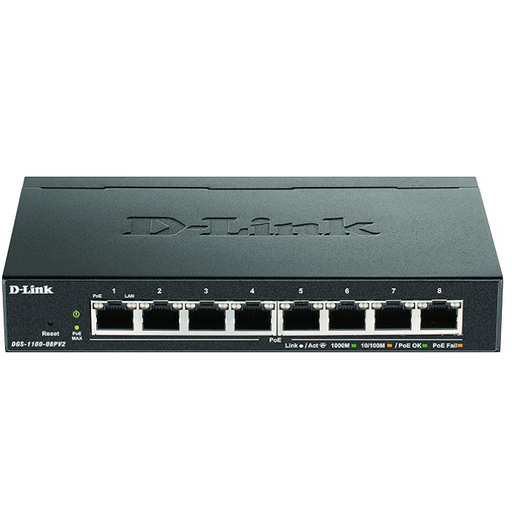
For a small Gigabit network where you need VLAN functionality and PoE+ for connected devices.
Five Gigabit ports, four of which are PoE+; the stated total PoE budget is 65 W, with a maximum of 30 W per port.
 No image available
For a managed Gigabit network where VLAN functionality and powering connected PoE devices are part of your equipment plan.
Gigabit Ethernet and PoE are specified in the product name. The combined power consumption of connected PoE devices must not exceed the stated total budget of 64 W.
 No image available
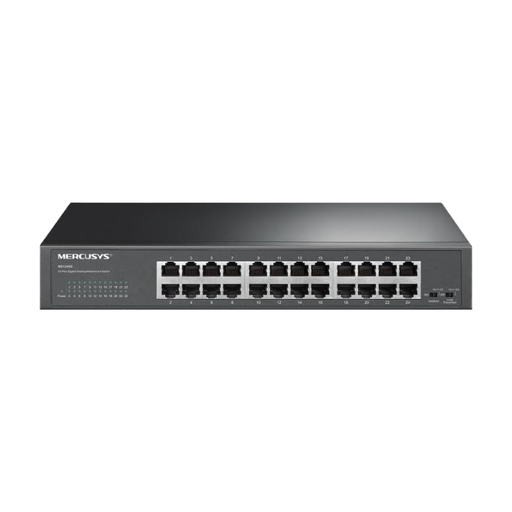
For lots of wired Gigabit devices where 24 ports and straightforward operation suit your studio.
24 Gigabit RJ45 ports; plug-and-play with desktop or rackmount installation, according to the product name. Isolation Mode and Loop Prevention are also listed in the product name.
No. Check the negotiated speed at the server and the workstations involved, as well as their connection to the switch. A faster switch port alone doesn’t guarantee a higher file transfer rate.
A managed switch with 802.1Q VLAN can divide devices into network segments, but it needs to be configured appropriately. If groups need to communicate across segment boundaries, you’ll also need a coordinated routing and access solution for the rest of the network.
Not without a suitable connection between the different port types. Check the server port, switch port and connection you need; a switch with 10 GbE RJ45 uses a different connection route from an SFP+ uplink.
Check that the specific device has the required CE marking, can be identified and comes with the relevant information. The German Federal Network Agency lists these points as part of market surveillance; they don’t indicate official approval of a particular model.
If you buy as a consumer from a business, you’re generally entitled to a minimum statutory guarantee of two years from the date you receive the goods. The European Union’s Your Europe website describes this minimum period for consumer purchases; if you’re buying for a business or studio, your rights depend on the specific purchase arrangement.