When displaying schedules for a group, check how easy your actual file is to read in the intended location. A larger display can show more of the document, but it also needs more space. For devices anyone can use, consider whether a temporary single-app lock is enough or whether you need a centrally managed solution. For mobile use, positioning and power are key. If your notes contain personal data, the responsible organisation must protect access and visible content in line with the specific risks.
Who would benefit from a shared tablet?
Teams sharing schedules
If several people need to read notes around a table, check the document layout, font size, lighting and viewing angle at the intended spot. Apple Germany, Samsung Germany and Lenovo Germany offer different display sizes and positioning options; the key is to test your own file.
People responsible for public-access devices
When different people will use the device, decide whether a temporary single-app restriction is enough or whether you need a centrally managed kiosk solution. If notes contain personal information, also consider what those present should be allowed to see.
Mobile event teams
If you move the display between workstations, consider stability, access to charging and the required operating time together. A built-in stand, such as the one on the Lenovo Tab Plus, may be useful when moving between tables; check the viewing angle at the actual location.
What to look for when buying
First, test how your actual file looks on screen. Then plan for access, positioning and the equipment you need to run the device.
| Consideration |
What to check before buying |
Who is this important to? |
| Readability |
Test your own file in the intended app and font size, under typical lighting and at the usual viewing distance. |
If several people need to read a schedule around a table, I want to assess the font size and viewing angle at the actual location. Around 33% of consumers rank readability as their main concern. |
| Access when sharing |
Use the notes app to check whether a single-app restriction is enough or whether you need a managed kiosk setup. |
If different people will use the device, I want to make sure they can access only the intended apps and content. Around 27% of consumers put controlled access first. |
| Ready for use |
Test the viewing angle, stability, socket location and required operating time at the intended location. |
If the tablet will move between workstations or needs to run throughout a meeting, I need a practical setup and charging plan. Around 20% of consumers prioritise readiness for use and positioning. |
| Complete setup |
Check what’s included, along with the stand, power supply, app and, where necessary, management solution for the specific model. |
If the device needs to be ready to use straight away, I want to plan for all the necessary parts and services rather than considering the tablet alone. Around 20% of consumers put a complete setup first. |
Common assumptions to avoid
-
Choosing based on screen size alone
The screen size in inches doesn’t tell you whether your specific file will be easy for several people to read in typical lighting and at the usual viewing distance.
Test a typical schedule in its intended format at the actual location, checking the font size, reflections and viewing angle.
An unsuitable viewing angle may mean you need a different stand or a new position for the device.
-
Assuming single-app mode provides complete privacy
Restricting what people can do on the device won’t stop those nearby from reading personal information already on display.
Check app features and visible content separately. If personal information is involved, the responsible organisation should set access rules for the specific use case.
Agreeing which content can be shared and managing the device may require additional coordination.
-
Assuming the tablet is a complete setup
You may also need a stand, power adapter, suitable app or management solution to display your notes.
Check what’s included with the specific model and make sure you have all the parts and services you need. Apple Germany lists a USB-C charging cable with the iPad (A16); Samsung describes Knox Manage as its own management solution.
You may need to arrange additional components and setup separately.
Brands to consider
Apple
Apple Germany describes the iPad (A16) as an 11-inch model. Guided Access may be useful if you want to display one app temporarily.
- Apple lists the display as 10.86 inches when measured as a rectangle and includes a USB-C charging cable.
- According to Apple Support, Guided Access temporarily restricts the iPad to one app. Check separately that your chosen app is compatible and whether the device can be permanently set up under central management.
Samsung
According to Samsung Germany, the Galaxy Tab A11+ is an 11-inch model. Organisations may also want to consider Samsung’s Knox Manage device management solution.
- Samsung Germany lists a 7,040 mAh battery and 25 W charging for the A11+. Samsung Business Germany describes single-app and multi-app kiosk features for Knox Manage.
- These kiosk features don’t confirm that a specific tablet model, configuration or licence is right for your intended use.
Lenovo
According to Lenovo Germany, the Lenovo Tab Plus has an 11.5-inch display and a built-in kickstand, which may be useful if you need to move it between locations.
- For model ZADX0011SE, Lenovo lists an IPS display with a resolution of 2,000 × 1,200 pixels and a kickstand that opens to 175 degrees.
- These features don’t establish whether the device is suitable for an unattended or permanently running setup.
HONOR
HONOR describes the Pad 10 as a model with a 12.1-inch display for anyone looking to view more of a document on screen.
- HONOR lists a 2.5K resolution and a 120 Hz refresh rate.
- How easy notes are to read from the intended distance also depends on the app, font size, lighting and positioning.
Xiaomi/REDMI
According to Xiaomi Germany, the REDMI Pad 2 Pro is a 12.1-inch Android option for larger schedules.
- Xiaomi lists a resolution of 2,560 × 1,600 pixels and a refresh rate of up to 120 Hz.
- A higher refresh rate alone doesn’t mean static notes will be easier to read. Also check the exact model and what’s included.
Joybuy products for shared displays
These tablets have larger displays for schedules that need to be viewed by a group. Check how your actual documents look, which apps you need, and what positioning and access arrangements will work for your use case.
 No image available
Samsung Galaxy Tab A11+ X230, 11-inch, Wi-Fi, 6 GB RAM, 128 GB, Grey
The 11-inch format could work well for displaying a schedule to a group around a table.
- 11 inches
- Wi-Fi
- 6 GB RAM, 128 GB
- Colour: Grey
View at Joybuy
 No image available
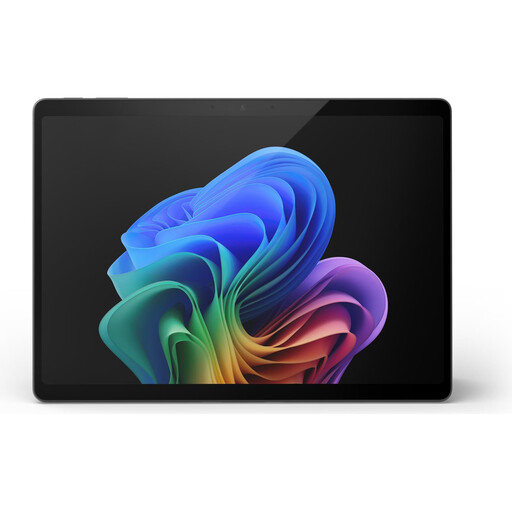
Microsoft Surface Pro 11, 13-inch, Snapdragon X Elite, 16 GB RAM, 512 GB
If you need a larger display for reviewing notes as a group, check how your documents look on this model.
- 13 inches
- Snapdragon X Elite
- 16 GB RAM, 512 GB
View at Joybuy
 No image available
Microsoft Surface Pro 12, Snapdragon Plus, 24 GB RAM, 1 TB, Platinum
Before buying a tablet for shared notes, check how your files appear on the specific device.
- Snapdragon Plus
- 24 GB RAM, 1 TB
- Colour: Platinum
View at Joybuy
 No image available
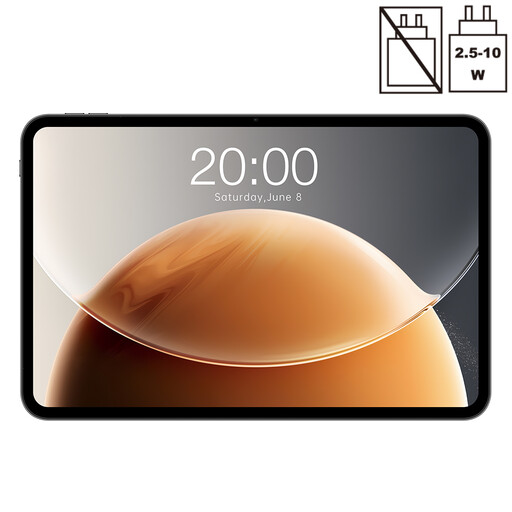
Teclast T65, 13.4-inch, 120 Hz, Android
The 13.4-inch display is an option if several people need to view a schedule together; test how it looks in the intended location.
- 13.4 inches
- 120 Hz
- Android
View at Joybuy
 No image available
Teclast P50TCase, 11-inch, Android 16, 90 Hz IPS
The 11-inch format could suit shared schedules, provided your own file is easy to read on screen.
- 11 inches
- Android 16
- 90 Hz, IPS display
View at Joybuy
Frequently asked questions
How do I set up a shared tablet for displaying notes?
Start by opening the notes app you’ll actually use and testing it with a sample document that’s safe to share. According to Apple Support, Guided Access can temporarily restrict an iPad to one app; also check how to end the session using a passcode. Samsung Business Germany describes single-app and multi-app kiosk features for Knox Manage. Whatever setup you choose, decide which notes can be visible.
Will the stated battery capacity last for a full event day?
The mAh figure alone won’t tell you how long your specific display will run. Plan around the screen brightness you need, the app you’re using, your network connection and screen-lock settings. Test the intended operating time or make sure there’s a suitable place to charge the device.
Can attendee names or other personal notes be shown on a shared screen?
There’s no simple yes-or-no answer. If personal data is being processed or made visible to others, the responsible organisation must consider, among other things, who is allowed to see it and what technical and organisational safeguards are appropriate for the specific use. Locking an app doesn’t automatically make displaying the information permissible.
What’s the difference between repairs and a warranty?
For consumer purchases in the EU, you generally have at least two years of statutory rights against the seller for covered faults. These are separate from any voluntary manufacturer’s or retailer’s warranty. If you’re buying on behalf of a business, check the relevant contract terms separately.


