What should you look for when buying?
Start with the task your current screen makes most difficult. Then check that the resolution, colour workflow and connections suit your shared workstation.
| Priority |
What to check when buying |
Who will find this most important? |
| Assess colours accurately |
Check the monitor mode for your planned SDR output and whether you can create a profile or calibrate the display. |
If several people make colour decisions, I want a clear, consistent workflow rather than just a high colour gamut figure. Around 31% of consumers put colour decisions first. |
| Room for the timeline and tools |
Compare the aspect ratio and horizontal and vertical pixel counts with your window layout and desk space. |
When editing longer demonstration videos, I want to arrange tracks, tools and the preview side by side so they’re easy to read. Around 25% of consumers prioritise space for the timeline and tools. |
| Check fine image details |
Consider your recording resolution, the monitor’s native resolution and the readability of scaling in your editing software together. |
If I need to assess close-ups of hand movements, materials or tools, a detailed preview matters. Around 25% of consumers put checking details first. |
| Switching computers and positioning the screen |
Check the video output, USB-C support, charging power required and adjustment range against the devices and people using the workstation. |
At a shared workstation, I want to connect different computers and adjust the screen to suit each user. Around 19% of consumers prioritise switching computers and screen positioning. |
Joybuy products for checking details
This Joybuy selection includes 4K monitors for checking details, including desktop and portable models. Check that the connections and positioning suit your editing workstation.
 No image available
MSI PRO MP273UPDE E6, 27-inch, 4K UHD, IPS
An option if you want to check 4K detail on a 27-inch display.
Listed in the product name: 60 Hz and HDR Ready.
View at Joybuy
 No image available
INNOCN CB27U1, 27-inch, 4K UHD
The 4K UHD specification makes this model worth considering if you want to check fine image details.
Listed in the product name: IPS, 120 Hz, USB-C with 90 W Power Delivery, HDMI and DisplayPort.
View at Joybuy
 No image available
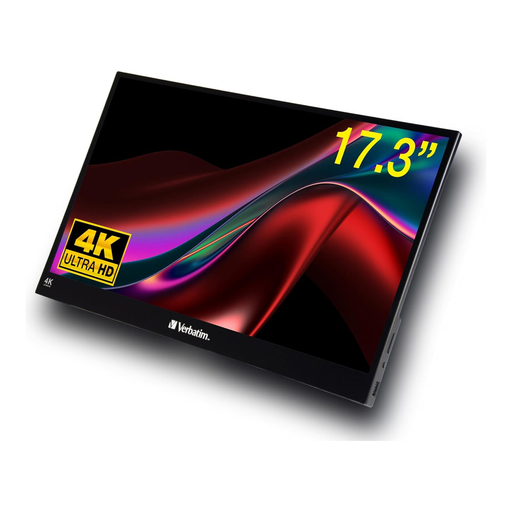
Verbatim portable touchscreen monitor, 4K, 17.3-inch
A portable 4K option if you’re looking for a smaller display to check details.
Listed in the product name: touchscreen, USB-C and HDMI connections.
View at Joybuy
 No image available
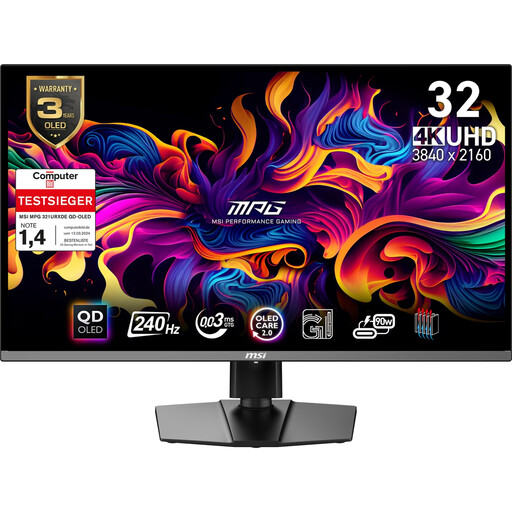
MSI MPG 321URX QD-OLED, 31.5-inch, 4K UHD
This 31.5-inch 4K UHD model is an option if you prefer a larger display for checking details.
Listed in the product name: QD-OLED and DisplayHDR True Black 400.
View at Joybuy
 No image available
ASUS ROG Swift OLED PG32UCDMR, 32-inch, 4K UHD
A 32-inch 4K UHD option if you want to check fine image details on a larger display.
Listed in the product name: 240 Hz, 10-bit and USB-C with 90 W.
View at Joybuy
Frequently asked questions
Do I need the widest possible colour gamut for videos about crafts?
No. What matters more is your planned output format and a compatible colour management and monitor mode. Adobe explains how source clips, the working colour space and the output colour space work together; a manufacturer’s colour coverage figure doesn’t replace setting these up correctly.
How can I keep colours consistent when different people use the workstation?
Set your output format and monitor settings, and use a clear calibration process for repeated, colour-critical decisions. Adobe recommends using a colorimeter for objective colour settings; also check the profiles and settings on the computers you use.
Is a manufacturer’s guarantee the same as your statutory rights?
No. Under the rules explained by the European Union, a consumer buying from a business seller is generally entitled to a legal guarantee of at least two years from receipt of the goods. A voluntary manufacturer’s guarantee is separate. The same consumer entitlement cannot automatically be assumed for business purchases.
Are there specific rules for screen work at a shared editing workstation?
If the workstation is used by employees and falls within the scope of the German Workplace Ordinance, BAuA-ASR A6 sets out more specific requirements for computer workstations. Sharing the workstation alone doesn’t mean these rules apply, and this workplace-related guidance doesn’t automatically apply to private use.
What should I do with a monitor I’m replacing?
Take the old electrical equipment to an appropriate collection point, such as a recycling centre, rather than putting it in household rubbish. The German Environment Agency also lists take-back options at retailers; check the terms for the return option you plan to use.


