What should you look for when buying?
When explaining sheet music in a shared student flat, camera resolution isn’t the only thing that matters: the page, your face and, where relevant, the music all need to come through clearly on the receiving device.
USB document camera above the sheet music
A good fit if: the printed page is the focus of your explanation and you have a computer with a compatible USB connection.
Bear in mind: A document camera doesn’t automatically show your face as well. The capture area and autofocus don’t guarantee that small musical symbols will be legible to the other person.
Webcam with an occasional view of the page
A good fit if: you’ll do most of the explaining yourself and only want to show the page from time to time. Logitech says the Brio 500 has Show Mode.
Bear in mind: The camera angle and desk position need to work for your page; a stated 1080p resolution doesn’t guarantee legible musical symbols.
Webcam with a separately planned mount
A good fit if: you need different views and can set up a stable position above or beside your desk. Logitech says the Brio 4K has autofocus, selectable fields of view and a tripod thread.
Bear in mind: Logitech says the Brio 4K doesn’t include a tripod. 4K is a camera specification; it doesn’t prove that your video service will transmit the page at that resolution.
| Criterion |
What to check before buying |
Who is this important to? |
| Legibility of the sheet music |
Compare the page size with the capture area; use a test page on the receiving device to check that the symbols are legible. |
When I explain printed sheet music, the other person needs to be able to read the page. Around 29% of consumers put the legibility of printed music first. |
| Showing your face and switching to the page |
Check your monitor height, camera angle and any mounting accessories needed for both views. |
When I’m usually speaking myself and only show the page briefly, I need a practical way to switch views. Around 23% of consumers prioritise views of both the face and the page. |
| Speech and music audio |
Listen to speech and played examples separately in the conference service you use; check the audio settings if you use Zoom. |
When I play something or sing, I want to know what the music sounds like to the other person. Around 18% of consumers put music transmission first. |
| Privacy in a shared flat |
Check the frame before the call and consider whether other people’s voices would be picked up if you make a recording. |
When I’m on a call in a shared room, I want to control what’s visible in the frame. Around 18% of consumers prioritise privacy in a shared-flat video call. |
| Easy set-up |
Check that your existing USB connections, mounting location and the items included suit your planned camera position. |
When I want to use the connections I already have and set up the camera without complicated mounting, an easy set-up matters. Around 12% of consumers make it their top buying priority. |
Webcams for explaining sheet music at Joybuy
Joybuy products for explaining sheet music with a webcam; before buying, check that the position and framing work for your page.
 No image available
Full HD 1080P Webcam with Microphone
The described swivelling camera with a flexible built-in stand offers different positioning options for different views.
- 1080p
- Automatic light correction
- Omnidirectional microphone
- 360° rotating lens and physical camera cover
View at Joybuy
 No image available
Razer Kiyo V2 X Full HD Webcam
The adjustable field of view and autofocus are useful if you want to switch between different camera views.
- 1080p at 60 FPS
- Autofocus
- Software-adjustable field of view
- Integrated privacy cover
View at Joybuy
 No image available
AOC 4K PRO Webcam
The desk stand may be useful for positioning the camera on your desk; check during a test call that the chosen angle captures your page.
- 4K
- PDAF autofocus
- Dual microphone
- 75° field of view
- Lens cover
- USB-A/USB-C
- Desk stand, according to the description
View at Joybuy
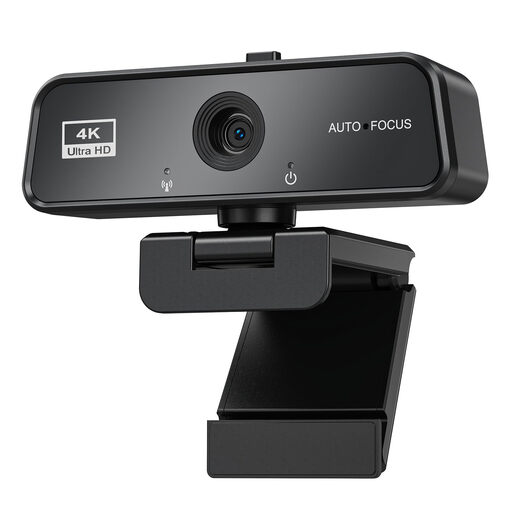 No image available
maxineer 4K Webcam
The 360° rotating clip is designed to attach to a monitor or laptop; check whether this position also gives you the view of the page you need.
- 3840 × 2160 at 30 FPS
- Autofocus
- USB 3.0
- Automatic light correction
- Privacy cover
- Clip for attaching to monitors or laptops
View at Joybuy
 No image available
Logitech C922 Pro Stream Webcam
The adjustable desk stand described may be useful if you need a raised or flexible camera position; check whether it’s suitable for the view of the page you want.
- 1080p at 30 frames per second or 720p at 60 frames per second
- Autofocus
- Stereo microphone
- Adjustable desk stand up to 18,5 cm and included tripod, according to the description
- UVC compatibility, according to the description
View at Joybuy
Frequently asked questions
Can I use a standard webcam for printed sheet music instead of a document camera?
Yes, if you can position it steadily over the page and a test shows that the other person can read the symbols they need. Logitech says the Brio 500 has Show Mode; whether your whole page appears clearly depends on how you set it up.
Which connection do I need for a USB document camera?
IPEVO specifies USB-A/UVC and a compatible computer for the IPEVO V4K PRO. Check that your computer has the right connection and that you can select the camera in your video-conferencing software; this won’t necessarily apply to every document camera.
Which settings can help if I play something during my explanation?
Test speech and music in a practice call. If you use Zoom, Zoom describes Original Sound for Musicians as an alternative to the usual audio filters; Live Performance mode has additional requirements. These are software features, not guaranteed features of the webcam.
What happens if a product is faulty, and can I cancel an online purchase?
The Verbraucherzentrale distinguishes between the statutory guarantee you have against the seller and a voluntary warranty. For goods ordered online, consumers in Germany generally have a 14-day right to cancel from the date they receive them; check the requirements and the cancellation information for your specific purchase.
Can I simply record an explanation of sheet music with my flatmates or other people on the call?
Not in every case: Section 201 of the German Criminal Code (StGB) covers unauthorised recording of another person’s words spoken in private. Before recording, check whose voices will be captured and whether you’re authorised to do so; the legal position in a specific case depends on the circumstances.


