Which setup is right for you?

Checking for duplicates

If you’re tidying up titles that have been entered more than once, keep different editions, parts and holdings separate. Zotero describes duplicate detection using title, DOI and ISBN; the BDLO sheet music library lists works in different editions.

Managing sheet music scans

If you also manage digital sheet music files, allow for separate storage and backups for catalogue data and attachments. Zotero’s documentation distinguishes between library data and attached files.

Setting up a workspace

If you’re setting up a dedicated cataloguing station, the right form factor depends on whether you already have a monitor or plan to buy one with the computer.

What should you look for when buying?

Mini PC with a separate monitor

A good fit if: you want to keep using a suitable monitor or choose one yourself, and you have limited desk space.

Trade-off: The monitor isn’t automatically included with the computer. Make sure the ports and storage on the specific configuration suit your workspace.

Small-form-factor desktop

A good fit if: internal ports or upgrade options matter more to you than having the smallest possible footprint.

Trade-off: According to Dell, the Dell OptiPlex 7010 configuration reviewed has 8 GB RAM, a 256 GB SSD, no Wi-Fi card and an HDMI resolution limit of 1,920 × 1,200.

All-in-one desktop

A good fit if: you want to buy the computer and monitor together, and the cataloguing software you need runs on the operating system offered.

Trade-off: The monitor is built into the device. Support for additional displays may vary between model versions.

Mac mini with a separate monitor

A good fit if: macOS suits the software you plan to use and you want a separate monitor.

Trade-off: The Mac mini has no built-in display, so check the monitor connection and the specific model version.

What you need What to check before buying Who is it important for?
Assess duplicates with confidence Decide which details distinguish editions and parts, and check each result individually before merging. Zotero identifies potential duplicates within a library; entries in different group libraries are treated separately. When I’m tidying up identical work titles, I don’t want to merge different editions and parts by mistake. Around 31% of consumers put duplicate checking first.
Files and backups Compare the SSD storage with the files you already have, and plan separate backups for catalogue data and attachments. According to Zotero, data synchronisation doesn’t automatically sync attached files. When I store digital sheet music as well as metadata, I need to keep track of file sizes and how they’re backed up. Around 25% of consumers prioritise file management.
Connect your existing workspace Check the monitor connection and desired resolution against the specific model. Also check the ports for your existing devices and whether a display is included. When I want to keep using an existing monitor or set up a dedicated cataloguing station, the screen and computer need to work together. Around 25% of consumers prioritise workspace compatibility.
Plan a complete workspace Consider the computer, any monitor you may need and connection accessories together. If you plan to use file synchronisation, check that the storage available is sufficient for your attachments. When I don’t yet have a complete cataloguing station, I want to know in advance what I’ll need besides the computer. Around 19% of consumers pay particular attention to the overall cost of their workspace.

Common buying and usage pitfalls

  • The same work title doesn’t automatically mean the same edition

    A duplicate search flags possible matches, while a sheet music library may contain different editions.

    Check the edition and the parts recorded before merging. Consider your choice of cataloguing software separately from your hardware choice.

  • Choosing a mini PC without checking the monitor

    Monitor connections and supported resolutions vary by configuration. A mini PC doesn’t automatically come with the monitor you need.

    Check the connections, resolution and what’s included with the specific model against your workspace.

    If you don’t have a suitable monitor, you may need to buy one or get additional connection accessories.

  • Confusing synchronised entries with synchronised sheet music files

    Zotero distinguishes between synchronising library entries and synchronising attached files.

    Test with sample files to make sure your metadata and attachments are actually available through your chosen backup method.

    You may need additional storage to synchronise attachments as well; choose a capacity that suits the files you actually have.

Brands to consider

MSI

The Cubi N ADL S range is a compact option for a dedicated cataloguing station with a separate monitor.

  • MSI lists Windows 11 Pro, Intel N200, 8 GB RAM and a 256 GB SSD for the Cubi N ADL S-217DE.
  • Ports and VESA mounting are manufacturer specifications for the range. Check the specific version, the storage you need and whether it works with your monitor.

Dell

The OptiPlex Small Form Factor could suit a workspace where internal ports and upgrade options matter.

  • For the OptiPlex 7010 configuration reviewed, Dell lists features including expansion slots and SATA connections.
  • This specific configuration is listed with 8 GB RAM and a 256 GB SSD, but no Wi-Fi card. Dell gives an HDMI resolution limit of 1,920 × 1,200.

HP

The Pro 400 Mini G9 is a compact Windows desktop range for a dedicated cataloguing station.

  • For configuration CP9G3EA#ABD, HP lists Windows 11 Pro, 16 GB RAM and a 512 GB SSD.
  • HP describes the Flex ports as configurable, so check which ports are included in the specific configuration you’re buying.

Apple

The Mac mini and iMac are worth considering if the software you plan to use works with macOS and you want to choose between a separate or built-in display.

  • Apple’s German product sheets describe M6 versions with different storage and display options.
  • The Mac mini has no built-in display, while the iMac combines the screen and computer. These specifications don’t demonstrate better cataloguing performance.

Joybuy products for a compact cataloguing station

This selection features mini PCs with a separate monitor for a compact cataloguing station. Compare the operating system, listed storage and ports with your cataloguing software, file collection and existing monitor.
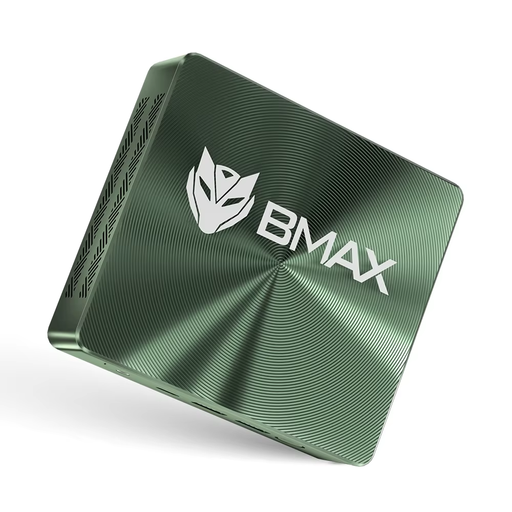
BMAX B6 Plus Mini PC with Intel i3-1000NG4, 12 GB RAM and 512 GB SSD

BMAX B6 Plus Mini PC, Intel i3-1000NG4

If you’re looking for a compact computer with a separate monitor, compare the listed ports with your monitor and other devices.

Windows 11, 12 GB RAM, 512 GB SSD, Wi-Fi 5, 3 × USB 3.0, 2 × HDMI and Bluetooth are listed in the product name.

View at Joybuy

BMAX B6 Mini PC with Intel Core i3-8109U, 12 GB RAM and 256 GB SSD

BMAX B6 Mini PC, Intel Core i3-8109U

If you want to connect an existing monitor, check that the ports on the configuration offered are compatible with it.

12 GB RAM, 256 GB SSD, HDMI and DisplayPort are listed in the product name.

Before buying, check that the operating system on the specific configuration is compatible with your cataloguing software.

View at Joybuy
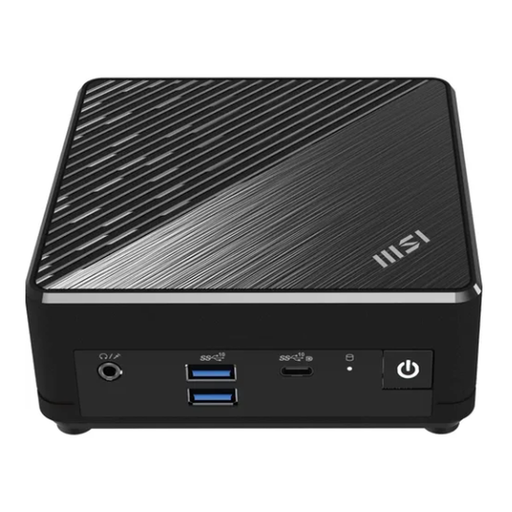
MSI Cubi N ADL S-217DE Mini PC with Intel N200, 8 GB RAM and 256 GB SSD

MSI Cubi N ADL S-217DE, Intel N200

This compact Windows configuration could suit you if you use a separate monitor and check the storage requirements for your sheet music files in advance.

Windows 11 Pro, 8 GB RAM and a 256 GB SSD are listed for this version. MSI also lists HDMI and DisplayPort outputs.

View at Joybuy
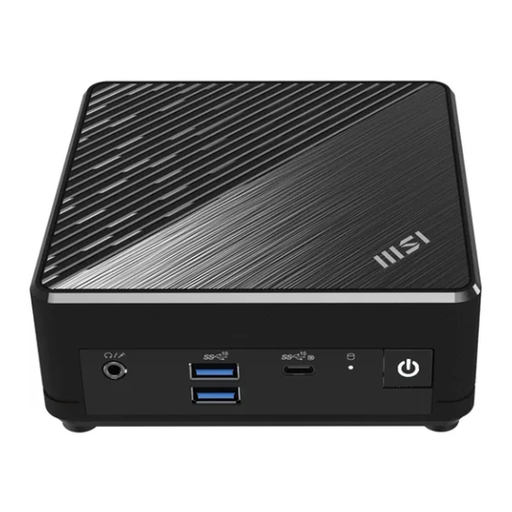
MSI Cubi N ADL S-254AT Mini PC with Intel N200, 4 GB RAM and 128 GB SSD

MSI Cubi N ADL S-254AT, Intel N200

If you’re considering this compact computer for a catalogue that includes digital sheet music files, compare the listed SSD storage with the files you actually have.

Windows 11 Pro, 4 GB RAM and a 128 GB SSD are listed in the product name.

Before buying, check that the operating system and ports on the specific configuration suit your software and monitor.

View at Joybuy

Frequently asked questions

Can a duplicate-checking feature automatically tell different sheet music editions apart?

A match alone doesn’t prove that two sheet music entries describe the same edition. Zotero lists title, DOI and ISBN as criteria for potential duplicates, so check each edition and part individually before merging. Duplicate detection works within one library, not across different group libraries.

Which operating system should a computer for Zotero have?

Zotero lists Windows 10 or later, macOS 10.15 or later and Linux as supported operating systems. Compare this with the operating system on the specific desktop configuration, then test cataloguing with works in different editions first.

Is synchronisation enough to back up my catalogue and sheet music files?

No. Plan separate backups for library data and attached files. Zotero describes the database file “zotero.sqlite”; synchronising library entries doesn’t automatically synchronise attached files. Test your chosen backup method with sample files and set up a separate backup of your working data.

What are my rights if my desktop is faulty?

If you buy from a trader as a consumer, the EU Your Europe portal states that you have a legal guarantee of at least two years from the date you receive the goods. This is different from a voluntary manufacturer’s guarantee; your specific rights depend on the fault and the circumstances.

Can I scan all the sheet music I’ve bought for cataloguing?

Owning a printed edition doesn’t automatically give you permission to scan it. Section 53(4) of the German Copyright Act (UrhG) sets out specific limits and exceptions for graphic reproductions of musical works. A catalogue entry without a copy is different from a digital copy of the sheet music or sharing it with others. Before scanning, check that you’re entitled to do so for the specific work and intended use.