Very little room on your desk
If you need space on your small desk for a monitor and controls too, a compact PC form factor and the exact dimensions of the model you’re considering are important factors.


If your computer needs to sit on a small desk, start by looking at a mini gaming PC with dedicated graphics and checking its exact footprint. A compact tower could also work if there’s room beside or under the desk. If you need to clear the desk regularly, a gaming laptop is another option. Choose your configuration based on the simulator you actually play, your preferred resolution and your input devices: the case size and graphics card name alone don’t guarantee a particular frame rate.
If you need space on your small desk for a monitor and controls too, a compact PC form factor and the exact dimensions of the model you’re considering are important factors.
If you want to play a particular 3D simulator, compare its requirements with the exact PC configuration instead of trying to infer performance from general gaming claims.
If you need to clear the desk for other tasks too, a laptop could be an alternative to a mini PC or tower that stays set up all the time.
A good fit if: Your computer needs to sit on the desk and there’s very little room available.
Things to weigh up: A compact form factor doesn’t guarantee any particular level of performance. Check the exact specification, setup and ports of the model you’re considering.
A good fit if: There’s room beside or under the desk and the case dimensions fit the space.
Things to weigh up: Compare the dimensions of the exact model with the space where you plan to put it. The word ‘compact’ doesn’t mean you can skip measuring.
A good fit if: You regularly need to clear the desk after gaming, or you want to take your computer with you.
Things to weigh up: You’ll still need suitable ports and space for an external monitor and extra input devices. Check the pre-installed operating system too.
| Criterion | What to check before buying | Who will care most? |
|---|---|---|
| Footprint and setup | Measure the available width, depth and height; allow for the stand, cables and the position of the ports. | If my computer needs to sit on the desk, I want enough room left for my monitor and controls. Around 31% of consumers would prioritise the footprint for this reason. |
| Graphics for your chosen game | Choose your game and preferred resolution, then check its latest official requirements. Compare these with the exact CPU, GPU, RAM and SSD configuration. | If the visuals in my chosen ship simulator matter most to me, I want to choose a configuration based on the game rather than general gaming claims. Around 25% of consumers would put in-game graphics first. |
| Space and ports for your controls | Count the input devices and cables you’ll need; check that the USB ports and display outputs on the exact model match your devices. | If I want to connect several input devices or an external monitor, I’ll need room and the right ports. Around 19% of consumers would prioritise space for their controls. |
| Noise and where you place it | Look for noise assessments for the specific model and consider how far it will be from where you sit. Case size alone doesn’t tell you how loud it is. | If my computer is right next to where I sit, I want to consider how much noise it makes during longer gaming sessions too. Around 13% of consumers would prioritise noise and where the computer is placed. |
| Setup and future changes | Check the operating system and what’s included; if you plan to make changes, only rely on options documented for the exact model. | If I want to set up the computer myself or make changes later, I want to check these requirements before choosing. Around 12% of consumers would prioritise setup and upgrade options. |
Even a case described as compact could be too deep for the space you have. For example, Acer lists a depth of 377 mm for the Acer Predator Orion 3000 PO3-650.
Measure the space you actually have and compare it with the dimensions of the complete model variant.
A product range can include different configurations, and the name alone won’t tell you what frame rate to expect in your chosen ship simulator.
Compare the full model number and specification with the latest official requirements for the game you want to play.
The HP Victus 15-fa2750ng is available with FreeDOS. This matters when setting it up if you need a different operating system.
Before ordering, check the operating system supplied with the exact model and decide whether you’re happy to set it up yourself.
The ROG NUC (2025) is a mini PC designed for particularly tight spaces. Configurations available in Germany vary.
The Predator Orion 3000 PO3-650 DG.BK4EG.00F is a tower option if its dimensions suit the space you have available.
The desktop ranges include different RAM, SSD and graphics card configurations, and are worth considering if you have room for a tower.
A gaming laptop could be a good fit if you regularly need to clear the desk for other activities.
Dubaro offers configurable Mini-ITX and small form factor gaming PCs, which the retailer describes as an option for smaller desks.
The Joybuy picks below include mini PCs and gaming laptops for tight spaces or desks that need to be cleared regularly. Compare the details of each model with your ship simulator’s requirements and the ports you need.
 No image available
The mini PC form factor could be a good fit if you have very little room on your desk.
The product title lists a Ryzen 7 7735HS, Radeon 680M, 16 GB RAM and a 512-GB SSD.
 No image available
This compact mini PC is an option if you need to fit your computer into a small space.
The product title lists a Ryzen 5 7640HS, Radeon 760M, 24 GB LPDDR5 and a 512-GB PCIe 4.0 SSD.
 No image available
This mini PC could suit a tight space. Also check that its ports are compatible with your controls.
The product title lists Radeon 880M, 24 GB DDR5, a 1-TB PCIe 4.0 SSD and quad-display support.
 No image available
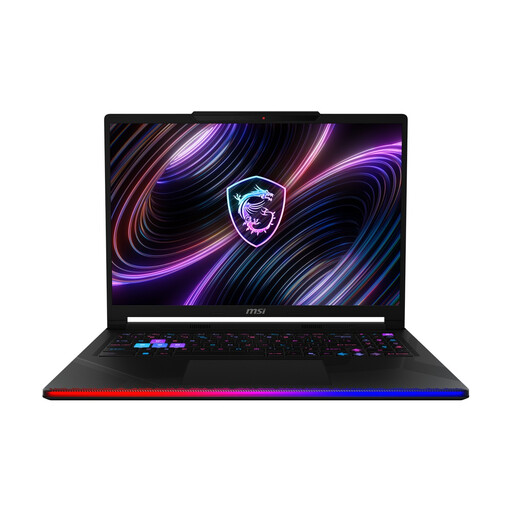
A laptop could be a good fit if you want to clear the desk after gaming.
The product title lists a 16-inch OLED WQXGA display, an Intel Core Ultra 9 290HX, an NVIDIA GeForce RTX 5090, 32 GB DDR5, a 2-TB SSD and Windows 11 Home.
 No image available
The laptop form factor could suit you if you regularly need to clear the desk for other tasks.
The product title lists a 17.3-inch FHD display with a 144 Hz refresh rate, a GeForce RTX 4060 with 8 GB, 16 GB RAM, a 1-TB SSD and Windows 11.
No. The type of PC you need doesn’t depend on the scenario alone. Ships At Sea and Seafarer: The Ship Sim feature different cargo ship and transport activities. Start by choosing the specific game and the visuals you want, then compare its latest official requirements with the specification of the exact PC variant.
Measure the available space and compare it with the dimensions of the model you’ve chosen. Allow for the stand, cables and the ports you’ll need for your monitor and input devices. Dimensions and ports are listed for the Acer PO3-650 with this exact model number.
Check the operating system and what’s included with the exact model. The HP Victus 15-fa2750ng is available with FreeDOS; Acer lists a keyboard and mouse for the PO3-650 reviewed here. These details don’t automatically apply to other models in the same ranges.
According to consumer information from the European Union, goods are generally covered by a statutory guarantee of at least two years from the date you receive them. This is separate from any voluntary manufacturer’s guarantee. The German consumer advice centre says that online purchases generally come with a 14-day right to cancel, starting from the date you receive the goods. Exceptions and the relevant terms and conditions apply.