Gamers short on desk space
If you share a bedroom, you’ll want to fit the screen and stand in without having to make room for an especially wide display.


If space is limited, a compact 16:9 monitor is a natural place to start. If you’d like more room for instruments and maps, consider a 27-inch QHD monitor. An ultrawide model may be worth considering if your particular simulator supports the format and its interface, and your desk and PC can accommodate it. In a shared bedroom, you should also factor brightness and audio into your decision.
If you share a bedroom, you’ll want to fit the screen and stand in without having to make room for an especially wide display.
If you need to read gauges and in-game text clearly from your usual seating position, consider screen size and resolution together.
If you’re considering a wide screen or OLED contrast, check game support and space requirements too. For OLED, also read the panel care guidance.
First measure the space available, then check which resolution and aspect ratio your simulator actually supports. In a shared bedroom, you’ll also want to consider your preferred audio set-up and how you can adjust the screen for the room’s lighting.
| Consideration | What to check before buying | Who it matters most to |
|---|---|---|
| Space in the room | Measure the available width and depth, then compare the monitor’s dimensions, including the stand. AOC lists the 24G4XE as 23.8 inches, while LG lists the 34GX90SA-W as 34 inches; screen size alone won’t tell you whether it will fit on your desk. | If I’m sharing the desk, I need the monitor and stand to fit in the space available. Around 29% of consumers put space requirements first. |
| How easy gauges and text are to read | Compare screen size and native resolution, and check the in-game scaling. AOC lists the 23.8-inch 24G4XE at 1920 × 1080 pixels, while BenQ lists the 27-inch EX2710Q at 2560 × 1440 pixels. That doesn’t automatically tell you how easy it will be to read the displays in your simulator. | If small instruments and maps are my priority, I want to assess screen size and resolution together. Around 29% of consumers prioritise readability. |
| Being considerate in the evening | Check whether you can adjust the picture to suit the room’s lighting, and decide whether headphones would be more suitable than speakers. BenQ lists built-in speakers for the EX2710Q; Dell lists a headphone output on the G2725D. | If someone else is sleeping or working in the room, I want to be able to adjust the light and sound to suit them. For around 24% of consumers, being considerate is the main concern. |
| Wide field of view and compatibility | Check which resolutions and HUD positions the game supports, as well as your PC’s graphics output. LG lists the 34GX90SA-W at 3440 × 1440 pixels; that monitor specification doesn’t prove your simulator will display the format correctly. | If I value a wider picture more than the other considerations, I want to check the game and its interface first. Around 12% of consumers put field of view first. |
| Energy use and panel care | Compare the figures on the EU energy label on a like-for-like basis. If you’re considering OLED, read the care and warranty terms for the specific model too; MSI describes OLED Care 2.0 on the MPG 271QRXDE as a measure to reduce the risk of burn-in. | If I’m most concerned about power consumption and possible care requirements, I’ll compare the model specifications and terms carefully. Around 6% of consumers prioritise these longer-term considerations. |
The refresh rate you can achieve may vary depending on the connection and resolution you use.
Compare the specifications for the exact resolution and connection you plan to use with your device.
The monitor’s resolution doesn’t prove that your simulator supports a wide format or show where its instruments and controls will appear.
Check game support, HUD positioning and the space available on your desk before choosing a wide model.
MSI describes OLED Care 2.0 as a way to reduce risk, not eliminate the risk of burn-in.
Read the care guidance and warranty terms for the exact model variant, especially if instruments will be on screen for long periods.
The 24G4XE is an example of a compact Full HD gaming monitor for a desk with limited space.
The MOBIUZ EX2710Q is a 27-inch QHD monitor with built-in speakers.
The G2725D is an example of a 27-inch QHD monitor whose stated refresh rate depends on the connection used.
The UltraGear 34GX90SA-W is an example of an ultrawide OLED monitor.
The MPG 271QRXDE QD-OLED is a 27-inch option for anyone considering QHD, OLED contrast and a high refresh rate.
These models include QHD gaming monitors that give you more room for displays and maps on a 27-inch screen.
 No image available
Worth considering if you’re looking for QHD on a 27-inch screen and want to adjust the stand to suit your seating position.
27 inches; 2560 × 1440 pixels; Fast IPS panel; 144 Hz; height adjustment, tilt, swivel and pivot.
A 3.5-mm audio output is listed.
 No image available
A good option if you’re considering a curved 27-inch QHD screen and want to use a headphone socket.
27 inches; QHD at 2560 × 1440 pixels; VA panel; 180 Hz; 1500R curvature.
A headphone output is listed.
 No image available
Worth considering if you’re looking for QHD on a 27-inch screen and would like to take monitor speakers into account.
27 inches; QHD at 2560 × 1440 pixels; Fast IPS panel; 275 Hz; 1152 dimming zones.
The product specifications list a height-adjustable stand and built-in speakers.
 No image available
A good option if you’re looking for a 27-inch QHD monitor with an IPS panel and a stated refresh rate of 120 Hz.
27 inches; 2560 × 1440 pixels; IPS panel; 120 Hz.
VESA compatibility is listed.
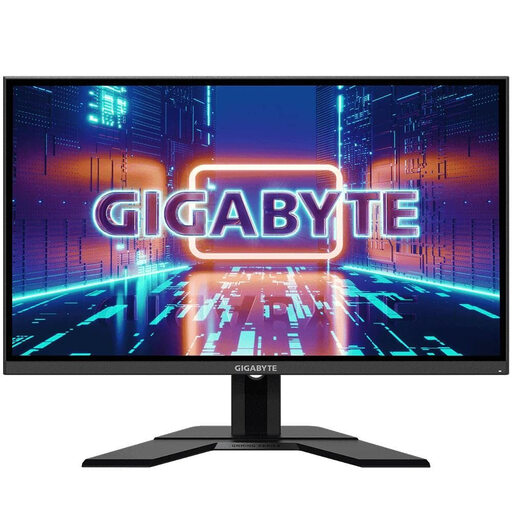 No image available
Worth considering if you’re looking for a 27-inch IPS monitor with QHD resolution and an adjustable stand.
27 inches; 2560 × 1440 pixels; IPS panel; 165 Hz.
An audio output and adjustable stand are listed.
Check the resolution supported by the specific game, how it displays the instruments and where it positions the HUD. LG lists the 34GX90SA-W at 3440 × 1440 pixels; this describes the monitor, not whether your simulator supports it.
For the Dell G2725D, the stated QHD refresh rates depend on the connection: Dell lists up to 180 Hz over DisplayPort and up to 144 Hz over HDMI. Also check which output your own device supports.
Follow the protection and care guidance for the specific model. MSI describes OLED Care 2.0 on the MPG 271QRX QD-OLED as a way to reduce the risk of burn-in; check the exact warranty terms separately.
Monitors covered by EU rules carry an energy label showing their efficiency class. The European Commission also lists energy consumption for HDR content; compare the figures for specific models on a like-for-like basis.
For a standard online purchase from a trader, you generally have 14 days from delivery to cancel; exceptions and possible return costs should be taken into account. If goods are faulty, you have a statutory warranty claim against the seller for at least two years. An additional manufacturer’s warranty does not replace these rights.