Silent film fans sitting further back
You want to check how easy it is to read the intertitles and see picture details from your actual seat before deciding on a picture size. filmportal.de documents a 4:3 version of Faust with intertitles.


For silent films watched from a long viewing distance, a projector is suitable when the planned picture width is easy to make out from your seat and the throw ratio matches the distance between the lens and the screen. Decide on the picture size based on your seating position first, then check the projector’s position separately. BenQ Germany describes throw ratio as projection distance divided by picture width. If you have a 4:3 version, keep the whole picture intact rather than stretching it to fill a 16:9 screen and cropping parts of the image.
You want to check how easy it is to read the intertitles and see picture details from your actual seat before deciding on a picture size. filmportal.de documents a 4:3 version of Faust with intertitles.
If you can’t move the projector around freely, the picture width, distance between the lens and screen, zoom and, where available, lens shift all need to work together. BenQ Germany explains how projection distance and picture width determine the throw ratio; Epson Germany lists zoom and lens shift for the EH-TW7000.
If you don’t always watch in a completely dark room, consider the picture size and lighting conditions alongside the brightness available. RTINGS.com and BenQ Germany describe these as part of planning your setup.
First, distinguish your viewing distance from the projection distance. Then check the aspect ratio, picture width and room lighting. BenQ Germany explains how to calculate the throw ratio, while filmportal.de documents silent film versions such as Faust in 4:3.
| Consideration | What to check before buying | Who it matters most to |
|---|---|---|
| Readable intertitles and picture details | Decide on the picture width and seating position; check your version of the film on the planned screen. | If you want to read intertitles and make out details from further back, the picture size should suit your viewing position. Around 26% of consumers put readability from their seat first. |
| Picture width from the projector’s position | Measure the distance between the lens and screen, along with the available picture width; check these against the throw ratio and zoom range of the specific model. | If the projector has to stay in a fixed position, you’ll want to know whether it can produce the picture width you want from there. Around 26% of consumers prioritise a suitable position and picture framing. |
| Full 4:3 picture | Check the aspect ratio of the film version and whether the projector supports 4:3; choose scaling that doesn’t crop the picture. | If you want to watch a complete 4:3 silent film, the picture shouldn’t be cropped to fill a 16:9 screen. Around 21% of consumers prioritise seeing their film in full. |
| Picture in ambient light | Consider your planned picture size and the lighting conditions at the time you’ll actually be watching. | If you watch with some room light, you’ll want the picture to remain clear in those conditions. Around 16% of consumers make room brightness their main concern. |
| Light source and maintenance | Check the light source, operating mode and availability of replacement parts for the specific model. | If you’re weighing up maintenance needs and light-source life, make sure the information applies to the model and operating mode you’re considering. Around 11% of consumers focus on ongoing costs and maintenance. |
Throw ratio is based on the distance from the lens to the screen, not the distance from your seat.
Measure your seating position, the lens position and the available picture width separately.
Zooming in to fill the screen can crop parts of the film and its intertitles.
Show the film in its full aspect ratio, and accept that there may be blank areas either side of the picture.
A single maximum figure doesn’t tell you how picture size, room lighting and brightness will work together in your setup.
Assess the planned picture size in the lighting conditions you’ll actually be watching in.
Manufacturers’ figures for lamps and laser light sources may refer to different models and operating conditions.
For the specific device, check the light source, operating mode and whether replacement parts are available.
The EH-TW7000 and EH-LS7000 are among the home cinema models with documented setup information.
BenQ’s information about throw ratio helps you compare the lens distance with the picture width for your planned setup.
The Acer H6828BD is a specific example whose throw ratio and aspect ratio specifications can help you assess your setup.
Optoma’s distance calculator can help you plan picture size and projector position for a specific model.
The Joybuy projectors below list different specifications for setup, picture size and home cinema use. Compare each model’s details with your lens distance, desired picture width, film version and room lighting.
 No image available
The product title describes this model as an ultra-short-throw projector; check whether positioning it close to the screen will work in your room.
WiFi 6, Bluetooth 5.4 and automatic keystone correction are listed. These specifications don’t replace checking the picture width and aspect ratio of your film version.
 No image available
This model is described as an ultra-short-throw laser projector; check that its stated setup type suits your planned lens position.
The product name lists 2,300 ISO lumens, Dolby Vision and IMAX Enhanced. These specifications alone don’t confirm that the picture size will suit your setup or that your film version will be easy to read.
 No image available
The product specifications list a projection distance of 1 to 5 metres and a projected picture size of 40 to 200 inches. Check that these ranges suit your room and desired picture width.
Native 1080P resolution and 700 ANSI lumens are listed. On their own, these figures don’t tell you how easy it will be to make out intertitles with your picture size and the ambient light in the room.
 No image available
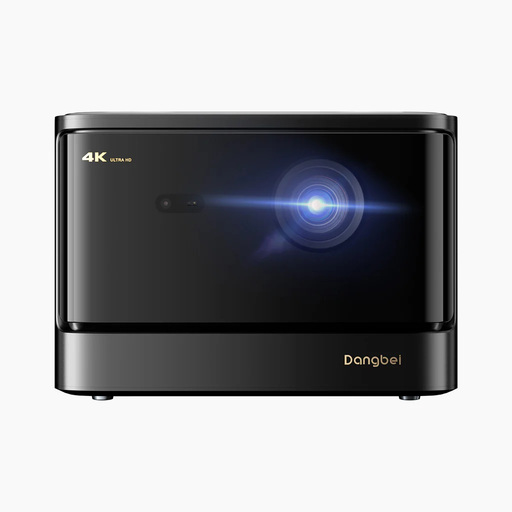
This model is described as a 4K laser projector for home cinema; check that the aspect ratio and picture size suit your film source and seating position.
The product name lists 2,450 ISO lumens and HDR10+. A high resolution or brightness rating doesn’t guarantee that a 4:3 version will be shown without cropping.
 No image available
The stated throw ratio of 1.2:1 is a starting point for comparing lens distance and picture width; it doesn’t confirm that the model will suit a long projection distance.
1,200 ISO lumens and 1080p are listed. Also check whether your silent film version can be shown in its full aspect ratio.
No. Viewing distance is the distance from your seat to the screen. Throw ratio, on the other hand, compares the distance from the projector to the screen with the picture width. Choose a picture size that suits your seat, then check the projector’s position separately.
Measure the available picture width and the distance from the intended lens position to the screen. Compare both with the specific model’s throw ratio and zoom range. Optoma advises checking calculator results against the product specifications and at the intended installation position before permanently mounting a projector on a wall or ceiling.
No. With a 4:3 version, such as the release of Faust documented by filmportal.de, showing the complete picture matters more than zooming in and cropping it. Check the aspect ratio of your own version.
For a lamp-based model, check whether replacement lamps are available and how long the lamp is rated to last in the relevant operating mode. For example, Epson gives 5,000 hours in Eco mode for the EH-TW7000. This manufacturer’s figure applies to that model and mode.
No. According to information from the German Federal Ministry for the Environment, old electrical appliances must not be put in household rubbish. Local collection points and other authorised take-back points are the designated disposal options. Individual retailers’ take-back obligations depend on the relevant legal requirements.