Silent-film fans watching in daylight
If windows or lamps shine on your screen, clearly visible faces and intertitles matter. RTINGS.com points out that every display reflects light, even when it has anti-reflective technology.


If you often watch in daylight, a Mini LED LCD is a sensible first option to consider. What matters, though, is how the specific model handles reflections and SDR films, not just its peak HDR brightness. An OLED designed specifically to reduce reflections may suit you if dark scenes are especially important in the evening. With older prints, it’s also worth keeping image processing subtle. RTINGS.com often describes Mini LED as a good choice for bright rooms, while noting that even anti-reflective displays can reflect light. The Film Foundation also documents how restoration work can alter frame sequences and intertitles.
If windows or lamps shine on your screen, clearly visible faces and intertitles matter. RTINGS.com points out that every display reflects light, even when it has anti-reflective technology.
If you watch files or discs in different restored versions, look for legible intertitles and restrained image processing. The Film Foundation describes restoration work that has included changes to frame sequences and title cards.
If you watch during the day and assess dark scenes in the evening, you’ll need to weigh up reflections and black levels together. RTINGS.com describes the differences between Mini LED and OLED for bright rooms and dark images.
A good choice if: You mostly watch in daylight and brightness is a priority. Compare how the specific model handles reflections and SDR content. RTINGS.com often describes Mini LED as a suitable option for bright rooms.
Things to consider: Check for possible halos around bright intertitles on a dark background. A quoted peak HDR brightness doesn’t, on its own, tell you how an ordinary SDR film will look.
A good choice if: You often watch in the evening and prioritise dark areas of the picture. A model specifically designed to control reflections could be worth considering.
Things to consider: Don’t assume reflection performance carries over from one model range to other screen sizes. If you leave menus or still images on screen for long periods, also consider the risk of permanent image retention described by RTINGS.com.
| Buying priority | What to check | Who it matters most to |
|---|---|---|
| Visibility in daylight | Assess reflections and the model’s SDR brightness separately, and take the position of your windows into account. | If I want to make out dark scenes and intertitles during the day, reflections are my top priority. Around 40% of consumers share this priority. |
| Intertitles and older prints | Watch a familiar version and adjust upscaling, sharpening and motion interpolation carefully. | When I watch older prints, I want to assess the lettering and frame sequence without extra processing unnecessarily changing the original material. Around 33% of consumers prioritise this approach to the source material and intertitles. |
| Size and running costs | Measure the available space and your viewing distance. If you mostly watch SDR films, compare the SDR figure on the EU energy label. The European Commission lists SDR and HDR separately. | When suitable dimensions and running costs come first, I want to weigh up size and energy consumption together. Around 17% of consumers have this focus. |
| Black levels by day and evening | Assess dark scenes on the specific model. With Mini LED, look out for possible halos; with OLED, consider images left on screen for long periods. | If I watch both during the day and in the evening, I want to be able to assess dark scenes without overlooking how the TV performs in a bright room. Around 10% of consumers prioritise evening contrast. |
A peak HDR figure doesn’t directly tell you how an ordinary SDR print will look in daylight.
Check SDR performance and reflection handling separately for the specific model.
Even displays designed to reduce reflections can still reflect light, for example from a bright window.
Take your light sources and the TV’s position into account. RTINGS.com points out that reflections can’t be avoided completely.
The frame sequence may already have been adjusted in restored prints. Extra processing by the TV changes the playback further.
Start by comparing the specific print with motion smoothing set low or switched off. The Film Foundation documents frame sequences adjusted during restoration, while RTINGS.com explains how 24-fps films are displayed on 120-Hz screens.
Worth considering if you want to compare OLED with explicitly advertised reflection-reduction technology.
A Mini LED option for buyers who want to compare local dimming and the brightness specifications of a particular model.
The 55-inch QN90F is a Neo QLED/Mini LED option that should be assessed separately from Samsung’s other display ranges.
BRAVIA 5 is a Mini LED option whose picture technology and connections can be checked against your film sources.
According to Philips, the 65OLED810/12 combines OLED with Ambilight.
The following Joybuy TVs use Mini LED technology. For watching silent films in a bright living room, pay particular attention to how each specific model handles reflections and SDR playback.
 No image available
The product name highlights anti-reflection technology and local dimming, both relevant features for a bright room. Check how they perform where you plan to place the TV.
98 inches; 4K; 1.152 local dimming zones; 2.000 Nits HDR; anti-reflection; 144 Hz; Dolby Vision IQ; Dolby Atmos; Google TV. Peak HDR brightness doesn’t tell you how bright ordinary SDR films will look.
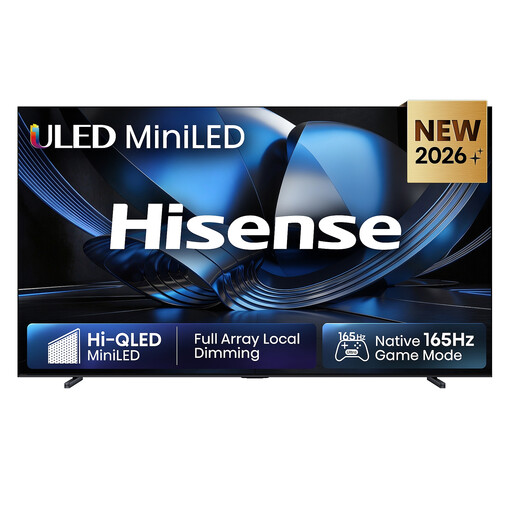 No image available
The product details list Mini LED and automatic brightness adjustment for changing ambient light. Check how the specific model responds to the lighting in your room.
100 inches; 4K; 165 Hz; automatic brightness adjustment; Dolby Atmos; VIDAA Smart OS.
 No image available
The product name lists anti-reflection technology and local dimming. For silent films, also check SDR playback and look for possible halos around bright intertitles.
85 inches; 4K; 1.056 local dimming zones; 2.000 Nits HDR; anti-reflection; 144 Hz; Dolby Vision IQ; Dolby Atmos; Google TV. Peak HDR brightness isn’t an SDR brightness figure.
 No image available
Anti-reflection technology and local dimming are listed in the product name. Check reflections in your room and how ordinary SDR prints look.
75 inches; 4K; 760 local dimming zones; 2.000 Nits HDR; anti-reflection; 144 Hz; Dolby Vision IQ; Dolby Atmos; Google TV. Peak HDR brightness doesn’t tell you how bright an SDR film will look.
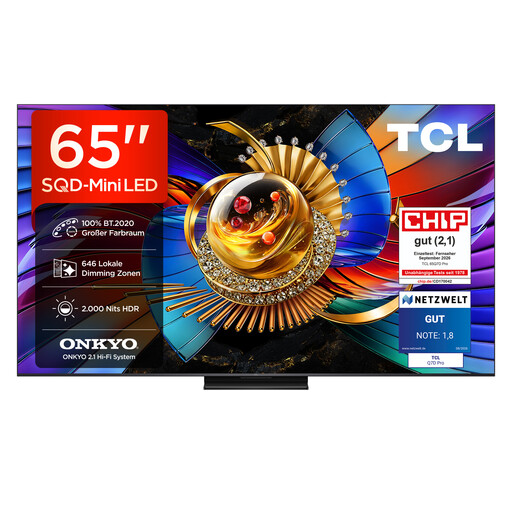 No image available
The product name lists anti-reflection technology and local dimming. Assess reflections and SDR picture brightness separately, rather than assuming peak HDR brightness tells you how films will look in daylight.
65 inches; 4K; 646 local dimming zones; 2.000 Nits HDR; anti-reflection; 144 Hz; Dolby Vision IQ; Dolby Atmos; Google TV.
No. The panel refresh rate alone doesn’t tell you whether it’s right for a particular print. RTINGS.com describes some of the benefits of displaying suitably supplied 24-fps films at 120 Hz. The Film Foundation also documents restorations in which the frame sequence has been adjusted. So check the print and the source you’re using.
If possible, avoid having direct light sources reflected in the screen. Once you’ve settled on a position, reflection tests for the specific model can be useful. As RTINGS.com explains, even an anti-reflective TV will still reflect some light.
If you mostly watch SDR prints, compare the SDR figure on the EU energy label for models of a similar size. The European Commission lists SDR and HDR separately. Your actual costs will also depend on how long you use the TV, its settings and your electricity tariff.
No. For a consumer purchase, your statutory rights are against the seller and generally last for two years. A guarantee is an additional voluntary promise with its own terms and conditions. Verbraucherzentrale distinguishes between the two. Under the rules described by the German Federal Government, for purchases made from 31.07.2026, the statutory period may be extended to three years under certain legal conditions if a fault is put right by repair within the original period.
TVs are covered by EU energy-labelling rules for electronic displays. As the European Commission explains, the energy label shows information including the efficiency class and separate consumption figures for SDR and HDR. It doesn’t require you to buy a TV in a particular efficiency class.