
Lieferung heute & morgen

Qualitätsgarantie

Willkommens-Angebote freischalten: KOSTENLOSE Lieferung | Bis zu 80 % RABATT | Kostenlose 30-Tage-JoyPlus-Testphase
App herunterladen
By Joybuy Product Recommendation Officer, August 28, 2026
The constant clicking of a computer mouse can quickly become a noise nuisance in a quiet office or home office. A silent mouse promises a solution, but the selection process is fraught with pitfalls that often only become apparent after purchase. Many models advertise quiet clicks but disappoint in other, equally important areas. This guide will help you separate the wheat from the chaff and find a mouse that truly fits your needs.
Before you decide on a model, you should be aware of the typical marketing promises and hidden flaws that can lead to buyer's remorse.
To avoid these traps, focus on three objective features that determine the quality and usability of a mouse.
The choice of connection technology has a direct impact on the reliability and flexibility of your mouse.
A mouse is a tool you use for hours every day. Therefore, ergonomics is not a luxury but a necessity.
The term "silent" is not standardized. Pay attention to specific claims from manufacturers.
Here are some recommendations tailored to specific user profiles that take the above criteria into account.
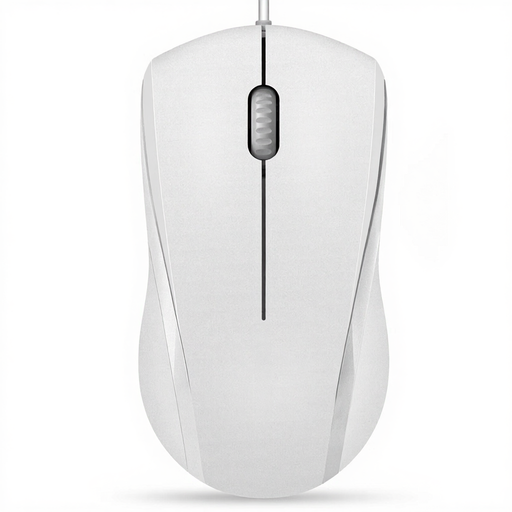
Why This Fits Their Persona: Ideal for students and office workers who want a simple, reliable, and quiet mouse without the complexity and cost of wireless models. It focuses on the essentials: quiet clicks and a stable connection.
As a wired USB mouse, it completely bypasses the "Connectivity Chaos." Its symmetrical design is functional, not just for looks, avoiding the "Ergonomic Illusion" for basic use.
Plug-and-play installation with no drivers. Reduced click noise for a distraction-free work environment.
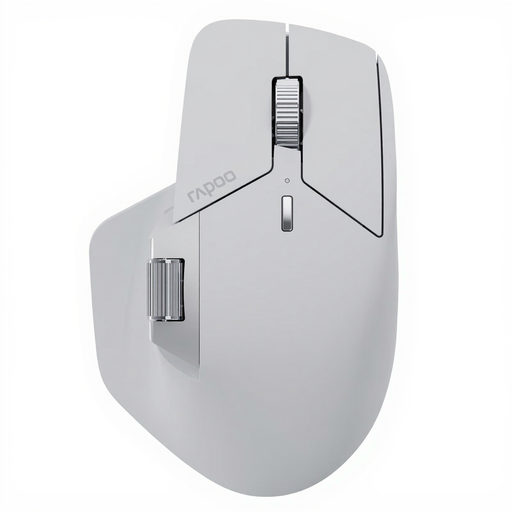
Why This Fits Their Persona: Perfect for professional users who work with multiple devices and require high precision and customisation. Ideal for complex workflows, graphic design, or demanding office tasks.
Addresses the "Connectivity Chaos" with advanced NearLink and Bluetooth mouse technology for up to 7 devices. The thoughtful ergonomic shape is designed for long workdays and provides genuine comfort.
Multi-device connectivity, 11 programmable buttons, and a high-precision 12,000 DPI sensor for maximum productivity.
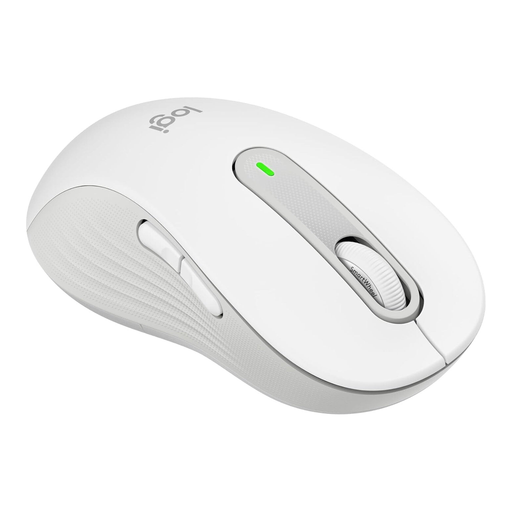
Why This Fits Their Persona: Specifically designed for left-handers with larger hands—a demographic often overlooked by many manufacturers. It combines targeted ergonomics with quiet clicks for all-day comfort.
Solves the "Ergonomic Illusion" with a dedicated mouse for left-handers that offers genuine comfort. The SilentTouch technology ensures it is a truly silent mouse.
Specific ergonomic shape for left-handers. SilentTouch technology for near-silent clicks and customisable side buttons.
Sometimes, you need more than just a silent mouse; a silent keyboard is also required. A wireless keyboard and mouse combo like the CHERRY STREAM DESKTOP RECHARGE offers a coordinated, low-noise solution for your entire workspace.
We have compiled a complete, up-to-date list of products that fully meet these strict selection criteria and local regulations.
1. How long does the battery of a silent wireless mouse last? Battery life varies greatly depending on the model, usage, and battery type. Some models with AA or AAA batteries can achieve runtimes of up to 24 months, according to manufacturer specifications, such as the Logitech Signature M650. Rechargeable models like the RAPOO MT760 PRO also offer long runtimes of over 100 days and can be quickly recharged via USB-C. Many mice also feature a power-saving mode to extend battery life.
2. Is a silent mouse also suitable for gaming? While most silent mice are designed for office use, there are models suitable for casual gamers. A gaming mouse like the ONIKUMA CW905, for example, offers silent clicks combined with gaming features like RGB lighting and adjustable DPI levels. However, professional gamers often prefer mechanical switches for their tactile feedback, which are typically louder.
3. Does a silent mouse work on all surfaces? Most modern mice with optical or laser sensors work on a variety of surfaces, including wood desks and fabrics. However, for optimal precision and to protect the mouse's feet, a mouse pad is generally recommended. High-quality sensors, like those found in premium models, often offer better performance on difficult surfaces like glass.