
Lieferung heute & morgen

Qualitätsgarantie

Willkommens-Angebote freischalten: KOSTENLOSE Lieferung | Bis zu 80 % RABATT | Kostenlose 30-Tage-JoyPlus-Testphase
App herunterladen
The constant clicking of a computer mouse can quickly become a distraction in a quiet office, a library, or at home—for you and those around you. A silent wireless mouse promises a solution, but the market is crowded and confusing. Many models don't live up to their claims. As your Joybuy Product Recommendation Officer, I'll help you avoid the common pitfalls and make an informed decision.
Before you choose a model, you should be aware of the most common marketing traps that often lead to disappointment.
To avoid making the wrong choice, focus on three objective criteria that define a good silent mouse.
A truly silent mouse reduces the noise from all frequently used buttons. Look for specifications like "SilentTouch Technology," which, as seen in some Logitech models, promises over 90% noise reduction for clicks and sometimes even for the scroll wheel. Check the product descriptions to confirm that the noise-dampening feature explicitly extends to multiple buttons.
The connection type is crucial for reliability and flexibility.
An ergonomic mouse is shaped to fit the natural posture of your hand, helping to prevent fatigue. Pay attention to the following aspects:
Here are some models that are suitable for different user profiles based on objective features.
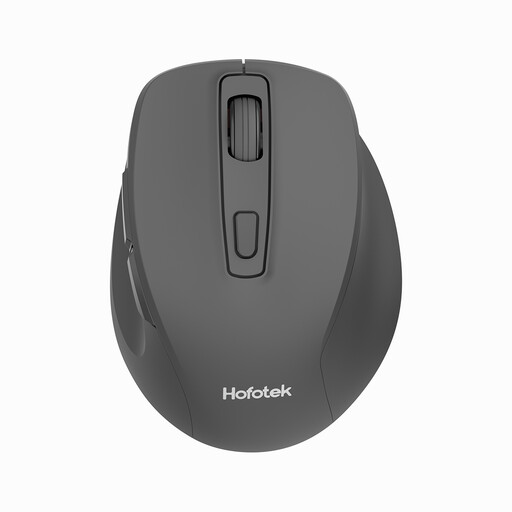
Why This Fits Their Persona: Ideal for users seeking a straightforward and quiet mouse for everyday office tasks or studying. It focuses on core functions without costly extras.
The mouse provides quiet clicks and a stable 2.4 GHz connection, thus avoiding the common traps of 'partially silent' performance and unstable connectivity found in entry-level models.
Very lightweight (55g) and portable. Adjustable DPI levels (800-1600) for flexible cursor speed. Simple plug-and-play installation.
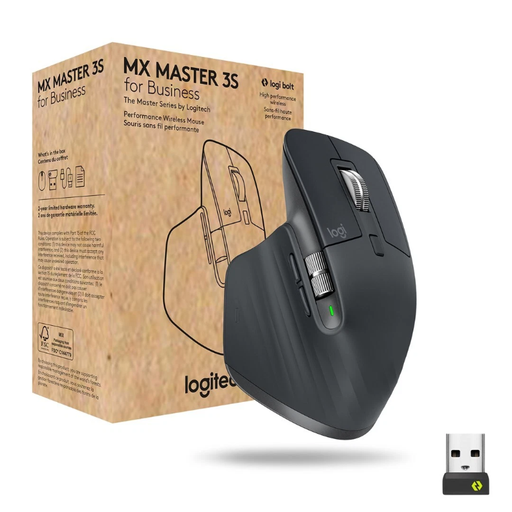
Why This Fits Their Persona: Designed for professionals who work across multiple devices and require maximum precision and efficiency. This mouse is built for demanding workflows.
It bypasses the ergonomics trap with a distinct, contoured shape optimized for right-handed users. The multi-device mouse functionality, featuring secure Logi Bolt and Bluetooth connectivity, prevents connection issues.
8000 DPI sensor works even on glass. MagSpeed scroll wheel for fast and precise scrolling. Quiet Click technology for a near-silent work experience.
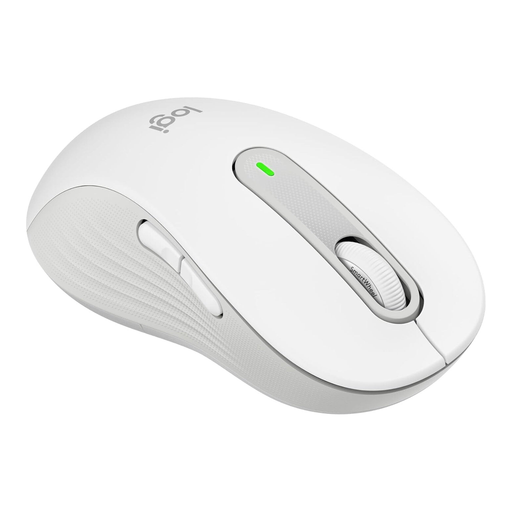
Why This Fits Their Persona: Specifically designed for left-handed users with larger hands who value all-day comfort and a quiet work environment.
This is the direct solution to the ergonomics trap, as it forgoes an ambidextrous design in favor of a specific, contoured shape for left-handed users. Its SilentTouch technology ensures comprehensive noise reduction.
Contoured shape with a soft thumb rest. SmartWheel scrolling for precision or speed. Flexible connectivity via Bluetooth or the Logi Bolt USB receiver.
We have compiled a complete, up-to-date list of products that fully meet these strict selection criteria and local regulations.
Battery life varies significantly depending on the model and usage. Mice powered by AA or AAA batteries, like the Logitech Signature M650 L, can last up to 24 months according to the manufacturer. Models with a built-in rechargeable battery, such as the Logitech MX Master 3S, often provide up to 70 days on a full charge and are conveniently recharged via a USB-C cable.
A Bluetooth mouse works with most modern laptops that have a built-in Bluetooth module, which is the case for nearly all current devices. You just need to ensure that your operating system (e.g., Windows, macOS) is compatible, which will be listed in the product specifications. For older PCs without Bluetooth, an external Bluetooth USB adapter may be required.
A higher price often correlates with additional features and superior build quality, but not necessarily with greater noise reduction. More expensive models frequently offer benefits like more precise sensors (e.g., ones that work on glass), the ability to connect to multiple devices (multi-device mouse), advanced ergonomics, more durable materials, and customizable buttons. However, for simple tasks in a quiet environment, an affordable model may be all you need.