
Lieferung heute & morgen

Qualitätsgarantie

Willkommens-Angebote freischalten: KOSTENLOSE Lieferung | Bis zu 80 % RABATT | Kostenlose 30-Tage-JoyPlus-Testphase
App herunterladen
The constant clicking of a computer mouse in an open-plan office, a library, or a shared home office can quickly become a strain on concentration—for you and those around you. A silent wireless mouse promises a solution, but the market is flooded with products whose marketing claims often don't stand up to scrutiny. Before you make a decision, you should be aware of the most common pitfalls.
silent mouse are only marginally quieter than standard mice. Without a quantifiable metric for noise reduction, such as a percentage, you might buy a product that doesn't actually solve your noise problem.To avoid these pitfalls, you should examine three core technical features that define a reliable and comfortable office mouse.
The choice of connection technology depends on your workspace and devices.
Bluetooth mouse is ideal for modern laptops and tablets, which often only have USB-C ports. You don't need a separate receiver, which frees up a port.multi-device mouse offers the best of both worlds. It can switch between multiple devices (e.g., laptop, tablet, and desktop PC) at the touch of a button and often supports both Bluetooth and a 2.4 GHz connection.DPI (Dots Per Inch) indicates the sensitivity of the mouse sensor. A higher value means the cursor moves faster across the screen with the same hand movement. An adjustable DPI function is useful for adapting the speed to different tasks—lower DPI for precise graphic design, higher DPI for fast navigation. High-quality sensors, like Logitech's Darkfield sensor, also work reliably on almost any surface, even glass.
An ergonomic mouse is shaped to support the natural posture of your hand, reducing strain on muscles and tendons. Pay attention to the following aspects:
laptop mouse is ideal for transport, while a slightly heavier weight can provide more stability at your desk.We have compiled a few models based on the criteria mentioned for different user groups.
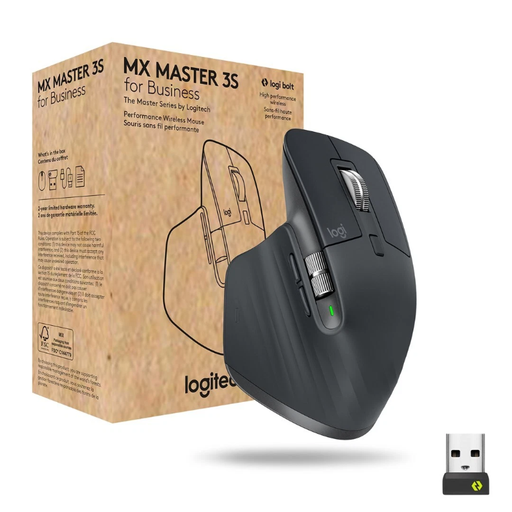
Why It's a Match: Designed for users who spend many hours at the computer daily and demand the highest standards of comfort and functionality. Ideal for developers, designers, and analysts.
The highly contoured, ergonomic shape actively prevents fatigue. The Quiet Click technology is backed by a precise noise reduction specification, and the connection via the Logi Bolt USB receiver is optimised for demanding office environments.
8000 DPI Darkfield sensor for precision on almost any surface, including glass. MagSpeed scroll wheel for fast and precise scrolling. Multi-device capable for up to 3 devices.
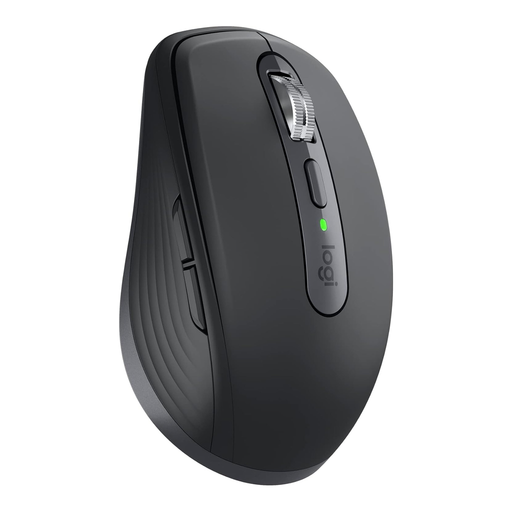
Why It's a Match: Perfect for users who frequently switch between the office, home, and on the go. Its compact form fits into any laptop bag without compromising on performance.
Despite its compact size, it offers professional-grade features. Dual connectivity via Bluetooth and Logi Bolt prevents connection issues. The Darkfield sensor makes a mouse pad unnecessary, increasing mobility.
Compact design, 8000 DPI sensor works on glass. Quiet clicks and MagSpeed scroll wheel. Battery life of up to 70 days with USB-C fast charging.
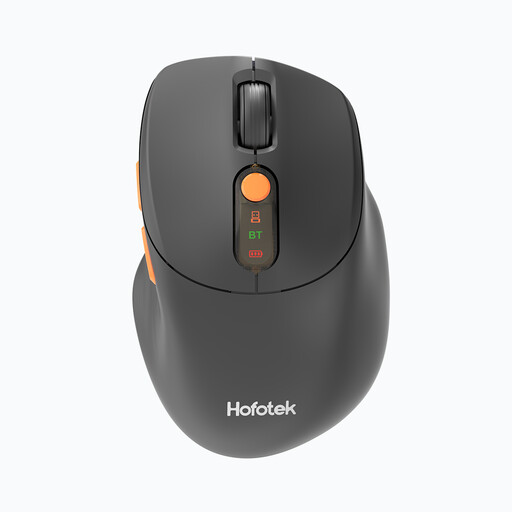
Why It's a Match: A solid choice for students and home office users looking for a functional, quiet, and flexible mouse without a major investment.
For an affordable price, it offers a multi-device connection for up to 3 devices via Bluetooth and a 2.4 GHz dongle. This helps it avoid the trap of an inflexible, interference-prone single connection common in budget models.
Very lightweight (62 g), adjustable DPI up to 4000. Compatible with Windows, macOS, and Android. Battery is included.
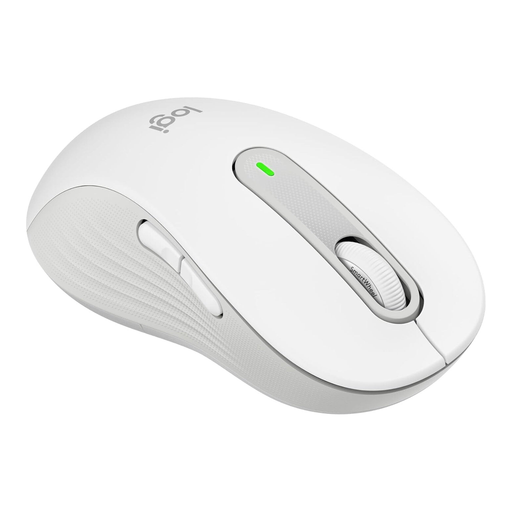
Why It's a Match: One of the few mice on the market specifically designed for left-handers with larger hands, while also offering quiet clicks and modern features.
It solves the most fundamental ergonomic problem for left-handers: using a mouse designed for right-handers. Instead of a compromise (like a symmetrical mouse), it provides a true ergonomic fit for the left hand.
SilentTouch technology for over 90% quieter clicks. SmartWheel scrolling and customisable side buttons. Long battery life of up to 24 months.
We've curated a complete, up-to-date list of products that meet our strict selection criteria.
Battery life varies greatly depending on the model and usage. Basic models powered by an AA battery often last 12 to 24 months. High-performance models with a built-in rechargeable battery, like the Logitech MX series, often last up to 70 days on a full charge and can be quickly recharged via USB-C.
Both technologies have their merits. A Bluetooth mouse is convenient for laptops without available USB-A ports. A USB receiver, especially a secure one like the Logi Bolt, can offer a more stable and secure connection in environments with a lot of wireless interference (typical of open-plan offices). Models that support both options provide the greatest flexibility.
Yes, many modern wireless mice are designed as a multi-device mouse. They can connect to up to three devices simultaneously (e.g., via Bluetooth and/or a USB receiver). A button on the mouse allows you to seamlessly switch between your laptop, tablet, and desktop PC, which significantly streamlines your workflow.