What should you look for when buying?
16:9: a more compact screen
A good fit if: you have limited space or prioritise the view ahead over extra screen space to either side.
Trade-off: you get less horizontal screen space than with 21:9 or 32:9; 4K also displays more pixels than WQHD.
21:9: more width on one monitor
A good fit if: you want to see more to either side and 3440 × 1440 pixels, along with the extra space the monitor needs, work with your rig, PC and simulation.
Trade-off: the refresh rate you can use may depend on the connection; a wider screen doesn’t guarantee a better view of wet tracks.
32:9: an extra-wide screen
A good fit if: you have enough space and viewing distance, and your PC and simulation can output the format as intended.
Trade-off: 5120 × 1440 pixels requires more graphical output than 3440 × 1440; a wider display is no substitute for adjusting your field of view or practising.
In iRacing, the distance from your eyes to the screen and its width are factors in setting the field of view for a single monitor. The guidance on wet tracks and field of view applies to iRacing; other simulations may handle these things differently.
| Priority |
What to check when buying |
Who it matters most to |
| Field of view and seating position |
Screen width, viewing distance and available space; for iRacing, the field-of-view setting for a flat or curved monitor. |
If you want to judge corners and the track to either side on one screen, width and viewing distance are key. Around 36% of consumers put a wider view to the sides first. |
| Spotting cues in the rain |
Panel performance, anti-glare coating and native resolution; assess how the image looks in your own lighting conditions. |
If you want to judge puddles, reflections and spray in-game, don’t rely on contrast or HDR figures alone. Around 29% of consumers prioritise being able to spot cues on wet tracks. |
| Refresh rate and PC connection |
Resolution and maximum refresh rate for the specific input, along with the PC’s output in-game. |
If a smooth image matters more to you than extra width or a particular panel technology, check the entire signal chain. Around 21% of consumers put usable refresh rate and PC connectivity first. |
| Energy ratings and care |
Energy label and model specifications; for OLED, check the care guidance and conditions for the specific variant. |
If you’re more concerned about ongoing costs and care than peak refresh rate or extra screen width, compare the details for the exact model. Around 14% of consumers prioritise manageable ongoing and care costs. |
Joybuy monitors for sim racing
This Joybuy selection includes individual 21:9 ultrawide monitors and one 32:9 option for sim racing. Before buying, check that the aspect ratio, resolution, connections and space required suit your setup.
 No image available
Gawfolk GF340C-H, 34-inch
A 21:9 option if you’re looking for a single monitor with extra horizontal screen space.
3440 × 1440 pixels, 1500R curvature, VA panel, 165 Hz and DisplayPort. VESA 75 × 75 mm.
View at Joybuy
 No image available
CRUA 49-inch DQHD, 32:9
An extra-wide single-monitor option if your rig and viewing distance give you enough space.
5120 × 1440 pixels, 1500R curvature and 165 Hz. HDMI 2.1, DisplayPort 1.4 and a height-adjustable stand.
View at Joybuy
 No image available
INNOCN E34A1R, 34-inch
A 21:9 option if a wider single-monitor format suits your viewing distance and rig.
3440 × 1440 pixels, VA panel, 1500R curvature and 200 Hz. The title lists FreeSync and a height-adjustable stand.
View at Joybuy
 No image available
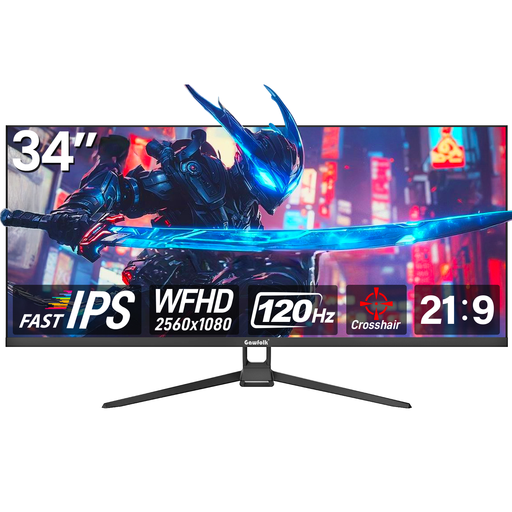
Gawfolk GF340H, 34-inch
A 21:9 option if you’re looking for a wide single monitor with the stated WFHD resolution.
2560 × 1080 pixels, 120 Hz and Fast IPS. The title lists AMD FreeSync, HDMI and DisplayPort.
View at Joybuy
 No image available
ASUS TUF Gaming VG34VQ3B, 34-inch
A 21:9 option if you want extra screen space to either side and your setup can accommodate it.
3440 × 1440 pixels, VA panel, 180 Hz and 1 ms MPRT. The title lists FreeSync, DisplayPort and HDMI.
View at Joybuy
Frequently asked questions
Does an ultrawide monitor automatically make it easier to find the racing line in the wet?
No. In iRacing, the usual racing line, polished by traffic, may offer less grip in wet conditions; water, reflections and spray are part of the weather system’s visuals. Extra width changes the screen area, not the driving physics. For iRacing, measure your viewing distance and monitor width, then adjust the field of view in the display settings.
Why can’t my monitor reach its stated maximum refresh rate?
Check the resolution, PC output, cable, monitor input and system settings. For the MSI MAG 345CQR, the specifications list up to 180 Hz at 3440 × 1440 via DisplayPort and up to 100 Hz via HDMI. This doesn’t guarantee that you’ll achieve the same frame rate in-game.
What should I bear in mind when sim racing on an OLED for long periods?
Keeping static image elements on screen for long periods can be a care consideration with OLED. Follow the guidance and use the protective features of the specific model, and check its warranty terms. MSI’s OLED Care measures are manufacturer information, not a blanket guarantee that burn-in is impossible across all models.
Where can I find comparable energy information for a monitor?
The European Commission confirms that computer monitors are covered by EU energy labelling requirements. Compare the energy label and model information, and check separately listed HDR figures where available.
What rights apply when buying a monitor online in Germany?
The Verbraucherzentrale says that ordinary online purchases generally come with a 14-day right to cancel; exceptions and when the period starts depend on the specific contract. Your statutory rights apply against the seller and are separate from any voluntary warranty.


