Which setup is right for you?

Drivers focused on pit entry

If you want to spot the pit entry and speed warnings from your usual seating position and practise braking precisely, pay attention to your field-of-view settings and the position of the in-game HUD. iRacing Support explains how eye-to-screen distance and screen width factor into the setup; the monitor won’t do the braking for you.

Drivers with a fixed, wide rig

If you want more horizontal screen space around the cockpit, consider an ultrawide monitor or three screens. The key factors are available space, support from your game and a setup that suits your seating position. iRacing Support also outlines the requirements for configuring multiple monitors.

Endurance drivers with a fixed HUD

If race information stays in the same place for long sessions, consider the care guidance and warranty terms for the specific model as well as its display. This is particularly relevant for OLED.

What should you look for?

Single 16:9 monitor

A good fit if: you want a straightforward setup and are starting out with a single screen.

The trade-off: You get less horizontal screen space than with the wider formats mentioned; set your field of view according to your seating distance and screen width.

Single ultrawide monitor

A good fit if: you want more horizontal screen space without setting up three separate displays, and your game, PC and rig support the format.

The trade-off: Your PC and simulation need to display the wide native resolution correctly; a 32:9 monitor requires particularly ample space.

Three monitors

A good fit if: peripheral vision is a priority on a fixed PC rig and your simulation supports a suitable multi-monitor setup.

The trade-off: You’ll need more space, mounts, ports and time to set everything up. For the iRacing configuration described, iRacing Support recommends matching resolutions and, where possible, identical models.

What matters What to check before buying Who is it important to?
Pit entry and speed warnings Check the HUD position, screen width and eye-to-screen distance for your seating position. iRacing Support recommends measuring eye-to-screen distance in your normal driving position. If you want to practise pit entry and respond to speed warnings, how they appear in your simulation matters more than a high refresh rate. Around 33% of shoppers are primarily concerned with pit entry.
Peripheral screen space Check that the resolution and format are compatible with your game and PC, and that the screen fits the width of your rig. Set the field of view to suit your seating distance. If you want more peripheral vision without setting up three displays, support for an ultrawide format is essential. Around 27% of shoppers are primarily looking for a wide single display.
Space and PC requirements Check the monitor’s dimensions, stand or mount, available graphics outputs and your PC’s performance in the simulation. If space, ports or a straightforward setup are priorities, a single monitor may fit your rig better. Around 20% of shoppers are primarily concerned with these setup limitations.
Long stints with a fixed HUD For OLED, read the care guidance and warranty terms for the exact model. You can compare energy consumption using the information on the EU energy label. If you race for long periods with fixed on-screen information, factor panel care into your decision. Around 20% of shoppers consider this their main concern.

Common buying mistakes

  • Assuming a high refresh rate will help you learn faster

    The refresh rate describes the monitor, not how quickly you learn. Speed-limit and speed warnings also depend on the simulation. In iRacing, iRacing Support says that even a pit limiter won’t brake for you.

    First, check the HUD, field-of-view settings and the frame rate your PC actually achieves in the game you use.

  • Planning a three-monitor setup based on screen size alone

    Viewing distance, angle, bezels, resolutions and graphics outputs all affect whether you can set up the screens as intended. Additional displays may also need suitable mounts and cabling.

    Measure your driving area and check your simulation’s setup requirements before choosing multiple screens.

  • Assuming OLED protection means you can leave the same image on screen without risk

    Care features are designed to help prevent image retention, but they don’t prove that leaving an unchanged HUD on screen will always be without consequences.

    Read the care guidance and warranty terms for the exact model number, and factor them into your panel choice.

Key brands at a glance

Dell Alienware

The AW3426DWM is a 34-inch ultrawide with a VA panel, 3440 × 1440 pixels and a nominal refresh rate of 240 Hz. These specifications are from Dell Germany.

  • Its wide single display could suit a rig if the screen width and native resolution work with your available space and PC.
  • The specifications don’t confirm a particular frame rate in a racing game, and they don’t apply to Alienware OLED models.

MSI

The MAG 274QRFWDE is a 27-inch WQHD option for a single-screen setup. MSI Germany lists a resolution of 2560 × 1440 pixels and a refresh rate of 180 Hz.

  • MSI lists height adjustment up to 130 mm and VESA 75 × 75 mm compatibility, which you can check against your planned setup.
  • These specifications don’t confirm a particular in-game frame rate or make pit entry easier to spot.

LG UltraGear

LG Germany lists the 34GX90SA-W as a 34-inch OLED display with a resolution of 3440 × 1440 pixels and a nominal refresh rate of 240 Hz.

  • It’s a wide single-monitor option, provided it’s compatible with your simulation, PC and rig.
  • If your HUD stays in the same place for long periods, check the care guidance and warranty terms for this exact model. LG notes that warranty terms can vary by model and year.

Samsung Odyssey

The Odyssey OLED G81SF, model number LS27FG814SUXEN, is the 27-inch 4K version. Samsung Germany lists a refresh rate of 240 Hz.

  • The model number helps distinguish this compact 4K option from similarly named 32-inch models.
  • OLED protection features don’t guarantee against image retention or prove that you’ll perform better while driving.

LC-Power

According to LC-Power, the LC-M49QCO is a 49-inch QD-OLED monitor in 32:9 format, with a resolution of 5120 × 1440 pixels and a nominal refresh rate of 144 Hz.

  • The specifications describe an exceptionally wide single display.
  • Check that your rig, PC and simulation support the screen’s width and resolution. Manufacturer claims about comfort or picture quality aren’t independent evidence of suitability for long stints.

Joybuy products for sim racing

This selection includes single 16:9 monitors and ultrawide models to suit different space and field-of-view requirements for your sim racing rig.
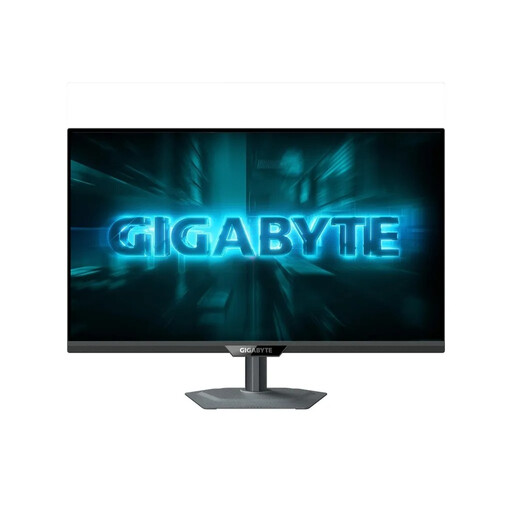
GIGABYTE G27Q2, 27-inch QHD gaming monitor

GIGABYTE G27Q2, 27 inches

A single 27-inch display for a compact driving setup.

16:9, 2560 × 1440 pixels, IPS and 200 Hz; up to 210 Hz with overclocking.

View at Joybuy

CRUA 49-inch DQHD ultrawide monitor

CRUA 49-inch DQHD ultrawide

A wide single display if your rig has enough space and your PC and simulation support the format.

32:9, 5120 × 1440 pixels, 165 Hz and 1500R curvature. The product title also mentions a height-adjustable stand.

View at Joybuy

ASUS ROG Strix WOLED XG27AQWMG, 27-inch WQHD monitor

ASUS ROG Strix WOLED XG27AQWMG, 27 inches

A single 16:9 monitor for a driving setup where you can take the care requirements of an OLED panel into account.

WQHD, 2560 × 1440 pixels and 280 Hz. If the HUD stays on screen unchanged for long periods, check the care guidance and warranty terms for this specific model.

View at Joybuy

INNOCN E34A1R, 34-inch ultrawide monitor

INNOCN E34A1R, 34 inches

A single ultrawide for more horizontal screen space, provided your PC, simulation and rig support the format.

21:9, 3440 × 1440 pixels, VA panel, 200 Hz and 1500R curvature. The product title mentions a height-adjustable stand.

View at Joybuy

MSI MAG 321UPDE QD-OLED, 31.5-inch monitor

MSI MAG 321UPDE QD-OLED, 31.5 inches

A single 16:9 monitor for a driving setup where you can take the care requirements of an OLED panel into account.

4K resolution and QD-OLED panel. If the HUD stays on screen unchanged for long periods, check the care guidance and warranty terms for this specific model.

View at Joybuy

Frequently asked questions

Can a wide monitor stop me entering the virtual pit lane too fast?

No. In iRacing, in-game warnings can show information such as the speed limit and your current speed as you approach. iRacing Support says that even a pit limiter won’t brake for you. Check whether, and how, your simulation displays these warnings.

How do I set the field of view for my driving setup?

For iRacing, iRacing Support recommends measuring the eye-to-screen distance from your normal driving position and the screen width, then entering these in the monitor settings. With three screens, you also need to account for bezel width and side angles. The guide won’t automatically give you the right settings for every game.

Do three monitors need to have the same model number?

No, not in every case. For the three-monitor setup described by iRacing Support, matching resolutions and, where possible, identical models are recommended. According to iRacing, using the same brand or model number isn’t essential.

What should I consider for energy use and OLED care?

Compare energy consumption using the EU energy label and product information sheet. If you’re considering an OLED model with a fixed HUD, also check the care guidance and warranty terms for the exact model number.

What are the rules for online purchases and disposing of an old monitor?

For a typical online consumer purchase, Verbraucherzentrale states that you generally have a 14-day right to cancel after receiving the goods; the terms of the specific purchase still apply. The European Commission lists electronic displays among products covered by energy labelling. Old monitors shouldn’t go in household rubbish; take them to an appropriate collection or take-back point.