What to look for when buying
Choose a format based on your actual driving position and the space available on your rig. Then check whether your PC and sim can make good use of the resolution and refresh rate you want.
49 inches, 32:9
A good fit if: you can accommodate an extra-wide single screen and adjust the cockpit view accordingly.
Consider: with this format, you’ll need to check the screen width, resolution and space required against your setup.
34 inches, 21:9
A good fit if: you want more horizontal screen space than 16:9 offers, but aren’t planning for a 49-inch screen.
Consider: viewing distance, sim support and PC performance all affect how well this format will suit your setup.
32 inches, 16:9
A good fit if: you’re planning for a narrower screen or prefer the classic QHD format.
Consider: this format offers less horizontal screen space than the ultrawide options listed above.
| Priority |
What to look for when buying |
Who it matters most to |
| Usable field of view |
Measure the distance from your eyes to the screen surface and the screen width from your driving position; enter these values in iRacing’s single-screen settings. |
If I want to get a better view of cars alongside me on a single screen, I’ll choose the format and view based on my driving position. Around 33% of consumers who prioritise usable field of view when buying pay particular attention to this. |
| Panel performance over long stints |
For OLED, check the care guidance and warranty terms for the specific model; don’t assume that protective features eliminate the risk of burn-in. |
If on-screen displays stay in the same place for a long time, I’ll weigh up the panel choice against its care requirements. Around 27% of consumers who prioritise panel durability pay particular attention to this trade-off. |
| Resolution and refresh rate |
Check the native resolution and refresh rate against your PC, connection and intended sim. |
If I want to keep using my existing PC, I’ll check the monitor’s specifications against my game settings. Around 20% of consumers who prioritise PC performance base their choice on this. |
| Space and running costs |
Check the case and stand dimensions against your rig, and compare the EU energy label information for the specific models. |
If rig width is limited and I also want to take the stated energy consumption into account, I’ll check the dimensions and label together. Around 20% of consumers who prioritise space and running costs pay particular attention to these points. |
Joybuy products for single-monitor setups
The gaming monitors below cover single-monitor setups in 32:9, 21:9 and 16:9. The key considerations are the width available on your rig and whether your PC can make good use of the resolution and refresh rate.
 No image available
CRUA 49-inch DQHD gaming monitor, 32:9
The wide 32:9 view is worth considering if your rig has enough space.
DQHD at 5120 × 1440, 165 Hz and 1500R; HDMI 2.1 and DP 1.4.
View at Joybuy
 No image available
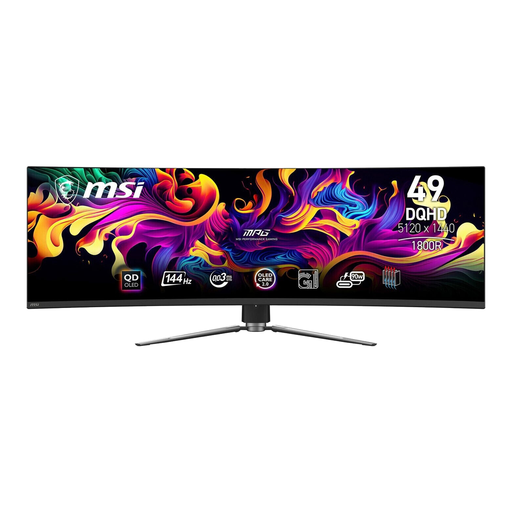
MSI MPG 491CQPDE QD-OLED, 49 inches
This 32:9 OLED option suits a wide setup, provided you have enough space and its panel care requirements meet your needs.
DQHD at 5120 × 1440, 144 Hz and 1800R.
View at Joybuy
 No image available
INNOCN E34A1R, 34 inches, 21:9
The 21:9 format is an ultrawide option if a 49-inch screen won’t fit your setup.
3440 × 1440, VA panel, 200 Hz and 1500R.
View at Joybuy
 No image available
MSI MAG 341CQPDE QD-OLED, 34 inches
This 21:9 OLED option could suit a narrower ultrawide setup; bear in mind the guidance on displaying static images for long periods.
UWQHD, 175 Hz and QD-OLED.
View at Joybuy
 No image available
Samsung Odyssey G5 G50F, 32 inches, 16:9
The classic 16:9 format is worth considering if you have less room for screen width.
IPS panel, QHD at 2560 × 1440, 180 Hz and 1 ms.
View at Joybuy
Frequently asked questions
How do I set the field of view in iRacing with just one monitor?
From your usual driving position, measure the shortest distance between your eyes and the screen surface, as well as the screen width. In the display menu, select “1 Flat Screen” or “1 Curved Screen”, enter your measurements and choose “Compute”. This process comes from iRacing Support’s guide and isn’t a settings guide for other sims.
Should I take special care when using an OLED monitor for long stints?
Yes. If on-screen displays stay unchanged in the same place for a long time, check the care guidance and warranty terms for the specific model. In a 2023 statement, LG explains that burn-in cannot be ruled out entirely, even with proper use.
What information can help me compare energy consumption?
The EU energy label for electronic displays uses an efficiency scale from A to G; the European Commission also provides separate information for HDR. Compare the information for specific models under similar usage conditions rather than assuming energy consumption from screen size alone.
What are my rights if a monitor bought online is faulty or I want to return it?
According to Your Europe, consumer purchases in the EU are covered by a legal guarantee of at least two years from receipt of the goods; this is separate from a voluntary manufacturer’s warranty. For online purchases, you generally have a 14-day withdrawal period, although exceptions may apply. The specific terms depend on the circumstances.
What should I do with an old monitor?
In Germany, electrical waste must be handed in at an authorised collection point, such as a municipal recycling centre, a manufacturer or a retailer. The Federal Ministry for the Environment lists these as possible drop-off points; an old monitor must not go in general waste.


