What should you look for when buying?
Single 16:9 monitor
A good fit if: Desk width, shared space or PC performance limits your setup.
The trade-off: You get less screen space to the sides than with an ultrawide or three displays.
Single 21:9 ultrawide
A good fit if: The game displays the format well and there’s room for the screen and stand.
The trade-off: A wider screen and more pixels can require more space and PC performance.
Three monitors
A good fit if: A wider view is your priority, and you have enough space, suitable GPU connections and time to set everything up.
The trade-off: The displays need to be aligned and configured in the game; iRacing Support describes specific setup methods.
Each row highlights a different priority to consider when choosing; it isn’t a ranking of monitors or brands.
| Priority |
What to check before buying |
Who is this especially important to? |
| Space and screen position |
Check the available width and depth, dimensions including the stand, adjustability and eye-to-screen distance in your driving position. |
If I share a bedroom, the monitor and stand need to fit on our shared desk. Around 36% of consumers would make space and positioning their top buying priority. |
| Wider view |
Check game support, screen width and eye-to-screen distance; for three monitors, also check the angle and connections. |
If I want to see more of my surroundings while driving, the game needs to support the format and the screen needs to fit the room. Around 29% of consumers would prioritise a wider view. |
| Motion clarity and PC compatibility |
Check the frame rate you can achieve in your game at your target resolution, and the supported mode via the connection you plan to use. |
For long races, I want the monitor’s refresh rate to match what my PC can actually deliver in the game I’m playing. Around 21% of consumers would prioritise motion clarity and PC compatibility. |
| Panel care and operation |
Check the EU energy label details for the specific model and, for OLED, the care advice and warranty terms. |
For repeated long sessions, I want to be able to assess energy use, panel care and service terms. Around 14% of consumers would make these their top buying priority. |
For iRacing, Support recommends measuring the eye-to-screen distance in your usual driving position and using those figures to set up your monitors. When comparing refresh rates, also check the connection mode that’s actually supported: ASUS lists up to 170 Hz over DisplayPort for the TUF Gaming VG27AQL1A with a suitable GPU. Response-time figures such as MPRT and GtG aren’t automatically directly comparable.
Related products at Joybuy
This selection includes single 16:9 monitors and 21:9 ultrawide models for racing simulations in a shared bedroom.
 No image available
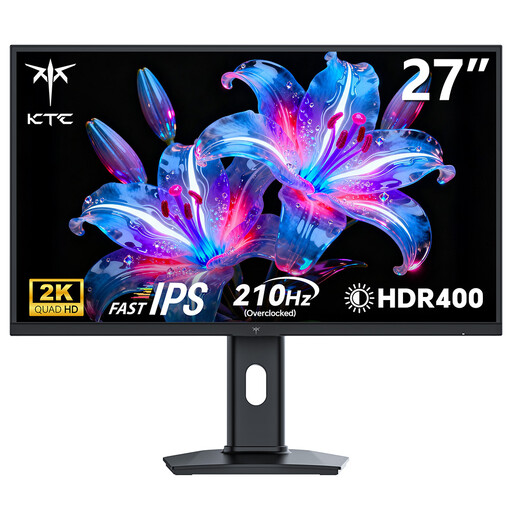
KTC H27T7P-2, 27-inch, QHD
A single 16:9 monitor could be a good fit if you’re looking for a more compact setup in a shared bedroom.
2560 × 1440 pixels; 200 Hz, with up to 210 Hz using Overdrive according to the product title; Adaptive-Sync and a height-adjustable stand according to the product description.
View at Joybuy
 No image available
MSI MAG 272QPDE QD-OLED X24, 27-inch
This single 16:9 display could suit a setup where you need to adjust its position on a shared desk.
QHD with 2560 × 1440 pixels; 240 Hz, QD-OLED and Adaptive-Sync according to the product title. The product description lists height, tilt, swivel and pivot adjustment, as well as USB-C.
View at Joybuy
 No image available
MSI MAG 341CQPDE QD-OLED, 34-inch, 21:9
The ultrawide format can give you more screen space to the sides, provided the game supports it and your desk is wide enough.
3440 × 1440 pixels; 175 Hz according to the product description; height-, tilt- and swivel-adjustable stand.
The stated width is 812 mm. If static images remain on screen for extended periods, follow the model’s OLED care advice.
View at Joybuy
 No image available
Xiaomi G34WQi, 34-inch, 21:9
A single ultrawide screen could work well if your racing simulation supports the format and you have enough space.
3440 × 1440 pixels; 180 Hz and FreeSync according to the product title. For the G34WQi with its stand, Xiaomi lists a width of 811,3 mm.
The product description lists a tilt-adjustable stand. If you need a VESA mount, check compatibility; Xiaomi specifies 75 × 75 mm.
View at Joybuy
 No image available
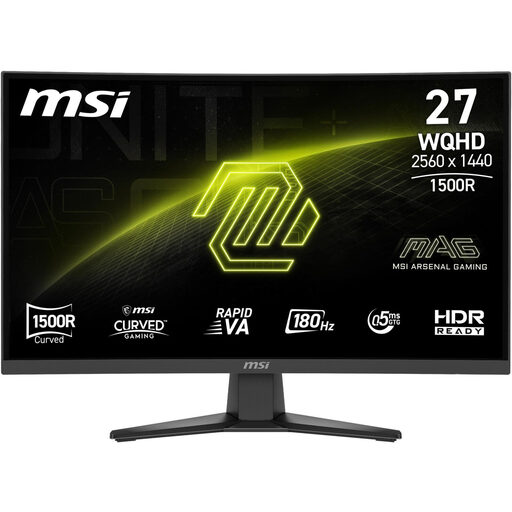
MSI MAG 275CQFDE E18, 27-inch, QHD
This single 16:9 format could be a good choice if having less screen space to the sides matters more than choosing a wider ultrawide display.
2560 × 1440 pixels, 180 Hz and Adaptive-Sync according to the product description; the stand is tilt-adjustable.
If you need height or swivel adjustment, consider a suitable VESA mount.
View at Joybuy
Frequently asked questions
How do I set the field of view for racing stints?
For iRacing, measure the distance from your eyes to the screen and the screen width in your usual driving position. Enter the figures in the monitor settings and use the built-in calculation for a flat or curved single screen, or for three monitors. Other games have their own settings.
Is 180 Hz on the spec sheet enough for smooth racing?
No. That figure alone doesn’t tell you what frame rate your PC can achieve in a particular game at your chosen resolution. Check your GPU, connection and the monitor mode it supports too. ASUS specifies that a suitable GPU and DisplayPort are needed to reach up to 170 Hz on the TUF Gaming VG27AQL1A.
Can I place three monitors side by side without any further setup?
For iRacing, Support describes additional configuration steps: the simulation can run in one window across three displays or across a combined screen created by the graphics card. To set the field of view, measure the distance, width and angle. For other simulations, check their own support options.
How can I compare energy use and my rights after purchase in Germany?
The EU energy label for electronic displays and the European Commission’s associated model data can help you compare specific devices, including SDR and, where applicable, HDR figures. If a product is faulty, your statutory rights against the seller are separate from a voluntary manufacturer’s warranty. Verbraucherzentrale explains that online purchases generally come with a 14-day right to cancel; this period usually starts when the contract is made or the goods are received.
Do I need special official permission to use a gaming monitor in my own bedroom?
The relevant rules covered here don’t indicate that private buyers need special permission to use a monitor. EU information covers energy labelling for electronic displays; BAuA rules on screen-based work specify their scope and don’t apply generally to private use. Nor can you infer a general statutory limit on the length of a racing stint from these rules.


