Joybuy products for this setup
The products below include 27-inch monitors and 34-inch ultrawide models. Check whether the aspect ratio and refresh rate suit your simulation by looking at the game and your PC.
 No image available
Z-Edge AGEX QHD gaming monitor, 27-inch
The height-adjustable stand lets you position a single monitor to suit your seat.
QHD, 144 Hz, Fast IPS, 1 ms MPRT, FreeSync and HDR10.
Height-adjustable stand; connections: DP and HDMI.
Colour: white.
View at Joybuy
 No image available
CRUA CR340QA-H, 34-inch, WQHD
This model could be a good choice as a wide single monitor if your simulation displays 21:9 correctly and your rig has enough space.
3,440 × 1,440 pixels, 165 Hz and 21:9 aspect ratio.
Curved display with 1500R; VESA mount: 75 × 75 mm.
Check that the game displays it correctly and that you have enough space and PC performance.
View at Joybuy
 No image available
INNOCN E34A1R, 34-inch, ultrawide
This wide single-monitor format could suit your setup if your simulation supports 21:9 and you have enough space for it on your rig.
3,440 × 1,440 pixels, 200 Hz and 21:9 aspect ratio.
Curved display with 1500R and a stated response time of 1 ms.
Check that the resolution and format suit your PC and seating position.
View at Joybuy
 No image available
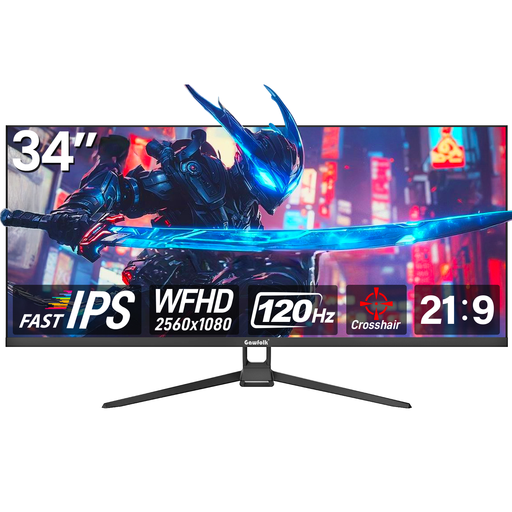
Gawfolk GF340H, 34-inch, WFHD
This model is an ultrawide single-monitor option if your simulation displays 21:9 correctly and there’s enough room on your rig.
WFHD with 2,560 × 1,080 pixels, 120 Hz and 21:9 aspect ratio.
Fast IPS; connections: HDMI and DisplayPort.
Check that the resolution and aspect ratio work for your game and PC.
View at Joybuy
 No image available
Xiaomi G34WQi, 34-inch, ultrawide
This wide single-monitor format could suit your setup if your simulation supports 21:9 and your rig has enough space.
3,440 × 1,440 pixels, 180 Hz and 21:9 aspect ratio.
The product title lists a response time of 1 ms.
Check the aspect ratio, resolution and PC performance for your specific game.
View at Joybuy
Frequently asked questions
How should I position the monitor for practice from my seat?
Sit in your usual driving position and measure the shortest distance from your eyes to the screen, along with the monitor’s width. iRacing Support explains how to use these measurements to calculate the field of view for a single monitor. Then line up the horizon with your natural eye level. For other simulations, check their own setup options.
Do I have to use NVIDIA Surround for three monitors?
Not for the iRacing setup described in the guide. iRacing Support lists both a window stretched across three monitors and a full-screen option with the appropriate graphics card configuration. This doesn’t tell you what other simulations support.
Which energy label information is relevant for monitors?
EU energy-labelling rules generally cover electronic displays, including monitors. Germany’s Federal Ministry for the Environment lists electronic displays among the product groups covered by the revised energy label. The label doesn’t require you to choose a particular energy-efficiency class for sim racing.
What’s the difference between a return and a faulty product?
For online consumer purchases within the EU, you generally have a 14-day right to withdraw from the contract, starting from the day of delivery. Exceptions and return costs may apply. If goods are faulty, you have a statutory guarantee of at least two years against the business selling them. The right to withdraw and your rights relating to faulty goods are separate claims.


