What should you look for when buying?
First, check whether the specific car in your game requires a foot clutch at the start. Then look at the connection, mounting and pedals you’ll use for the rest of the race.
| What you’re looking for |
What to check before buying |
Who should pay particular attention? |
| Clutch feel at the start |
Check whether a clutch is included and adjustable, and whether the car in your game uses a foot clutch. |
If I want to use the clutch deliberately when pulling away from a standing start, I need a suitable, adjustable clutch pedal. Around 33% of consumers put practising starts first. |
| Connection to your system |
Check the platform, USB or RJ12 connection and the wheel base required for the exact model combination. |
If you want to keep using your existing PC or console setup, check that the connection method works with your wheel base. Around 27% of consumers prioritise compatibility with their existing setup. |
| Secure mounting |
Compare the mounting, pedal plate and adjustment range with your rig. |
If I’m mounting the pedals permanently in my gaming room, they need to fit my rig. Around 20% of consumers put a stable pedal position first. |
| Throttle and brake during a race |
Check the brake sensor, adjustment options and which pedals are actually included. |
If you’ll use the same set to practise with the throttle and brake beyond the start, assess those two pedals separately from the clutch. Around 20% of consumers prioritise these exercises. |
Related products at Joybuy
The following racing wheel and pedal bundles may suit start practice with or without a foot clutch, depending on the pedal configuration included. Before buying, check that the number of pedals and platform are right for your game and setup.
 No image available
Logitech G923 SE racing wheel and pedal bundle
Worth considering for practising starts with a foot clutch, provided the version supplied includes throttle, brake and clutch. Check the bundle’s platform details against your setup.
View at Joybuy
 No image available
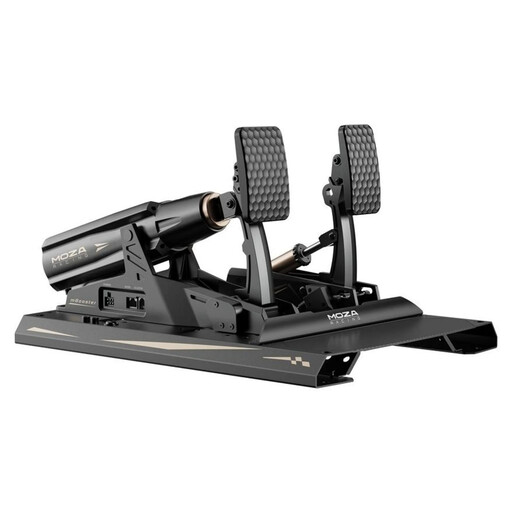
MOZA Racing RS082 Terrace, Black, Aluminum, 200 kg, 15 Bit, USB Type-A to USB Type-B, USB Type-C
It may suit clutch-start practice if the version on offer includes the stated three-pedal configuration. Check the exact version and mounting against your rig.
View at Joybuy
 No image available
Thrustmaster T598-P Direct Axial Drive Force Feedback Racing Wheel (PS5/PS4/PC)
This racing wheel and pedal bundle may work for a pedal-based setup. If you want to practise starts with a foot clutch, check whether the specific pedal configuration includes one.
View at Joybuy
 No image available
Thrustmaster T128-P Force Feedback Racing Wheel - Black (PC/PS4/PS5)
The two-pedal set described is suited to throttle and brake practice when you don’t need to use a foot clutch. This pedal configuration isn’t designed for clutch starts.
View at Joybuy
Frequently asked questions
Do I need a clutch pedal for every virtual race start?
No. The right controls depend on the car and simulation. If you specifically want to practise a start using a foot clutch, check the controls for that particular car; the starting procedure can’t be determined from the number of pedals alone.
How do I set up a new pedal set for practising starts?
Calibrate the set in the game and, if needed, in the relevant software. iRacing Support requires calibration when new controllers are connected. Heusinkveld notes that, on Sprint, the upper clutch dead zone affects the bite point depending on the game and car.
Can I connect the Thrustmaster T-LCM using USB and RJ12 at the same time?
Thrustmaster recommends using only one connection method at a time for the T-LCM. On PC, you can use USB or connect it to a compatible wheel base; on consoles, Thrustmaster Support says to connect via RJ12 to a Thrustmaster wheel base.
What should I bear in mind when mounting pedals on a rig?
For Sprint pedals, Heusinkveld specifies mounting them on its own baseplate or on an exceptionally rigid base. Compare your pedal plate’s mounting points with the instructions for the specific model, and follow the guidance there on screws and adjustment.
What are my rights when buying online in Germany?
For a distance purchase from a trader, European Union guidance on Your Europe generally provides a 14-day withdrawal period from delivery; exceptions and return postage costs should be checked separately. If goods are faulty, you have a statutory guarantee against the seller for at least two years. This is separate from any voluntary manufacturer’s warranty.


