Time-trial drivers focused on braking points
You drive the same track repeatedly and mainly want to know whether the pedals and seating position let you operate everything consistently. Nacon and MOZA offer different pedal designs for this.


Start by choosing a racing wheel set that works with your simulator and PC, or build your setup by selecting a base, wheel and pedals separately. For repeated time trials, pedal type and a stable mounting setup matter too; more torque alone doesn’t mean a setup will suit you better. Configure your monitors separately from the wheelbase, using your simulator and graphics hardware.
You drive the same track repeatedly and mainly want to know whether the pedals and seating position let you operate everything consistently. Nacon and MOZA offer different pedal designs for this.
You want to use your wheel and base for the long term, adjust the force feedback, and plan your mounting setup and potential upgrades. Fanatec, Nacon and MOZA offer different system options.
You’re looking for a complete wheel set that can be mounted to a desk. Set up your screens separately through your PC and the simulator you use; iRacing Support provides its own guide to configuring three monitors.
| Buying priority | What to check | Who is it important to? |
|---|---|---|
| Consistent braking | Pedal type and adjustment options; check that the pedals and seat stay stable when braking. | If you drive the same track repeatedly, you’ll want to adjust the brake to suit you and operate it consistently. Around 33% of consumers prioritise consistent braking when buying. |
| Steering information and force feedback | Compare the drive type, the precise torque rating and the adjustment options; check simulator support. | If steering feedback is particularly important to you, check how adjustable the system is and look at the specifications for the exact model. Around 27% of consumers say steering information and force feedback are their top buying priority. |
| Secure mounting | Check whether the specific model comes with a clamp or mounting points; measure the space available for the wheel, pedals and monitors. | If your multi-monitor setup is also your desk and practice space, you’ll want to position the wheel and pedals securely. Around 20% of consumers prioritise mounting and space requirements. |
| Compatibility and what’s included | Check the platform version, game support, pedals and mounting included with the specific offer. | If you’re looking for a compatible, complete setup, you won’t want to discover after buying that a particular version or component is missing. Around 20% of consumers prioritise compatibility and what’s included. |
Torque ratings can mean different things: Fanatec lists 5 Nm as the standard peak torque for the CSL DD QR2; 8 Nm is only available with a separately sold Boost Kit 180. MOZA describes 5.5 Nm for the R5 Bundle as peak torque.
Compare torque figures only when you know how each one is defined, then check whether the complete system suits your practice space.
Thrustmaster lists different pedal bundles for the T300RS and T300RS GT. Logitech G923 offers can also refer to different platform versions.
Check the full model name, platform version, pedals and everything included with the specific offer.
The iRacing guide sets up three monitors through the display settings and graphics card; the wheelbase doesn’t do this.
Check your PC, graphics card connections, simulator support and monitor arrangement separately from your wheel purchase.
The range spans the entry-level hybrid T128 and belt-driven T300RS through to the direct-drive T598.
The G923 is offered in different platform versions, while the PRO Racing Wheel is a direct-drive option for a more extensive setup.
CSL DD bases and Ready2Race bundles offer different ways to build an upgradeable direct-drive setup.
The R5 Bundle is described as a complete PC set with a direct-drive base, wheel, SR-P Lite pedals and desk clamp.
The RS Pure Kit is a PC bundle with a direct-drive base and load-cell brake, designed for a more fully equipped practice space.
This selection includes force-feedback racing wheels and sets for PC and consoles, including hybrid and direct-drive models. Check the platform specifications for the exact model to make sure it’s compatible with your simulator.
 No image available
This set could suit you if you’re looking for a wheel with pedals and force feedback for repeated time trials.
The product description lists 900° of rotation, adjustable force feedback, three pedals and a progressive, pressure-sensitive brake pedal. It also says the built-in clamps attach the wheel to a desk.
 No image available
This set is a good starting point for desk-based sim racing if you’re looking for a hybrid force-feedback wheel with pedals.
The product title lists PC, PS4 and PS5. The description specifies a magnetic two-pedal set and a desk clamp for surfaces up to 5.5 cm thick.
 No image available
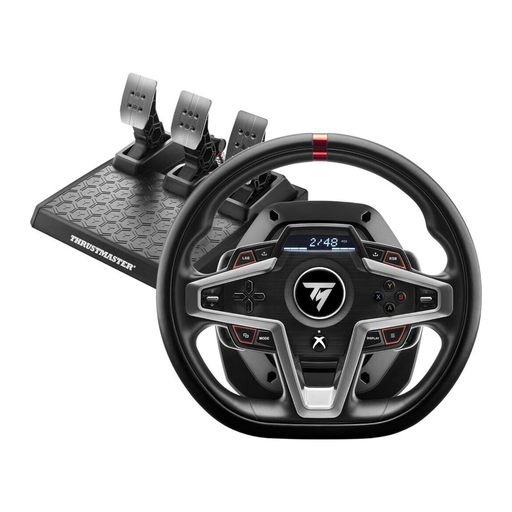
This model could be right for you if you’re looking for a force-feedback racing wheel for one of the platforms listed in the product title.
The title lists Xbox Series X/S, Xbox One and PC. Before buying, check that the specified version will work with your setup.
 No image available
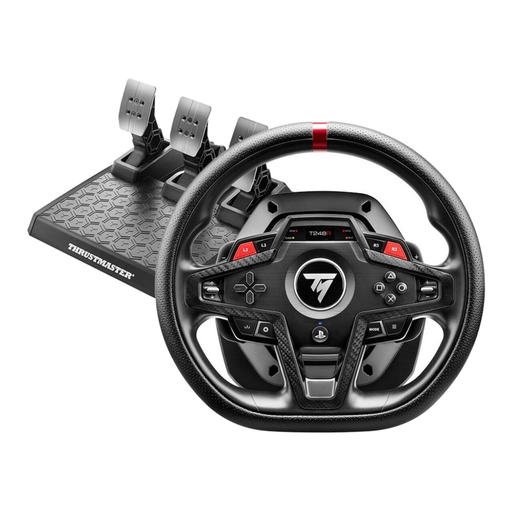
This model could suit you if you’re looking for a hybrid force-feedback wheel with a choice of pedal and brake modes.
The title lists PS5, PS4 and PC. The description specifies three pedals, four brake pressure modes, an integrated display and a clamp mount for desks up to 45 mm thick, or mounting points for a cockpit.
 No image available
This set could be a good choice if you’re looking for a direct-drive option with a wheel and plan to upgrade the brake later.
The product title lists PS5, PS4 and PC. The description specifies 5 Nm of constant torque and mounting by clamp or screws. A load-cell brake isn’t listed as included; the pedal set is described as ready for a future upgrade.
No. Your display is configured separately from the racing wheel. For iRacing, iRacing Support explains how to set up three screens or a virtual screen using your graphics card software. For other simulators, check their own display support.
For three monitors, the iRacing guide recommends measuring the distance from your eyes to the centre monitor, the screen widths including the bezels, and the angle between the monitors, then entering these measurements in the display settings. These steps are specific to iRacing and won’t necessarily apply to every game.
Mount the base and pedals according to the instructions for the exact model you’ve bought. The Thrustmaster T598 manual includes guidance on desk and cockpit mounting; the manual also says a firmware update may be needed for telemetry features.
Your Europe’s EU consumer information states that you generally have 14 days from delivery to cancel, subject to the relevant exceptions. Faulty goods are covered by a legal guarantee of at least two years from receipt; an additional manufacturer’s warranty does not replace your rights against the seller. You may have to pay return costs when cancelling if the seller doesn’t cover them and has given you the required information.
According to information from Germany’s Federal Ministry for the Environment, waste electrical equipment must not go in household rubbish. Take it to an authorised collection point, such as a local council return facility. Retailers have additional take-back requirements; if you’re returning an item without buying a new one, the size rule is particularly important.