Sketchbook creators filming from above
If you show full pages and turn them while filming, the book and your hands should remain clearly visible throughout.


For a sketchbook review filmed under artificial light, first check that the whole page and your moving hands are evenly visible from your camera position. A desk-mounted panel can be practical when space is tight, while a COB light with a separately chosen modifier gives you more flexibility over positioning. Colour temperature and colour rendering figures are no substitute for a test recording with your paper and camera settings.
If you show full pages and turn them while filming, the book and your hands should remain clearly visible throughout.
If you discuss pigments or paper colours, pay attention to adjustable artificial light and your camera’s white balance. Adobe points out that white balance affects the colours in the image you capture; figures supplied by manufacturers alone cannot predict how your video will look.
When there’s little room for your camera and lighting, the desk edge, mounting height and space required will determine which setup will fit.
Start by checking how well the book page is lit from your camera position. Then consider colour rendering, mounting, possible banding and the power supply.
| Consideration | What to check before buying | Who should pay particular attention |
|---|---|---|
| Lighting the whole page | Test with the book open and your hands moving, from the planned camera position; when checking lux figures, take the distance and reflector into account. | If I want to show the whole page as I turn it without distracting shadows or glare, what matters is how it looks in my actual setup. Around 31% of consumers put even page lighting first. |
| Showing sketch colours accurately | Check the colour temperature range and the model-specific CRI figure, then test the light and white balance with your own camera. | If I’m discussing pigments or paper colours, I don’t want to mistake colour casts for the actual colours in my sketches. Around 25% of consumers prioritise accurate-looking colours and white balance. |
| Making the most of desk space | Check the desk thickness and clamp range, or the footprint, mounting height and whether a stand is included. | If my camera and book already take up a lot of room, the light needs to fit into the available setup. Around 19% of consumers pay particular attention to space-saving mounting. |
| Avoiding banding | Record a short clip using your planned camera and lighting settings, then check it at different brightness levels. | If I’m recording longer clips under artificial light, I want to spot banding or brightness fluctuations early. Around 13% of consumers prioritise flicker-free footage. |
| Planning the power supply | Check what’s included, the permitted power source and the planned recording time for the specific version. | If I’m filming in different places without a mains socket, I need a suitable portable power supply. Around 12% of consumers prioritise being able to film without a mains socket. |
Manufacturer figures for COB lights are based on specific reflectors and distances. They don’t automatically describe how a book page will be lit with a different modifier.
Only compare figures measured on the same basis, and assess your planned setup through the camera.
For the NEEWER NL660, whether a stand is listed depends on the version; according to the manufacturer, an NP-F battery is not included.
Before buying, check the package name and the items explicitly listed as included.
Depending on the version you choose, you may also need to buy a stand or a compatible battery.
Ulanzi gives a maximum illuminance figure for the VL49 RGB at 0.5 m. This doesn’t mean that a single light will evenly illuminate a whole book page.
First assess the page under neutral light through the camera; treat coloured effects as a separate creative choice.
Elgato states that the Key Light Air MK.2’s maximum brightness requires at least 27 W of available power. The listed contents include a USB-C cable, but not a power adapter.
Before buying, check that your available power source meets the light’s requirements and that you have everything listed for your chosen model.
If you don’t already have a suitable power source, you may need to buy a compatible power adapter separately.
Desk-mounted lighting for a dedicated filming spot with the Key Light Air MK.2.
The NL660 bi-colour panel can be used with or without a separate stand, depending on the version.
The 100x S COB light is suited to a setup where the modifier and positioning are planned separately.
The SL60IIBi is a COB option with a Bowens mount for compatible modifiers.
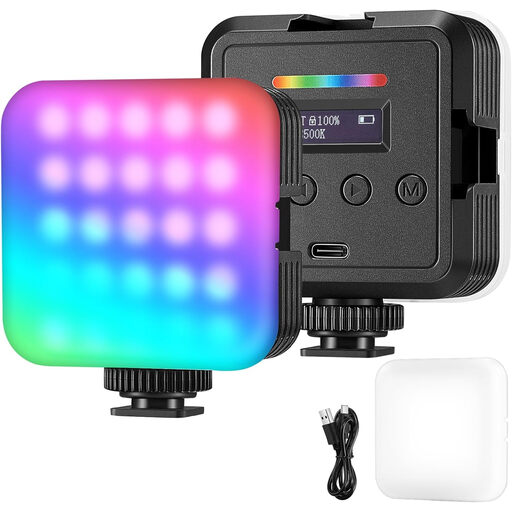
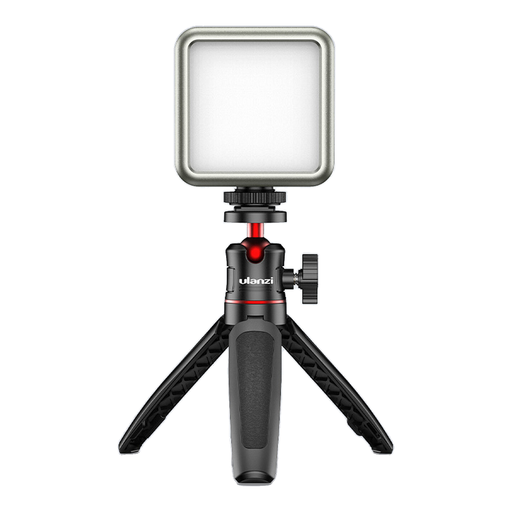
The compact, rechargeable VL49 RGB is an additional light for filming in different locations.
These products include COB setups with separately chosen modifiers, as well as compact lights for filming in different locations. Before settling on a setup, check how evenly it lights the whole book page through your own camera.
 No image available
For a COB setup where you choose the position and modifier separately.
The product title lists 200 W, an integrated power supply, 2700–7000 K and a Bowens mount.
 No image available
A portable option if you want to adjust the colour and brightness of the light for different filming locations.
The product title lists RGB lighting and adjustable lighting modes.
 No image available
If you’re planning a COB setup at a location without a mains socket, the battery mentioned in the product title is worth noting.
The product title lists 60 W, an integrated 59-Wh battery, 2700–6500 K, bi-colour and full-colour RGB.
 No image available
Designed as a compact additional light for filming in different locations; check through the camera whether it provides enough coverage for the whole book page.
The product title lists a 2000-mAh battery. Ulanzi gives the maximum illuminance for the VL49 RGB at 0.5 m.
 No image available
For flexible lighting positions if you’re looking for a handheld light; before a longer recording, check that it lights your book page as needed.
The product title lists 10 W, 360° RGB lighting, a 3300-mAh battery and 2500–9000 K. The stated illuminance is 360 lx at 0.5 m.
No. A high CRI alone doesn’t guarantee that sketch colours will look right in your video. Manufacturer figures describe the light itself; Adobe points out that white balance also affects the colours in an image. Test the light and camera together on a page from your sketchbook.
Aim the light at your open book and check the camera view, including your hands as you turn the pages. Then record a short clip using your planned camera and dimming settings, and check it for banding. Canon Europe explains that flickering light sources can cause banding when captured by electronic sensors.
Compare what’s included with the specific version and what you need for your setup. According to the manufacturer, an NP-F battery is not included with the NEEWER NL660, and a stand is only listed for versions that specify one. A power adapter is not included in the listed contents for the Elgato Key Light Air MK.2.
Unplug the Godox SL60IIBi before cleaning or maintaining it. The manufacturer’s instructions also recommend letting the light cool down completely before putting it away; always follow the instructions for the model you’ve actually bought.