If you want playback to stop automatically
You don’t want to have to stop your sleep sounds manually later. WiiM, BluOS and Sonos document sleep timers; check how the timer works with your particular playback setup.


If you have active speakers or an amplifier already in place, a separate network player with a suitable output and a timer can work with your playback setup. For passive speakers without an amplifier, you’ll also need an amplifier or a streaming amplifier; if you don’t already have a system, a Wi-Fi speaker with a built-in player could be a good option. Check the space you have and the positioning guidance for your specific speakers, as the player itself won’t solve an issue caused by placing them near a wall.
You don’t want to have to stop your sleep sounds manually later. WiiM, BluOS and Sonos document sleep timers; check how the timer works with your particular playback setup.
When space is limited, the guidance for your exact speaker model and the sound where you sleep both matter. Teufel notes that the best positioning depends on the room and the model.
For active speakers or passive speakers connected to an amplifier, the outputs need to match the available inputs. A standalone player won’t drive passive speakers directly, as the WiiM Help Center also points out.
WiiM says its timer stops playback automatically. According to Bluesound Support, the BluOS timer pauses playback after the set time and can be set for up to 90 minutes in 15-minute increments.
A good fit if: You want to keep using your active speakers or an amplifier with speakers.
The trade-off: You’ll need extra cabling and may have to control the volume separately; a standalone player won’t drive passive speakers.
A good fit if: You have passive speakers but don’t yet have a suitable amplifier.
The trade-off: Streaming and amplification are combined in one device, but you’ll still need to check that it suits your specific speakers.
A good fit if: You don’t have a suitable system and want the player and speakers in one device.
The trade-off: You’ll need to position the whole speaker; its placement and the guidance for the specific model still matter.
| Priority | What to check before buying | Who it matters most to |
|---|---|---|
| Stop playback automatically | How the timer works with your intended source and playback duration. | If I don’t want to reach for the device or app again after falling asleep, a suitable automatic stop is important. Around 31% of consumers prioritise this. |
| Sound and space by the wall | The speaker’s positioning guidance and the space you actually have available. | If my speaker has to sit close to a wall or on a shelf, I want to know whether the space I have will suit that exact model. Around 25% of consumers put this first. |
| Connect to existing speakers | Whether the speakers are active or passive, which inputs are available and whether you need a suitable amplifier. | If I want to keep my existing speakers, the player, amplifier and connections need to work together. Around 25% of consumers prioritise this compatibility. |
| Suitable playback source | Your preferred app, file or connection method, and whether the specific model supports it. | If my sleep sounds come from a particular app, storage device or phone, I want to be able to play them using that exact method. Around 19% of consumers prioritise their playback source. |
A player such as the WiiM Mini sends the signal to other audio equipment and won’t drive passive speakers directly.
Before choosing, map out the signal path from the source through the player and amplifier to the speakers. The WiiM Help Center notes that passive speakers need an amplifier.
The required distance depends on the speaker model and the room. Switching to a different network player won’t automatically fix a positioning problem.
First, check your speakers’ manual and the space available, then assess the sound where you sleep. Teufel stresses that there’s no one-size-fits-all approach to positioning.
Features can vary between models. WiiM lists AirPlay support for the Mini, but says the Ultra doesn’t support it.
Check the full model name, your preferred sound source and how the timer works with your exact playback setup.
WiiM offers separate players for existing audio equipment, as well as the WiiM Amp, a streaming amplifier for compatible passive speakers.
The NODE NANO is positioned as a separate streamer for a compatible system or active speakers.
The Port connects a compatible stereo system, while the Era 100 is a Wi-Fi speaker with a built-in player.
The MXN10 is positioned as a separate network player for existing hi-fi or desktop systems and personal music sources.
The products below are Wi-Fi speakers with built-in players. They’re an alternative if you’re looking for a network-enabled speaker system rather than a separate network player.
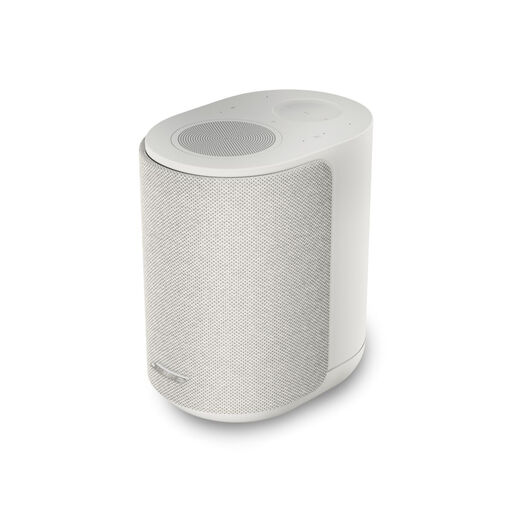 Image unavailable
Could be a good option if you’re looking for a Wi-Fi speaker with a built-in player rather than a separate streamer.
Listed playback options: Wi-Fi, AirPlay, Chromecast and DLNA.
The listed height is 18.47 cm; it’s designed to sit on a stable, level surface.
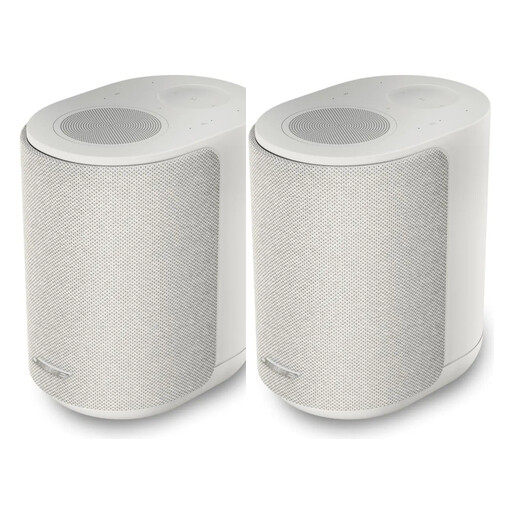 Image unavailable
Could be a good option if you’re looking for a Wi-Fi speaker with a built-in player rather than a separate streamer.
Listed playback options: Wi-Fi, AirPlay, Chromecast and DLNA.
The listed height is 18.47 cm; it’s designed to sit on a stable, level surface.
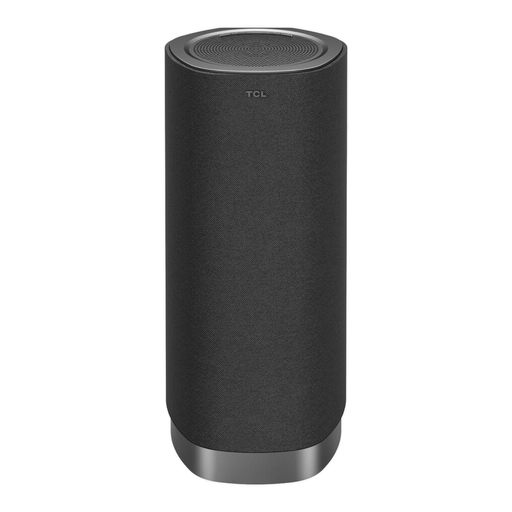 Image unavailable
Could be a good option if you’re looking for a Wi-Fi and Bluetooth audio device rather than a separate network player.
Features listed in the product name: Dolby Atmos FlexConnect, 170 W peak power and Bluetooth 5.3.
The room calibration described requires the microphone of a compatible TCL TV.
No. A standalone player such as the WiiM Mini needs an additional amplifier to work with passive speakers. WiiM says a suitable streaming amplifier could be an alternative; check that it’s compatible with your speakers.
No. Check the documented behaviour for your model and playback source. WiiM describes stopping playback, while Bluesound Support says the BluOS timer pauses playback when the timer ends.
There’s no single distance that works for every speaker. Check the manual for your exact model and assess the positioning where you listen; Teufel notes that the room and speaker position can affect the sound.
No. WiiM lists AirPlay support for the Mini, but says the Ultra doesn’t support it. So check support for the full model name.
The German Environment Agency notes that rules on neighbour noise caused by people’s behaviour may come from state law, local regulations or house rules. This doesn’t mean there’s blanket permission to play sounds at any volume and at any time; set the volume so you don’t disturb others.