What should you look for when buying?
For sleep sounds in your home office, the main things to consider are a suitable source, easy volume control and a way to stop playback that works with the audio you’re actually playing.
| What matters |
What to check before buying |
Who is this especially important for? |
| Quiet, controllable playback |
Check the volume controls on the device or in the app, where you’ll place it and how your chosen recording sounds at low volume. |
If I want to listen to sounds quietly at my desk, I need to be able to adjust the volume easily. Around 27% of consumers put comfortably low-volume playback first. |
| A compatible sound source |
Check that your specific service or file works with a documented playback method. WiiM lists AirPlay 2 and Spotify Connect, among others; Apple describes AirPlay from compatible Apple devices. |
If I want to use my chosen app, recording or playlist, the playback method needs to support it specifically. Around 27% of consumers put source compatibility first. |
| Automatic shut-off |
Check how to stop playback on the device and with your intended audio source, then test it with a short timer. Sonos documents a sleep timer in its app, while Apple documents a Siri command for stopping HomePod playback. |
If I only want the sounds to play while I’m falling asleep, I don’t want to have to turn them off myself later. Around 20% of consumers put automatic shut-off first. |
| Microphones and controls |
Check the full model variant: a model without built-in microphones is different from a device with microphones and a mute function. Denon describes the Home 150 NV as a version without microphones. |
If I don’t want built-in microphones in my home office, I check the specifications of the exact model. Around 13% of consumers prioritise a device without built-in microphones. |
| Keep using your existing speakers |
Check whether your speakers are active or passive and what connections they have. WiiM describes the Mini as connecting to existing audio equipment; passive speakers need an amplifier. |
If I want to keep using my existing system, I don’t want to buy a player that can’t produce sound through speakers on its own. Around 13% of consumers put reusing their existing speakers first. |
Joybuy product selection
This selection features a standalone Wi-Fi speaker that supports AirPlay from compatible Apple devices and lets you control playback with Siri.
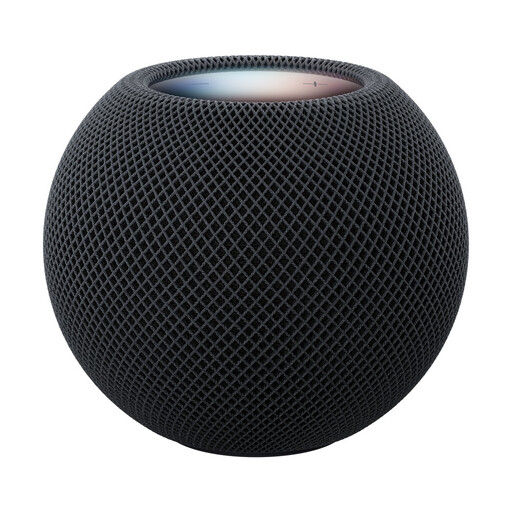 No image available
Apple HomePod mini 2 – Midnight
A good fit if your sound source comes from a compatible Apple device via AirPlay and you want to stop playback with Siri.
Apple describes AirPlay from compatible devices and the Siri command ‘Stop in 30 minutes’. Apple lists a compatible iPhone or iPad, Wi-Fi and an internet connection as requirements for setup.
View at Joybuy
Frequently asked questions
Can I play any sleep sound from my phone on any Wi-Fi player?
No. Check the specific app or file and make sure there’s a documented playback method for the player you want to use. For example, WiiM lists AirPlay 2 and Spotify Connect for the Mini; Apple describes AirPlay from compatible Apple devices for the HomePod mini 2.
How can I check whether playback will stop automatically?
Test the sleep timer or stop command with your actual audio source, starting with a short duration. Sonos documents a sleep timer in its app; for HomePod, Apple lists the Siri command ‘Stop in 30 minutes’. This doesn’t automatically confirm that audio will stop on other devices or with other playback methods.
What do I need to set up a HomePod mini 2?
Apple lists a compatible iPhone or iPad, Wi-Fi and an internet connection as requirements for setup. Before buying, check that you have these devices and the connection you need.
What should I check about product compliance when buying a Wi-Fi device in Germany?
For certain electrical and radio products, the Federal Network Agency lists the CE marking, manufacturer details, German-language instructions and a declaration of conformity among the points to check. The CE mark is a declaration made by the manufacturer; it doesn’t mean this guide has individually tested the specific device on offer.
Is there evidence that sleep sounds treat sleep problems?
No reliable effect can be guaranteed. A systematic review published in Sleep Medicine Reviews in 2020 rated the evidence that continuous noise improves sleep as very low quality and noted possible drawbacks.


