Players with very little desk space
If your desk is small, you’ll need room for the screen, stand and cables, while still allowing for a comfortable viewing distance.


For card games on a small desk, a 23.8- to 24-inch Full HD monitor is a sensible starting point, provided the stand and cables fit the space available. BenQ lists the EX240N as a 23.8-inch Full HD model; a 27-inch QHD monitor such as Dell’s G2725D takes up more room and offers 2560 × 1440 pixels. If you mainly play slower-paced card games, readability, connectivity and positioning are usually more important considerations than the highest possible refresh rate. Ergotron recommends a viewing distance of at least 51 cm as an ergonomic guideline.
If your desk is small, you’ll need room for the screen, stand and cables, while still allowing for a comfortable viewing distance.
Clear card text and controls matter to you. The resolution and scaling should suit both the game and the screen size.
If you want to position the screen comfortably or play faster-paced games as well as card games, adjustability, connectivity and refresh rate become more important.
Choosing the right monitor for card games on a small desk depends on whether desk space, readability, your seating position or other games matter most to you.
| Buying consideration | What to look for | Who will find this most important? |
|---|---|---|
| Desk space and viewing distance | Measure the available width and depth, including room for the stand and cables; check that you can position the screen at a suitable distance. | When desk space is limited, I want to fit the stand and cables without having to sit too close to the screen. That’s why around 36% of consumers put available desk space first. |
| Game readability | Compare Full HD and QHD at your intended screen size; check the text size and scaling in the game. | I want to be able to read card text and spot controls straight away. That’s why around 29% of consumers prioritise the readability of cards and the game interface. |
| Screen positioning | Check the height and tilt adjustments, as well as the stand’s dimensions; if you plan to use an alternative mount, make sure it’s compatible too. | I want to be able to adjust the screen to suit my seating position during longer sessions. Around 21% of consumers therefore prioritise comfortable positioning. |
| Connectivity and other games | Compare the stated refresh rate and resolution for the input and source device you’ll actually use. | If I play faster-paced games as well as card games, I pay closer attention to connectivity and refresh rate. Around 14% of consumers put this kind of mixed use first. |
Even if the screen size seems right, a monitor’s stand can take up a lot of desk space. LG lists the 24GS65F-B as 291.2 mm deep, including the stand.
Measure the available desk space and room for cables, then compare these with the full dimensions of the specific model.
If the stand doesn’t fit, you may need to find another spot for the monitor or consider a separate mount, after checking compatibility.
The refresh rate you can achieve may vary by connection. Dell lists the G2725D at QHD 180 Hz over DisplayPort and up to 144 Hz over HDMI.
Check the specified resolution and refresh-rate combination for the input and source device you intend to use.
MSI’s specifications for the G244F and G244F E2 differ: the German shop page lists G244F E2 in the title, but gives specifications for the G244F at 170 Hz; MSI’s datasheet lists the G244F E2 at 180 Hz.
Before buying, check the full model number and the specifications for the exact product variant.
Choosing the wrong variant could mean that the features or refresh rate you expect aren’t available on the model you buy.
According to LG, the risk of burn-in cannot be completely ruled out, even with proper use, when static card screens are displayed for long periods.
Check the latest usage guidance and warranty terms for the specific OLED model, and weigh these against LCD alternatives.
The EX240N is an example of a 23.8-inch Full HD monitor, while the EX2710Q shows what a 27-inch QHD option offers.
The TUF Gaming VG249Q3A is a 23.8-inch Full HD option for players who also want to accommodate faster-paced games.
The G2422HS and G2725D illustrate different screen sizes and connectivity options.
The 24GS65F-B is a 23.8-inch example for comparing screen and stand dimensions; LG also offers OLED monitors.
The specifications for the G244F and G244F E2 show why it’s important to check the full model number when comparing monitors.
The Joybuy products below are Full HD monitors in compact sizes. Compare the screen and stand dimensions with your available desk space, and check that the connections are suitable for your source device.
 No image available
The 24-inch Full HD format is a compact option for card games; measure the space the monitor will take up before buying.
 No image available
If a 25-inch screen fits your desk, this Full HD model offers another size option; check the dimensions before setting it up.
 No image available
The 24-inch Full HD format is aimed at anyone looking for a compact gaming monitor for their desk.
 No image available
The smaller, portable format could be a good option if you have very little desk space.
USB-C video requires a device that supports video output over USB-C; according to the product description, achieving 120 Hz depends on the device and cable.
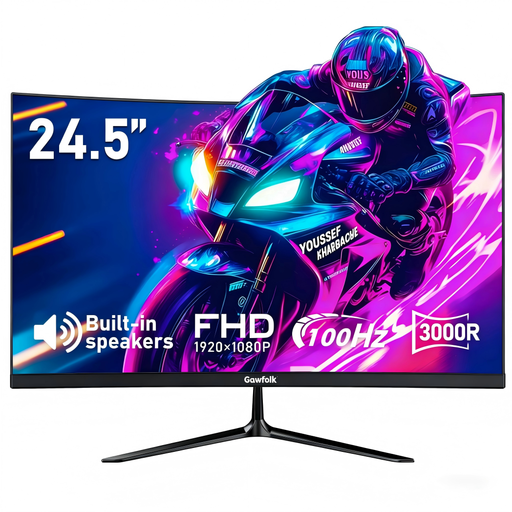 No image available
The 24.5-inch Full HD format offers another compact screen option; remember to factor in the stand when planning your desk space.
Compare its width and depth, including the stand, with the available desk space, and leave room for cables. As an ergonomic guideline, Ergotron recommends positioning the screen at least 51 cm away, with the top edge at or slightly below eye level.
No. A particularly high refresh rate isn’t a deciding factor for card games alone. Check readability and available space first; if you also play faster-paced games, compare the refresh rate and connection for your source device. For the G2725D at QHD, Dell lists 180 Hz over DisplayPort and up to 144 Hz over HDMI.
If you’re considering an OLED model, check the usage guidance and warranty terms for that specific device. LG warns that static images displayed for long periods can leave marks and that the risk cannot be completely ruled out.
No. Germany’s Federal Environment Agency recommends collecting waste electrical equipment separately, so use an appropriate take-back option for your old monitor.