Gaming without space for a spare monitor
If you don’t want to fit an extra screen on a small desk, key differences include whether the device has a built-in display and can be used in handheld or tabletop mode.


Start with the exploration games you actually want to play, then consider whether you have a separate screen and enough desk space. If you don’t have an extra monitor, devices with built-in displays, such as Switch 2 or Steam Deck OLED, are worth considering. If you already have a screen, a compact home console could also work. For every model, check which version of the game it supports, how much space it needs including ventilation, and how you’ll buy games and expand storage on digital devices.
If you don’t want to fit an extra screen on a small desk, key differences include whether the device has a built-in display and can be used in handheld or tabletop mode.
If there’s a particular world you want to explore, check the platform and the exact game version rather than choosing based on the console’s size alone.
If you can use a monitor, remember to allow space for cables and adequate ventilation as well as the console itself.
First, check that your chosen game is available on the platform. Then compare the display and setup options, along with how you’ll buy games and manage storage.
| Factor | What to look for | Who should pay particular attention? |
|---|---|---|
| Desk space and screen | Measure the usable space and decide whether you want a built-in display or an external screen. For home consoles, also allow enough room for ventilation. | If I want to play at a small desk without an extra monitor, the display and setup options matter most to me. Around 33% of consumers put a small footprint first. |
| Availability of the games you want | Check the platform and edition for each game. For Steam Deck, you should also check the compatibility rating for each title. | If there’s a particular world I want to explore, I first check that the exact game is available on the console. Around 27% of consumers prioritise the specific games they want to play. |
| Picture quality and readability | Choose between a built-in display and an external monitor. Check that text is easy for you to read on the screen you plan to use. | If picture quality and readable text matter more to me than having the smallest setup, I compare the display with where I plan to play. Around 20% of consumers focus on this. |
| Buying games and storage | Check whether you want to use discs and which storage expansion is compatible with the specific model. For Switch 2, Nintendo specifies microSD Express. | If I need to make use of existing discs or plan to build a larger game library, I check how to buy games and which extra storage is suitable in advance. Around 20% of consumers focus on potential ongoing costs and expansion options. |
A home console also needs room for ventilation. Microsoft recommends leaving 10 to 15 cm of clearance around the Xbox Series S.
Measure the space, including room for cables and ventilation, and don’t put the console in an enclosed compartment.
The Xbox Series S and the PS5 Digital Edition described here don’t have a disc drive as standard. You can’t use existing discs with them directly.
Before choosing, check how you want to buy your games and whether a disc drive is available and compatible with the specific model range.
Nintendo specifies microSD Express for extra Switch 2 game storage. Valve lists compatibility ratings for individual Steam Deck games.
Check the required card format for Switch 2 and the compatibility rating of every Steam game that matters to you.
Switch 2 offers handheld, tabletop and TV modes. Nintendo lists Tears of the Kingdom – Nintendo Switch 2 Edition as an exploration game.
Steam Deck OLED is a portable gaming PC with a built-in display, suited to anyone who wants to play Steam games without a separate desk monitor.
Xbox Series S is a slim, all-digital home console. Microsoft lists Starfield as a game for Xbox Series X|S.
PS5 Digital Edition is worth considering if compatible PS5 games such as Horizon Forbidden West are a key factor in your choice.
This selection includes handheld devices with built-in displays and Nintendo consoles for handheld, tabletop or TV play. Check that the exploration games you want to play are available for each model.
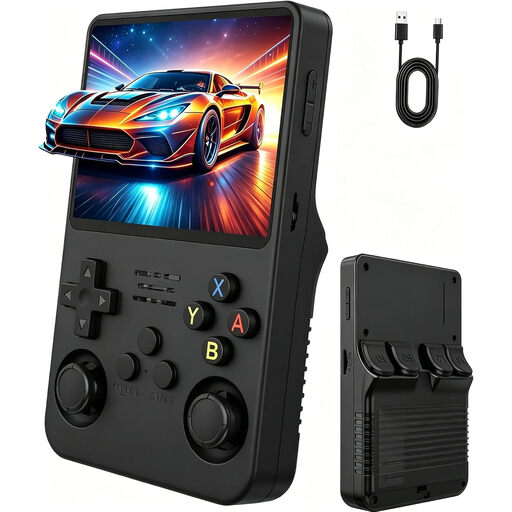 No image available
The built-in display lets you play without a separate monitor. Check first that the games included are the exploration titles you’re looking for.
3.5-inch IPS display with 640 × 480 resolution; two joysticks.
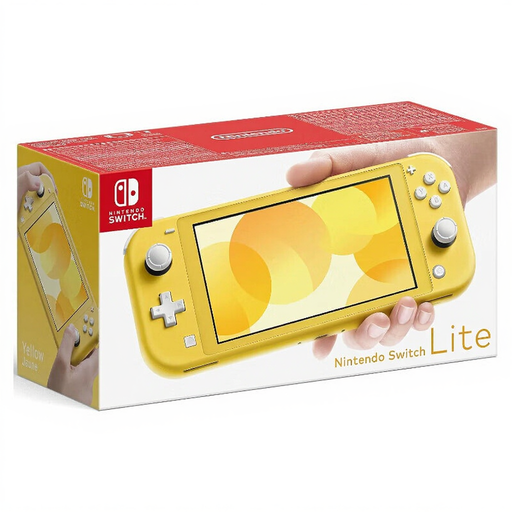 No image available
Switch Lite is designed for handheld gaming, making it a good fit if you want to play without a separate screen.
5.5-inch touchscreen with 720p resolution, 32 GB storage and Wi-Fi.
 No image available
Handheld, tabletop and TV modes give you different ways to use the screen when gaming at a small desk.
7-inch OLED display, 64 GB storage and an adjustable stand.
 No image available
Handheld and tabletop modes are ideal if you don’t want a monitor connected all the time. Nintendo lists Tears of the Kingdom – Nintendo Switch 2 Edition as an exploration game.
7.9-inch display and 256 GB of internal storage.
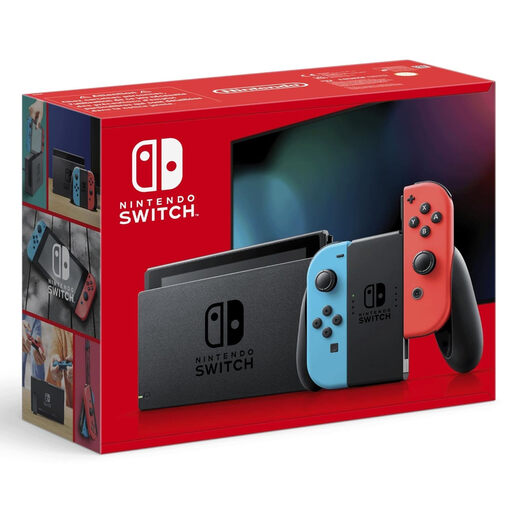 No image available
Handheld, tabletop and TV modes let you choose between playing on the built-in display and using an external screen.
6.2-inch display, 32 GB storage and detachable Joy-Con controllers.
No. Switch 2 has handheld and tabletop modes, and Steam Deck OLED has a built-in display. For home consoles such as Xbox Series S or PS5 Digital Edition, you’ll need to plan for a suitable screen and a way to connect it.
Microsoft recommends placing the Series S on a stable surface with good ventilation and at least 10 to 15 cm of clearance on all sides. A closed compartment or blocked vents wouldn’t meet this manufacturer recommendation.
Nintendo specifies microSD Express for storing and loading Switch 2 game data, as well as downloading digital games. A standard microSD card previously used with a Switch doesn’t meet these requirements.
Your statutory rights apply against the seller and are separate from any voluntary warranty. For new goods bought in the EU, Your Europe states that you have a two-year legal guarantee from the date you receive them. If something is faulty, the Verbraucherzentrale says you should first ask the seller to put it right.
Check the age rating for the specific game. Under Section 12 of the German Youth Protection Act, games sold on physical media to children and young people must have an appropriate age rating and label; a game’s age rating isn’t a general rating for the console. The USK explains that online games and apps have separate age ratings.