Players who chat with their team frequently
If you often give call-outs, check that the mute button is easy to reach and that the microphone works with your gaming device through the chosen connection.


For practice sessions with team chat at a small desk, first check that the microphone, mute function and chat work through your gaming device’s connection. A wired headset needs no charging or wireless receiver, but its cable must be routed so it doesn’t get in the way of your mouse and keyboard. A suitable wireless model keeps the audio cable off your desk, but requires a compatible connection and regular charging. You can’t judge comfort from product specifications alone.
If you often give call-outs, check that the mute button is easy to reach and that the microphone works with your gaming device through the chosen connection.
If a cable could get in the way of your mouse or keyboard, wireless can do away with the audio cable. You’ll need to allow for a compatible receiver connection and somewhere to charge the headset.
If you play for long periods, consider the fit and padding, but don’t rely on comfort claims alone: the best way to find out if a headset suits you is to try it for yourself.
A good fit if: you play in one place and can route the cable safely around your mouse and keyboard.
The trade-off: the connection and microphone must work with your gaming device, and the cable stays on your desk.
A good fit if: an audio cable would restrict your movement and your gaming device supports the receiver.
The trade-off: SteelSeries describes the Arctis Nova 5 Wireless as having a USB-C receiver and connection switching. Switching connections doesn’t automatically mean both audio sources play at the same time.
A good fit if: you regularly switch between several gaming systems and have room for a base station.
The trade-off: the base station takes up space and may require extra setup.
| What to consider | What to look for | Who it matters most to |
|---|---|---|
| Clear team call-outs | Check that the microphone works and can be muted on your gaming device. If possible, listen to a voice recording made in your usual room conditions. | If I give call-outs frequently, I want to be able to mute the microphone quickly. Around 33% of consumers put clear team call-outs first. |
| Room to move | Check the cable route or make sure there’s a free, suitable USB port for the wireless receiver. | If a cable could get in the way of my mouse or keyboard, having clear desk space is important. Around 27% of consumers prioritise room to move at a small desk. |
| A comfortable fit | Try the fit if possible, and check the applicable returns policy when buying online. | For longer practice sessions, I want a headset that feels right to wear. Around 20% of consumers put comfort and padding first. |
| Connection for game audio and chat | Check that your gaming device, exact headset model, available ports and microphone function are all compatible with the connection you plan to use. | If I’m buying for a particular device or chat feature, the connection needs to work with it. Around 20% of consumers prioritise device and connection compatibility. |
A switch alone doesn’t prove that you can hear game audio and phone audio at the same time.
If you need both sources at once, check this feature specifically for the exact headset model and your gaming device.
Wireless removes the audio cable from the headset, but you’ll still need a suitable connection. A base station also needs space.
Check that you have a spare USB port and enough desk space. Choose a base station only if you’ll actually use its features.
Fit is personal. COMPUTER BILD also notes that the MMX 300 PRO microphone is sensitive to background noise.
Try the headset if possible, and test the microphone in conditions similar to those in your usual room.
The wired Cloud III is worth considering if you want to choose between 3.5 mm, USB-C and USB-A connections.
The Arctis Nova 5 Wireless is a wireless option with a USB-C receiver and Bluetooth switching, according to the manufacturer.
The closed-back, analogue MMX 300 PRO is worth considering if you’re looking for a wired headset with replaceable ear pads.
The Stealth 600 Gen 3 is a wireless option, provided the model variant you choose is compatible with your gaming device.
According to Logitech, the ASTRO A50 X is designed for setups with several gaming systems, with switching and a charging base station.
The models below include wireless headsets with USB receivers, as well as wired options. Before choosing, check which connection type and microphone features work with your gaming device.
 No image available
An option if you want to switch between wireless and wired connections and mute the microphone on the headset.
Features listed include a 2.4 GHz USB receiver, wired mode, a detachable microphone and mute buttons. Battery life is stated as up to 60 hours.
Wireless use requires the USB receiver, and the battery needs charging.
 No image available
A wireless option if you don’t want an audio cable on your desk while gaming and want to mute the microphone on the headset.
Features listed include LIGHTSPEED wireless, a flip-to-mute microphone and up to 33 hours of battery life. PS5, PS4 and PC are listed as compatible, and the description gives the headset’s weight as 236 g.
The headset is rechargeable, with charging via USB-C listed in the description.
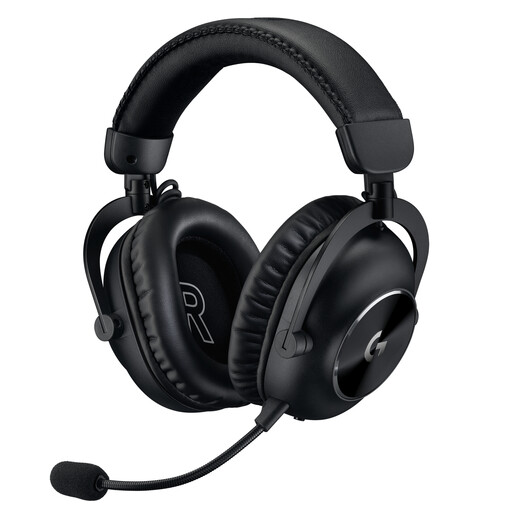 No image available
An option if you want to choose between wireless and wired connections depending on your device.
Features listed include LIGHTSPEED, Bluetooth and a 3.5 mm aux cable, plus a detachable 6 mm cardioid microphone with Blue VO!CE. Battery life is stated as up to 50 hours.
For PS4, the product information describes wireless stereo via USB; advanced software features require a PC. Charging is required for wireless use.
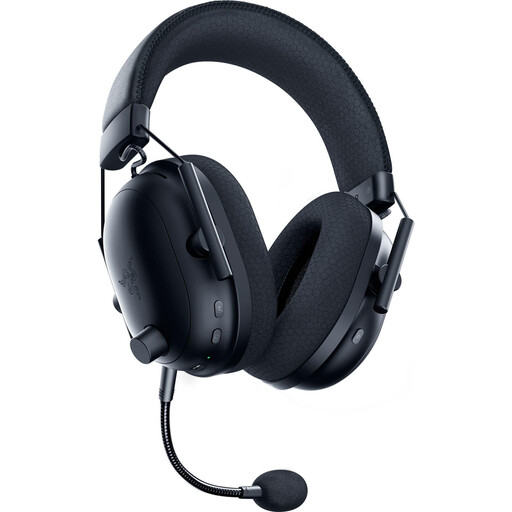 No image available
A wireless option if you’re looking for a detachable microphone and on-headset mute controls.
Features listed include 2.4 GHz wireless, Bluetooth 5.2 and up to 70 hours of battery life.
For 2.4 GHz use, the manual describes connecting a USB dongle to a PC; the battery needs charging.
 No image available
A wired option if you want to avoid charging and can plan the cable route at your regular gaming setup.
The description lists a USB sound card, a 3.5 mm cable, a detachable microphone with Blue VO!CE and an inline control with mute. Two memory foam ear pad options are specified.
The advanced Blue VO!CE and surround sound features are described for PC use via USB.
It depends on the connection and the exact headset model. SteelSeries describes the Arctis Nova 5 Wireless as switching between a 2.4 GHz USB-C receiver and Bluetooth; this doesn’t mean the two audio sources are mixed at the same time.
First, check the connection you’re using, the mute function on the headset and your gaming device’s microphone settings. HP lists 3.5 mm, USB-C and USB-A connections for the wired Cloud III, as well as an LED mute indicator. HyperX notes that the DTS licence supplied with the Cloud III can be used on PC, but not on Xbox.
Choose a volume that feels comfortable and take breaks when needed. The World Health Organization gives 80 dB as a guideline for adults for up to 40 hours a week. This is general hearing advice, not a measurement of this headset. Also check whether the ear pads are replaceable and whether spares are available for the specific model.
According to the Verbraucherzentrale, online purchases generally come with a 14-day right of withdrawal. Statutory warranty rights are separate from a voluntary manufacturer’s guarantee. The Umweltbundesamt advises against putting old electrical appliances in household waste; take them to a suitable collection or return point instead.