Players short on mouse space
When your mouse and keyboard have to share a narrow desk, you need enough room to move cards and game pieces around. The Tabletop Simulator Knowledge Base describes how to use the game with a mouse and keyboard.


If you need to leave as much room as possible for your mouse on a small desk, a 65% model is a sensible starting point – provided you can easily reach the keys your games use. If you often use the arrow or function keys and want them without a secondary key function, consider a 75% layout. A TKL keyboard is a better fit if you can do without the number pad and have enough desk space. The Tabletop Simulator Knowledge Base documents mouse and keyboard controls and notes that many default key bindings can be changed.
When your mouse and keyboard have to share a narrow desk, you need enough room to move cards and game pieces around. The Tabletop Simulator Knowledge Base describes how to use the game with a mouse and keyboard.
If you often use the arrow keys, function keys or other easily reached keys in your games, check whether a compact layout requires you to use secondary key functions. According to the Tabletop Simulator Knowledge Base, many of the default key bindings in Tabletop Simulator can be changed.
If other people work or spend time at the same table, switch noise and connectivity options may carry more weight when choosing a keyboard. Noise levels and connection options vary by model and version.
| What to consider | What to look for | Who is it important to? |
|---|---|---|
| Desk space and room for your mouse | Measure the usable width of your desk, including the mouse space you want, and compare it with the dimensions of the specific keyboard. | If I use a mouse to move cards around on a small desk, I need enough room to move it alongside my keyboard. Around 36% of consumers put mouse space first. |
| Direct access to game commands | Check the commands you actually use against the arrow keys, function row and any secondary key functions. | If I use shortcuts often, I want to access important commands without an extra key layer. Around 29% of consumers prioritise direct access to game commands. |
| Keyboard noise | Check the switch type on the exact version you’re considering. Manufacturer descriptions are no substitute for checking noise levels at your own desk. | If I play with other people in the room, I want to take typing noise into account when choosing a keyboard. Around 21% of consumers put noise first. |
| Connectivity and keyboard layout | Check that the connection type is right for you and, if needed, look specifically for DE-ISO or QWERTZ. | If a particular connection type and German key legends matter to me, I check both on the exact version. Around 14% of consumers prioritise connectivity and keyboard layout. |
One documented 65% model keeps the arrow keys but doesn’t have a dedicated function row. Depending on the game, you may therefore need to use secondary key functions for some commands.
Before you buy, compare the game commands you need with the layout of the specific version.
A Joybuy listing for the Razer BlackWidow V3 Mini was explicitly described as US-QWERTY.
Check the language version and layout details for the option you’ve selected; US-QWERTY is not the same as DE-ISO.
According to Razer, the barebones version of the Razer BlackWidow V4 75% doesn’t include switches or keycaps.
Check the exact version and what’s included before you buy.
You’ll need to buy switches and keycaps separately for this version.
The MX-LP 2.1 Compact Wireless is a documented 65% model with low-profile switches and three connection modes.
The V1 is documented as a 75% keyboard with QMK/VIA support and a DE-ISO version.
The wired G515 TKL is a low-profile TKL model without a number pad.
The BlackWidow V3 Mini HyperSpeed shows how a 65% layout can include arrow keys; the BlackWidow V4 75% adds a function row.
The Apex Pro TKL Wireless is a TKL option with adjustable actuation, reviewed by PC Games Hardware.
This selection includes compact 65% and 75% gaming keyboards for limited desk space. For each version, check that the layout and keys you need are right for your games.
 No image available
The 65% layout could be a good fit if you want to leave room for your mouse on your desk.
German QWERTZ layout, low-profile MX Speed switches, RGB and tri-mode connectivity with 2.4 GHz, Bluetooth and USB-C.
 No image available
The 75% layout with ISO-DE keys is an option if you want a compact keyboard with a German layout.
The product title lists hot-swap, VIA compatibility and tri-mode connectivity with Bluetooth, 2.4 GHz and USB-C.
 No image available
The compact 65% layout could suit a small desk if you’re looking for a wired model with a German layout.
The product title lists linear MX2A Red switches, USB-C and RGB. Media and macro functions are described as secondary functions on the sides of the keys.
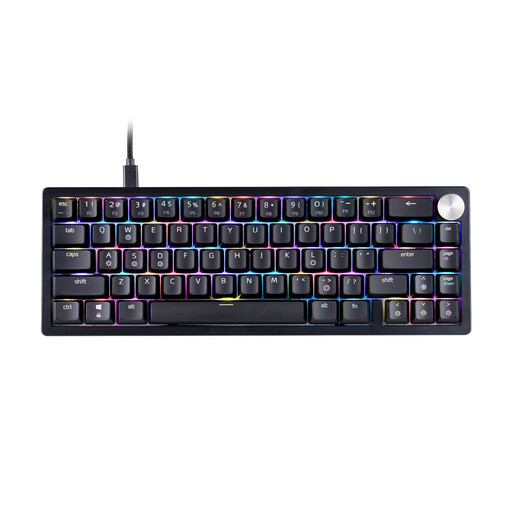 No image available
The 65% layout is a compact option if you need room for your mouse on a small desk.
The product title lists a US layout and RGB. If you need German key legends, the stated layout is an important difference to consider.
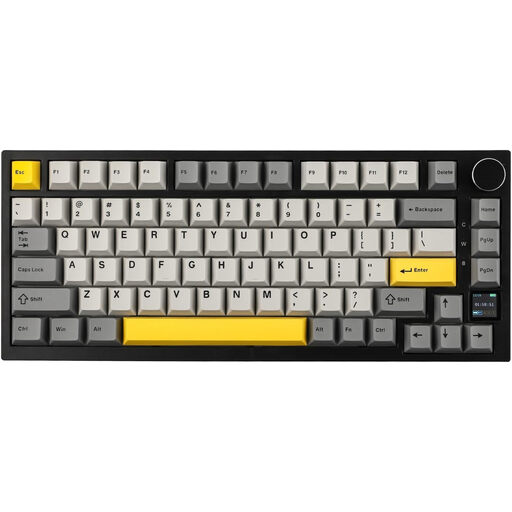 No image available
The 75% layout could suit you if you’re looking for a compact keyboard with easily accessible arrow and function keys.
The product title lists a US-QWERTY layout, Bluetooth, 2.4 GHz and wired connectivity, a TFT display, RGB and hot-swap.
No, not necessarily. Check your games’ controls: the Tabletop Simulator Knowledge Base documents mouse and keyboard actions and notes that many default key bindings can be changed. If you often need direct access to function keys, the documented Razer BlackWidow V4 75% has a dedicated row; the 65% BlackWidow V3 Mini doesn’t.
Open the game’s help menu and control settings. For Tabletop Simulator, the official help notes that keyboard layouts can vary and says you can access help using ESC or the menu.
Check that the connection mode you want works with your computer, and remember to factor in charging. CHERRY lists 2.4 GHz, Bluetooth and USB-C for the MX-LP 2.1 Compact Wireless; according to the manufacturer, you can play while charging via USB-C. This doesn’t necessarily apply to other wireless models.