Gamers with limited desk space
If space is tight, check the width of the casing and the depth of the stand as well as the screen size. Acer Germany, for example, lists the Nitro VG240Y P6 as 539.50 mm wide and 199.30 mm deep with the stand.


First, measure the available width and depth for the monitor and stand, as well as your viewing distance. A compact model takes up less desk space, while a 27-inch screen will only fit if your setup has room for it. Then choose between Full HD and QHD based on the resolution your device can output and how important fine image detail is to you. A high refresh rate alone doesn’t guarantee a matching frame rate in games.
If space is tight, check the width of the casing and the depth of the stand as well as the screen size. Acer Germany, for example, lists the Nitro VG240Y P6 as 539.50 mm wide and 199.30 mm deep with the stand.
If you want to see landscapes and small on-screen elements clearly, consider a compact QHD monitor, provided your device supports the output you want. AOC Germany lists the Q24G4RE as offering 2,560 × 1,440 pixels on a 23.8-inch screen.
If screen size or HDR performance matters to you, check the specific display technology rather than relying on the certification name alone. LG specifies the 27G610A-B as a 27-inch monitor with DisplayHDR 400; according to VESA, local dimming is not typically required at this level.
First, measure the space available for the screen and stand. Then compare the resolution and connections with your device, and assess the refresh rate and HDR specifications in light of how you’ll actually use the monitor.
| Consideration | What to check before buying | Who it matters most to |
|---|---|---|
| Space needed | Compare the available desk width and depth with the monitor’s dimensions including the stand; check adjustability and, where relevant, VESA mounting. | If I have limited desk space, the monitor and stand need to fit on my desk. That’s why around 33% of consumers put space requirements first. |
| Image detail | Check that the native resolution matches the output you want from your PC or console. | If fine landscape detail matters to me, I check the resolution and whether my device supports it. Around 27% of consumers prioritise image detail. |
| Atmosphere | Check the specific HDR specifications, contrast and dimming features of the model. | If I care about richly contrasted game worlds, I want to assess the display technology of the specific monitor. Around 20% of consumers put atmosphere first. |
| Smooth performance | Match the resolution, connection and desired refresh rate to your device. | If smooth camera movement matters to me, I compare the monitor’s specifications with the output from my device. Around 20% of consumers prioritise smooth on-screen performance. |
The screen’s diagonal measurement doesn’t tell you how wide the casing is or how much desk depth the stand takes up. A monitor might fit from side to side yet still use up valuable desk space.
Measure the space available and check the dimensions of the specific model, including the stand. Also look for height adjustment and a suitable VESA mount.
If you want to replace the stand, you may need to buy a suitable mount separately.
HDR10 or DisplayHDR 400 alone doesn’t show how well a particular monitor displays bright and dark areas. VESA notes that local dimming is not typically required for DisplayHDR 400 certification.
If HDR is important to your buying decision, check the exact certification and independent picture measurements for the specific model.
The monitor’s maximum refresh rate and the frame rate actually generated by your device are two different things.
Check that the resolution, connection and refresh rate you want are supported by your PC or console before letting a high maximum specification sway your decision.
AOC Germany offers the AGON Q24G4RE as a compact QHD option for detail-focused gaming.
The Acer Nitro VG240Y P6 is a 23.8-inch Full HD monitor with documented stand dimensions.
LG offers a larger QHD IPS option with the UltraGear 27G610A-B.
The ASUS TUF Gaming VG249QE5A is a compact Full HD option with specified connections.
The 27-inch version of the Odyssey G5 G55C available in Germany is a curved QHD option.
The following Joybuy offers include compact monitors that are worth comparing if you have a small desk. Check the listed features against the space you have and the device you’ll connect.
 No image available
A compact Full HD option. Check its listed dimensions against the space available on your desk.
24 inches; 1,920 × 1,080 pixels; IPS; 120 Hz; 5 ms response time; 99% sRGB; HDMI and VGA; VESA 100 × 100; tilt-adjustable.
 No image available
A compact option with a specified refresh rate. Check what output your device can achieve through the connection you want to use.
24 inches; 1,920 × 1,080 pixels; IPS; 144 Hz; 1500:1 contrast ratio; 116% sRGB; Adaptive Sync; HDMI and DisplayPort.
 No image available
A compact Full HD option with AdaptiveSync. Check that the output you want is supported by your device.
24 inches; 1,920 × 1,080 pixels; IPS; 100 Hz; 1 ms MPRT; AdaptiveSync; VESA 100 × 100; 16:9; HDMI.
 No image available
The 24-inch screen makes this a compact option to compare with your available space and viewing distance.
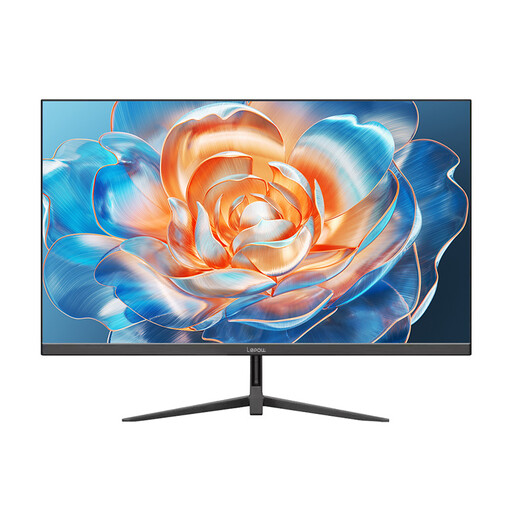 No image available
A compact screen with a specified refresh rate to compare with the output from your device.
24 inches; 100 Hz.
If desk width, stand depth or viewing distance is limited, start by looking at a compact model. If you’d like a larger screen, measure the space available for the specific 27-inch model. The diagonal measurement alone won’t tell you whether it will fit on your desk.
That depends on whether the monitor has a suitable mount and whether the arm and desk are compatible. VESA 100 × 100 is specified for the Acer Nitro VG240Y P6, but that doesn’t confirm that every arm is suitable or that your desk can support it.
For the specific models you’re considering, compare the EU energy label or product data sheet on the same basis. The European Commission covers electronic displays, including computer monitors. You can’t work out your personal costs without knowing how you’ll use the monitor.
For an online consumer contract, you generally have a 14-day right to withdraw; you must notify the other party to the contract that you’re withdrawing. If a product is faulty, statutory consumer rights against the seller are separate from a voluntary guarantee. The Verbraucherzentrale explains the difference.
EU energy labelling covers electronic displays, including computer monitors; separate rules apply to exempt specialist products. Check the energy label and product information for the specific model. The relevant suppliers are responsible for providing the information and labels.