What should you look for when buying?
Start by comparing the space available and your writing routine. This will help you decide whether a compact device or a 14-inch display is a better fit for your desk.
Compact Windows laptop
A good fit if: you use Windows writing software and want a smaller device with a German keyboard.
Worth considering: A 13.3-inch display offers less screen space than a 14-inch device. Check the keyboard and dimensions of the specific model.
Compact macOS laptop
A good fit if: your writing software runs on macOS and a compact display suits your desk.
Worth considering: Apple’s battery life figures are based on video or web use, not a writing session. If you’re switching from Windows, you may also need a separate software licence.
14-inch Windows laptop
A good fit if: you want to view your draft and research side by side more often and have enough desk space.
Worth considering: The larger format takes up more space. Features and whether a power adapter is included vary by configuration.
| What you need |
What to check before buying |
Who it matters most to |
| Space, keyboard and text display |
Overall dimensions and display size; German keyboard layout for the exact variant. |
When desk space is tight, I want room for notes and my hands while still being able to type comfortably. Around 33 % of consumers prioritise space and the keyboard. |
| Writing software and chapter organisation |
The app’s operating system requirements; transferring and editing existing projects. |
If my chapter plan depends on a particular app, I want to keep using my outline and projects on my new device. Around 27 % of consumers prioritise software and chapter organisation. |
| Writing without a regular power socket |
Weight and ports; battery life figures and their test conditions; whether a power adapter is included. |
When I write in different places, I don’t want to rely on a battery life figure alone. I also need to consider weight and charging options. Around 20 % of consumers prioritise writing without relying on a power socket. |
| Backing up your manuscript |
A separate backup option; test that you can restore a file. |
If I don’t want to lose a chapter, I need a backup that’s stored separately from my laptop and can be restored. Around 20 % of consumers prioritise protecting their manuscript. |
Joybuy products for writing
This selection includes compact macOS laptops and 14-inch Windows devices for writing at a small desk.
 No image available
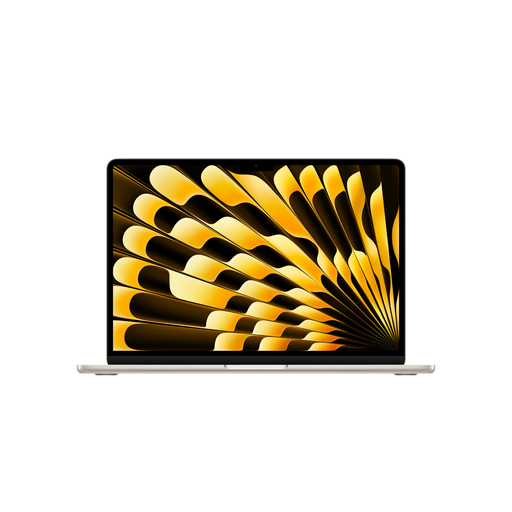
Apple 13-inch MacBook Air (M5, 2026), 16GB, 512GB SSD, Starlight, German QWERTZ Keyboard
This compact macOS device is worth considering if your writing software works with macOS and a German QWERTZ keyboard is important to you.
13.6-inch display; stated weight: 1,23 kg. The product description says that no power adapter is included.
View at Joybuy
 No image available
Apple 13-Inch MacBook Neo, A18 Pro, 8GB, 256GB SSD, without Touch ID, Silver, German QWERTZ Keyboard
The 13-inch format is a compact option if the stated German QWERTZ keyboard and macOS suit the way you write.
8 GB of memory, 256 GB SSD and stated weight of 1,23 kg. The product description says that no power adapter is included; you’ll need a suitable USB-C power supply to charge it.
View at Joybuy
 No image available
Lenovo Yoga Slim 7i Aura Edition 14-inch, 2.8K OLED, Core Ultra 7 355, 16GB, 1TB SSD, Win11 Evo
This 14-inch device is a better fit if you want more screen space for drafting and research and have enough room on your desk.
OLED display with 2.8K resolution, German keyboard and stated weight of 1,14 kg. The 14-inch format takes up more space than the compact 13-inch option.
View at Joybuy
 No image available
HP OmniBook Ultra Flip 14-fh0670ng, 14-inch 2-in-1, Core Ultra 7 258V, 32GB RAM, 1TB SSD, 2.8K OLED, Windows 11 Home
The 14-inch display could be a good choice for drafting and research if you have room for the extra footprint on your desk.
2-in-1 device with 2.8K OLED touchscreen, 32 GB of memory and stated weight of 1,34 kg. The larger format takes up more desk space than a compact 13-inch device.
View at Joybuy
 No image available
ASUS Zenbook 14 UX3405CA-QD1303W, 14-inch WUXGA OLED, Core U7 255H, 16GB, 1TB SSD, Win11
This 14-inch Windows option is worth considering if you prefer a larger display and a German keyboard, and have room for it on your desk.
WUXGA OLED display, German backlit keyboard, stated weight of 1,22 kg and 65-W power adapter included. The 14-inch format takes up more space than a compact 13-inch device.
View at Joybuy
Frequently asked questions
What screen size will fit on a small desk?
First measure the space available, allowing room for notes and your hands. The devices featured here range from 13.3 inches on the Lenovo X13 and 13.6 inches on the MacBook Air to 14 inches on the ASUS Zenbook. The screen diagonal alone doesn’t tell you whether the whole device will fit on your desk.
Can I keep using my Scrivener licence if I switch from Windows to macOS?
According to Literature & Latte, a Windows licence doesn’t unlock the macOS version, or vice versa. Before switching, also check that your specific project and workflow will work on the platform you’re moving to.
How can I back up a chapter of my novel if my laptop stops working?
Back up your files regularly somewhere separate from your laptop, and test that you can restore them. Germany’s Federal Office for Information Security lists USB sticks and external hard drives among the possible storage options.
Do I need to buy a charger separately?
It depends on the specific offer. The product details for the Joybuy MacBook Air 13-inch with M5 featured here say that no power adapter is included. A power adapter is also available separately or not included with the HP and Dell configurations featured here. Check the details for the model you choose.
Can I rely on the quoted battery life for my writing sessions?
Not without taking the test conditions into account. For the MacBook Air featured here, Apple quotes up to 18 hours of video streaming or up to 15 hours of wireless web browsing. These figures aren’t battery life measurements for a writing app.


