What should you look for when buying?
The Federal Institute for Occupational Safety and Health recommends allowing enough room to arrange your mouse and keyboard flexibly, as well as space to rest your hand and arm. So check more than just the mouse dimensions: consider the space you can actually use while working.
| What matters |
What to look for when buying |
Who is this especially important to? |
| Desk space and room to move |
Check the mouse dimensions separately from the free space next to your keyboard; the CHERRY MW 9100 is listed as measuring 99 × 62,5 × 33,5 mm. |
If there’s hardly any room beside my keyboard, I want to keep the mouse compact without losing space to rest my hand. Around 33 % of consumers put desk space first. |
| Scrolling through timetables |
Check vertical fast scrolling and horizontal navigation separately. Logitech describes two vertical scrolling modes on the MX Anywhere 3S; Kensington says the Orbit scroll ring is for scrolling up and down. |
When looking at long timetable pages, I want to move quickly between sections and navigate wide tables horizontally if needed. Around 27 % of consumers put scrolling first. |
| Fit and room to rest your arm |
Consider the hand rest, your preferred hand and the mouse shape in the context of your own workspace. Trust describes the Verto as allowing a 60-degree hand position; this does not prove that it will relieve discomfort for everyone. |
If I’m at my desk for longer, I want a mouse that fits my hand and leaves enough room to rest my arm. Around 20 % of consumers prioritise a good fit. |
| Connection and power |
Check whether the specific version uses Bluetooth or a USB receiver, whether the receiver is included and how the mouse is powered. Logitech says the MX Anywhere 3S does not come with a Logi Bolt receiver. |
If I switch between devices, I want to know that the connection and power supply will suit my everyday needs. Around 20 % of consumers prioritise connection and power. |
Joybuy products for comparing timetables
This selection includes wireless mice for limited desk space, switching between devices and scrolling through timetable views. Check the dimensions, as not every model is especially compact.
 No image available
HOFOTEK M311 2.4G+BT Silent Office Mouse, White-Grey, 1xAA Battery
An option if you want to use Bluetooth or a USB receiver and switch between multiple devices.
Listed dimensions are 104,74 × 68,24 × 39,3 mm and the weight is 62 g. It connects via Bluetooth 5.1 or 2,4-GHz wireless with a USB receiver. Support for up to three devices, multiple DPI settings, silent-touch clicks and an AA battery are also listed.
Joybuy
 No image available
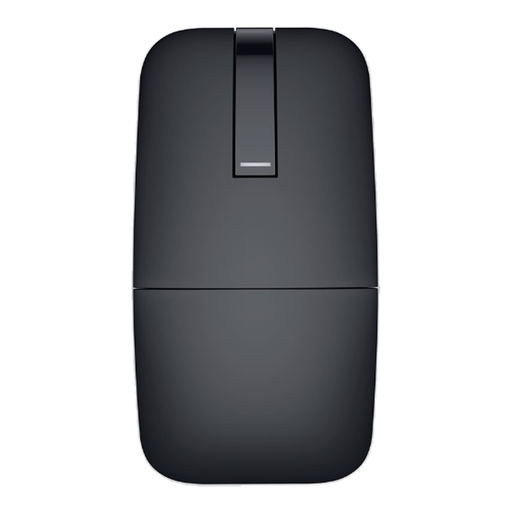
DELL Bluetooth Travel Mouse MS700, Black
If you want to pack your mouse away when travelling or switch between multiple devices, its foldable design and Bluetooth connection are worth considering.
The model is listed as weighing 56,9 g. It folds and twists, supports touch scrolling and can switch between up to three devices.
Joybuy
 No image available
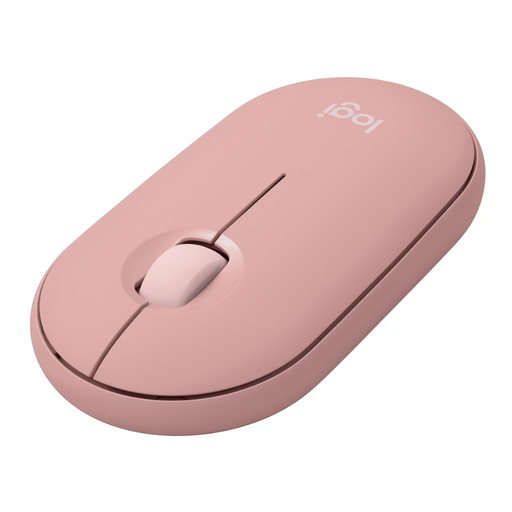
Logitech Pebble Mouse 2 M350s Tonal Rose
This compact mouse is worth considering if you have little desk space beside your keyboard and prefer the movement of a conventional mouse.
Listed dimensions are 10,67 × 5,87 × 2,66 cm. Bluetooth connectivity for up to three devices and an AA battery are listed.
Joybuy
 No image available
Logitech MX Master 3S Bluetooth Edition, Graphite
This could suit long pages and wide tables if you want both vertical and horizontal scrolling; be sure to allow for its larger size.
Listed dimensions are 124,90 × 84,30 × 51 mm. Features include MagSpeed scrolling, vertical and horizontal scrolling and Bluetooth connectivity for up to three devices. The shape is designed for right-handed use.
Joybuy
 No image available
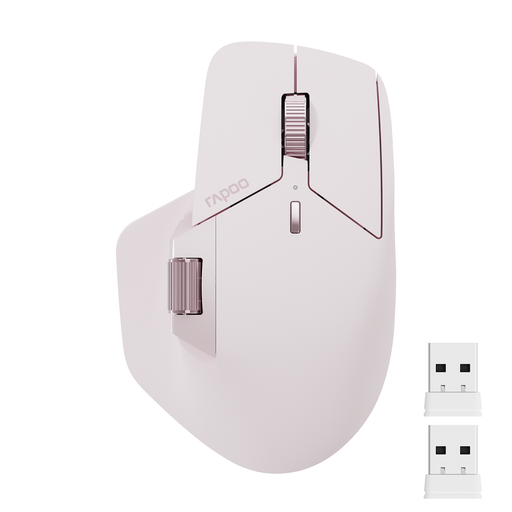
Rapoo MT760Mini Bluetooth Wireless Mouse, Pink
A side scroll wheel and two-way scrolling are useful if you want to navigate sideways as well as vertically.
Listed dimensions are 115 × 74 × 42 mm. The model supports Bluetooth 5.0 and 2,4-GHz wireless connectivity, and can connect to up to four devices.
Joybuy
Frequently asked questions
Is a small mouse all you need for a comfortable workstation?
No. You should have enough room for your keyboard and mouse to be arranged flexibly, as well as space to rest your hand and arm. The Federal Institute for Occupational Safety and Health makes this recommendation for computer work; it is not a minimum size for every home desk.
Do I need a fast scroll wheel for wide timetable tables?
No. Fast vertical scrolling is not essential, and it does not replace horizontal navigation. For wide tables, check whether the specific model offers a horizontal function and whether it works in your application. The documented scroll modes on the MX Anywhere 3S and the Orbit Wireless scroll ring do not, by themselves, provide horizontal scrolling.
What should I check when setting up a wireless mouse?
Check that your device supports compatible Bluetooth or has a suitable USB port, and make sure any receiver you need is included. CHERRY says a USB receiver comes with the MW 9100; Logitech says the MX Anywhere 3S does not include a Logi Bolt receiver.
What should I know about ongoing costs and consumer rights?
The Pebble Mouse 2 M350s uses a replaceable AA battery, while the CHERRY MW 9100 has a rechargeable battery. If a product is faulty, your statutory rights are against the seller; a manufacturer’s guarantee is separate, as the Verbraucherzentrale explains.
What return and disposal rules apply in Germany?
Under the rules explained by the Verbraucherzentrale, online consumer purchases generally come with a 14-day right to cancel from the day you receive the goods; check the conditions that apply to your purchase. According to the German Environment Agency, used batteries and rechargeable batteries should be taken to collection boxes in shops or local collection points, not put in household rubbish.


