Which criteria matter to different players

Players with a very small desk

Monitors with the same screen size can take up different amounts of desk space. Compare the width and depth of the specific model, including its stand, with the space you need for your keyboard and mouse. Dell Germany lists the G2422HS as 53.78 cm wide and 18.944 cm deep with its stand.

Players who read maps and tables

If labels and detailed information matter to you, check the resolution and scaling in the simulation you play. Lenovo Germany lists the L24q-35 as a 23.8-inch QHD monitor with a resolution of 2560 × 1440 pixels. More pixels alone don’t tell you how large the in-game text will appear.

Players who enjoy different genres

If you also use your monitor for faster-paced games, you may want to give greater weight to the refresh rate and connectivity. Check the specifications of the specific model, and don’t confuse its refresh rate with the speed of the simulation’s calculations.

What to look for when buying

23.8 inches, Full HD

A good fit if: space is limited and a compact Full HD display is all you need.

The trade-off: Full HD has fewer pixels than QHD; a high refresh rate won’t make up for a lack of PC processing power.

23.8 inches, QHD

A good fit if: you want more pixels for maps and tables but still prefer a compact screen.

The trade-off: Lenovo Germany lists the L24q-35 at 75 Hz. How legible in-game text is will also depend on scaling and viewing distance.

27 inches, QHD

A good fit if: you have enough desk space for a larger display and its stand.

The trade-off: LG Germany lists the LG 27GR75Q-B as 61.35 cm wide and 29.12 cm deep with its stand.

Priority What to check before buying Who should pay particular attention
Desk space and seating position Check the width and depth, including the stand; if you’re planning to use a monitor arm, also check the VESA specification and whether the mount is suitable. If you need to keep space for your keyboard and mouse on a small desk, the stand’s actual footprint matters. Around 36% of consumers put space requirements first.
Reading maps and menus Check the simulation at your preferred resolution and interface scaling; QHD alone doesn’t guarantee comfortably sized text. If you want maps, figures and tables to be easy to read, check how they look in the game you play. Around 29% of consumers prioritise text legibility.
Frame rate and connectivity Make sure the graphics output, monitor connection and supported resolution work together at the frame rate you want. If you also plan to use the monitor for faster-paced games, a high refresh rate may matter more. Around 21% of consumers put this added benefit first.
Adjustability and everyday use Check the adjustment range, VESA specification and energy label for the specific model. If you want to position the monitor to suit your seating position and compare energy consumption, look at its adjustment options and energy label. Around 14% of consumers prioritise these criteria.

How to avoid common buying mistakes

  • Comparing screen size alone

    Screen size alone won’t tell you whether the monitor and its stand will fit on your desk. The Dell Germany and LG Germany examples listed above have different widths and depths, including their stands.

    Measure the available space and compare it with the dimensions of the exact model, including its stand. You may need a separate mount or a different position for the monitor.

  • Assuming QHD automatically means more legible text

    Having more pixels and the size of text or menus in a specific game interface are not the same thing.

    Check the simulation at your intended resolution and scaling before choosing QHD.

  • Confusing refresh rate with faster simulation progress

    Paradox Interactive distinguishes between frame rate and the speed of individual simulation ticks in simulation-heavy games.

    Give a high refresh rate greater priority if you also want to use the monitor for faster-paced games.

Brands and suitable model examples

Dell

The G2422HS is a specific 23.8-inch Full HD example, and its dimensions are useful when comparing how much space different monitors take up.

  • Dell lists 165 Hz, two HDMI inputs, DisplayPort 1.2 and VESA 100 × 100 mm for this model.
  • These specifications apply to the G2422HS and don’t demonstrate that the brand is better overall.

Lenovo

The Legion R24e is a compact Full HD option, while the L24q-35 combines a 23.8-inch screen with QHD.

  • Lenovo lists 180 Hz and an adjustable stand for the R24e. The L24q-35 is listed with QHD and 75 Hz.
  • These specifications describe these two models, not Lenovo’s entire range.

LG

The UltraGear 27GR75Q-B is an example of a larger QHD gaming monitor, if you have enough space on your desk.

  • LG lists a 27-inch screen, 2560 × 1440 pixels and a maximum refresh rate of 165 Hz for this model.
  • LG states that the stand is 29.12 cm deep; this measurement applies to the 27GR75Q-B.

MSI

The MAG 244FDE is a Full HD option for players who also want a high refresh rate for other genres.

  • MSI lists 200 Hz for the MAG 244FDE. This is a manufacturer specification, not an independent measurement for political simulation games.
  • The model names MAG 244FDE and MAG 244F are used inconsistently. Check the exact variant before buying.

Compact Full HD monitors at Joybuy

The Joybuy products below are compact Full HD monitors in the 24-inch class, making them suitable for comparing footprint, resolution and refresh rate.

KOORUI MB24V29FS4, 24-inch Full HD monitor

KOORUI MB24V29FS4, 24-inch Full HD monitor

A compact Full HD option if you want to check its dimensions and connections against your setup.

IPS, 1920 × 1080, 120 Hz and 5 ms response time. HDMI and VGA, VESA 100 × 100 mm and tilt adjustment.

View at Joybuy

KTC H24B9S, 24-inch Full HD gaming monitor

KTC H24B9S, 24-inch Full HD gaming monitor

A compact Full HD option if you want to consider the refresh rate for other games as well as the space it takes up.

IPS, 1920 × 1080 and 144 Hz. Adaptive Sync, HDMI and DisplayPort, plus tilt adjustment.

View at Joybuy
ASUS Eye Care VY249HF-W, 24-inch Full HD monitor

ASUS Eye Care VY249HF-W, 24-inch Full HD monitor

A compact Full HD option if 100 Hz and VESA mounting suit your setup.

IPS, 1920 × 1080 and 100 Hz. Adaptive Sync, HDMI and VESA 100 × 100 mm; tilt adjustment is also listed.

View at Joybuy

Acer Vero B247YGbmiqprx, 24-inch monitor

Acer Vero B247YGbmiqprx, 24-inch monitor

A compact Full HD option if you want to adjust the monitor’s height and position to suit your workspace.

IPS, Full HD and 120 Hz. Height adjustment up to 165 mm, pivot, swivel and tilt; VGA, HDMI and DisplayPort, plus VESA 100 × 100 mm.

View at Joybuy
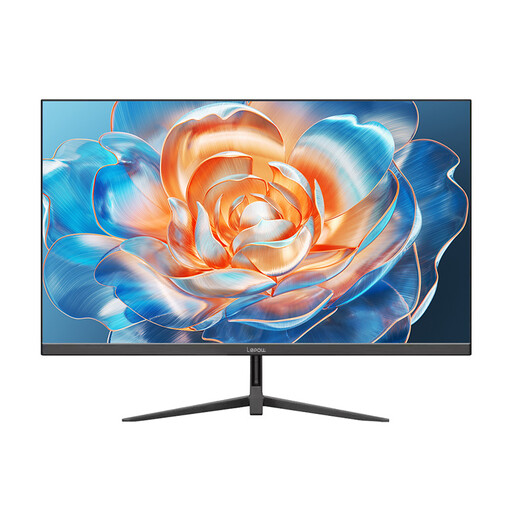
Lepow HC-24Z2, 24-inch Full HD desktop monitor

Lepow HC-24Z2, 24-inch Full HD desktop monitor

A compact Full HD option if a desktop monitor with HDMI and 100 Hz meets your needs.

23.8 inches, 1920 × 1080 and 100 Hz. HDMI and metal stand.

View at Joybuy

Frequently asked questions

Is 200 Hz more important than resolution for political simulation games?

Not necessarily: refresh rate and simulation speed are two different things. If you mainly use maps, menus and tables, check legibility and space requirements first. A higher frame rate may matter more if you also play faster-paced games.

How can I check whether a monitor will fit on my small desk?

Compare the manufacturer’s dimensions, including the stand, with the available desk space, and allow room for your keyboard and mouse. If you’re planning to use a monitor arm, also check the monitor’s VESA specification and whether the mount and desk are suitable.

What do energy labels and power consumption figures tell me?

The EU energy label for electronic displays rates efficiency on a scale from A to G and includes information specific to the model. Compare the figures for the individual monitors rather than assuming power consumption based on screen size alone.

What are my rights when buying online in Germany?

According to the Verbraucherzentrale, consumers in Germany generally have a 14-day right to withdraw from an online purchase; you must notify the seller that you wish to withdraw. Your statutory rights against the seller are separate from any voluntary guarantee. Check the terms of your specific purchase.

Do workplace screen regulations apply to my gaming desk at home?

ASR A6 sets out requirements for workplaces and teleworking environments. It is not a blanket requirement for private leisure use, so it does not establish general legal minimum dimensions for your gaming monitor.