Gamers with very limited desk space
If desk space is tight, your screen and stand need to fit alongside your mouse and keyboard. The dimensions with the stand are more useful than screen size alone.


For a small desk, a 23.8-inch Full HD monitor is a sensible starting point, provided the screen and stand fit in the available space. If your desk and viewing distance allow for a 27-inch model, and you’d like more room for game details and text, QHD may suit you better. ASUS Germany lists the ROG Strix XG27ACS as 61.48 cm wide and 21.88 cm deep with its stand; also check which refresh rate your PC supports through the connection you plan to use.
If desk space is tight, your screen and stand need to fit alongside your mouse and keyboard. The dimensions with the stand are more useful than screen size alone.
If you want to see more of the map, menus or text at once, check whether a 27-inch QHD monitor and its stand will fit on your desk. ASUS Germany lists the ROG Strix XG27ACS as having a resolution of 2560 × 1440 pixels.
If smooth visuals matter to you, make sure the refresh rate and synchronisation are compatible with your PC and connection. A manufacturer’s response-time figures are not the same as a measurement of total input lag.
A better fit if: desk space is the main constraint and you’re looking for a compact display.
Trade-off: Full HD provides fewer pixels for games and desktop content than QHD; a smaller screen doesn’t guarantee a narrower stand.
A better fit if: you have enough desk space and the right viewing distance, and want to enjoy game details and text on a larger, higher-resolution screen.
Trade-off: The documented ASUS example measures 61.48 cm wide and 21.88 cm deep with its stand. ASUS Germany specifies up to 180 Hz via DisplayPort or USB-C, but up to 144 Hz via HDMI.
| What to consider | What to look for | Who should care? |
|---|---|---|
| Desk space | Measure the available desk width and depth, then compare them with the monitor’s dimensions, including the stand. If you’re using a mount, check the VESA size and weight capacity too. | If every centimetre counts, I want to know whether the screen and stand will fit alongside my mouse and keyboard. Around 36% of consumers put available desk space first. |
| Visibility and readability | Consider screen size and resolution together. If possible, check the scaling and readability of the user interface in the RTS you play. | If I want maps, units and menus to be easy to make out, what matters is how they look from my actual seating position. Around 29% of consumers prioritise visibility and readability. |
| Refresh rate and connection | Check the maximum refresh rate for the input you’ll use, as well as the PC’s output, cable and VRR support for that specific setup. | If I want smooth-looking action, I need to be able to match the refresh rate and synchronisation to my PC. Around 21% of consumers put smooth controls first. |
| Ergonomics and running costs | Check the adjustment range and specifications for the exact model; compare the EU energy label to assess power consumption. | If I want to position the screen comfortably and use it day to day, I look at its adjustment options and running costs. Around 14% of consumers prioritise ergonomics and running costs. |
Even a small screen needs space for its stand and your input devices. Screen size alone won’t tell you whether the monitor will fit on your desk.
Before ordering, compare the dimensions with the stand against the available desk space. If you’re using a monitor arm, check the VESA size and weight capacity too.
The specified maximum refresh rates for the ASUS ROG Strix XG27ACS vary by input: ASUS lists up to 180 Hz via DisplayPort or USB-C and up to 144 Hz via HDMI.
Check the refresh rate for the specific connection you plan to use with your PC.
The specifications for the MSI G244F E2 and G244F don’t clearly match: MSI’s international site lists 180 Hz for the G244F E2, while its German shop lists specifications for the G244F, with 170 Hz, under the G244F E2 heading.
Check the full model number and the specifications of the exact product listing, rather than combining figures from different variants.
A manufacturer’s warranty and your rights against the seller if a product is faulty are two different things. Your Europe explains statutory consumer rights for goods in the EU.
Check warranty terms and your statutory rights separately. If there’s a fault, it’s also important to know which seller to contact.
The 24G4HA is a documented 23.8-inch Full HD option for a compact RTS setup.
The Evnia 24M1N3200ZA/00 is a 23.8-inch Full HD alternative.
The ROG Strix XG27ACS is a documented 27-inch QHD example if you have room for a larger screen.
The G2422HS is a documented example of a height-adjustable 23.8-inch Full HD monitor.
The G244F E2 is another model range in the 23.8-inch Full HD category, where checking the exact variant is important.
This Joybuy selection features 24-inch monitors for a compact display setup. Before buying, check the dimensions of the exact monitor against your desk.
 No image available
Its 24-inch screen puts it in the compact category; check the stand dimensions to make sure it fits your desk.
Full HD, IPS, 120 Hz, 5 ms response time, HDMI and VGA.
With tilt adjustment and VESA 100 × 100 mm.
 No image available
A compact Full HD option; check the refresh rate supported by the connection you’ll use with your PC.
IPS, 1920 × 1080, 144 Hz and Adaptive Sync.
With HDMI, DisplayPort and tilt adjustment.
 No image available
Its 24-inch screen could work well for a compact setup; check the dimensions with the stand before buying.
IPS, 1920 × 1080, 100 Hz and AdaptiveSync.
With 1 ms MPRT, HDMI and VESA 100 × 100 mm.
 No image available
Its 24-inch screen puts this model in the compact category. However, the screen size alone won’t tell you whether the stand will fit on your desk.
Before buying, compare the dimensions of the exact monitor with the available space for the screen and your input devices.
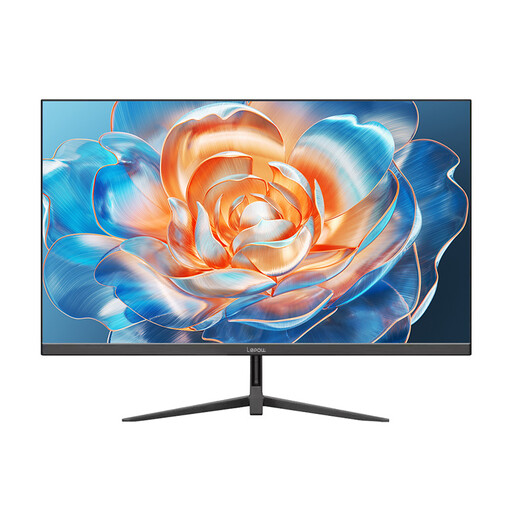 No image available
Its 24-inch screen may suit a compact setup; check the space required, including the stand.
1920 × 1080 pixels, 100 Hz and 100% sRGB.
With HDMI connection.
Measure the available space for your screen and input devices, then compare it with the width and depth of the exact model, including the stand. ASUS Germany lists the ROG Strix XG27ACS as 61.48 × 21.88 cm; the screen size in inches only describes the display’s diagonal.
First check the input you’re using, your PC’s output and your display settings. ASUS specifies up to 180 Hz via DisplayPort or USB-C for the ROG Strix XG27ACS, but only up to 144 Hz via HDMI. The refresh rate a game actually outputs is a separate matter.
Compare the EU energy label and product information for the same operating mode. The European Commission includes electronic displays such as computer monitors within the scope of energy labelling; the energy-efficiency class alone won’t tell you what your individual electricity costs will be.
For online orders, consumers generally have 14 days from receipt to notify the seller that they wish to cancel, as explained by the Verbraucherzentrale. If goods are faulty, your statutory rights against the seller are separate from a voluntary manufacturer’s warranty; Your Europe states that goods in the EU are covered by a minimum two-year guarantee from receipt.
Products covered by relevant EU harmonisation legislation that requires CE marking must carry it. The Bundesnetzagentur monitors compliance with the applicable product requirements. A CE mark on its own is not an independent performance test.