PC users who save their work manually
If you want to save your work and shut down your computer yourself during a power cut, check the runtime at your actual load and make sure the monitor you need will stay powered too.


Choose a UPS based on the power consumption of all the devices that need to stay on while you save, and check the runtime at a comparable load. If you’re not always at your desk, look for a shutdown solution that’s compatible with your computer. If your power supply has specific requirements, a UPS with a pure sine wave output may be worth considering.
If you want to save your work and shut down your computer yourself during a power cut, check the runtime at your actual load and make sure the monitor you need will stay powered too.
If you’re not always at your computer, check that the UPS, operating system and shutdown software work together, and that you can configure automatic shutdown.
If your power supply requires a particular output waveform, compare its requirements with the UPS specifications for battery operation.
| Priority | What to check before buying | Who should pay particular attention |
|---|---|---|
| Time to save | Check the combined load of your PC and essential monitor, the watt and VA limits, and the runtime quoted at a comparable load. | If I want to save my file and shut down my computer properly during a power cut, the runtime for my connected devices matters. Around 36% of consumers rank this as their top priority. |
| Shutdown while you’re away | Check for a USB data connection, a supported operating system and shutdown software. Set the shutdown time and test the feature in a controlled way. | If I’m away from my desk when the power goes out, the UPS needs to shut down my computer according to the settings I’ve configured. Around 29% of consumers prioritise automatic shutdown. |
| Output waveform | Compare your PC power supply’s requirements with the waveform specified for the particular model when running on battery. | If my power supply needs a particular waveform, I want to check this before buying rather than trying to work it out from the watt or VA rating. Around 21% of consumers prioritise the waveform. |
| Space and connections | Compare the dimensions, placement options and plug types, and check which outlets have battery backup. | With a small desk, I want to connect my PC and essential peripherals appropriately and make sure there’s room for the unit. Around 14% of consumers prioritise space and outlet layout. |
VA, usable wattage and runtime each represent different limits to consider. A runtime figure only applies to the load stated alongside it.
Work out the combined power consumption of the devices that need to stay on, then check the runtime table for the specific model at a comparable load.
A UPS that isn’t suited to the load may give you less time to save than you need.
According to Schneider Electric Deutschland, six of the eight outlets on the APC BE850G2-GR have battery backup; the other two only provide surge protection.
Connect your PC and, if needed, your monitor to outlets specifically marked as having battery backup, and check the labelling on the exact model.
USB charging ports aren’t the same as a USB data connection, which is needed for a shutdown solution.
Check the data connection, system compatibility and shutdown software separately, then configure shutdown for your computer.
Whether the battery can be replaced depends on the specific model. Old batteries shouldn’t go in household waste.
Check the battery details for the full model number and plan how to dispose of it appropriately. The German Environment Agency recommends taking old batteries to suitable collection points.
According to Schneider Electric Deutschland, the Back-UPS BE850G2-GR is designed for computers and peripheral devices; its outlets have different levels of protection.
CyberPower Deutschland describes the BU650EULCD as a line-interactive desk UPS with Schuko outlets and USB communication.
According to BlueWalker, the VI 800 SW is a line-interactive UPS with a pure sine wave output and USB communication.
The Ellipse ECO EL650USBDIN is a low-profile offline UPS with Schuko outlets and USB-HID communication.
This selection features inverters with specified UPS functionality for 12 V battery systems. Before using one with a PC, check that the battery, connections and overall setup are suitable for your workstation.
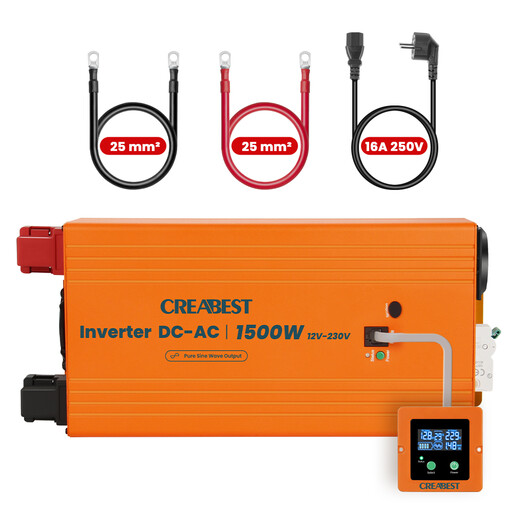 No image available
Could suit a desk setup if you’re using a compatible 12 V battery system and the inverter and connections are suitable for your PC setup.
The product name specifies a pure sine wave, RCD, mains priority and two 25mm² DC cables. It requires a 12 V DC battery. According to the product details, the unit should be operated in a dry, well-ventilated place, away from children and flammable materials.
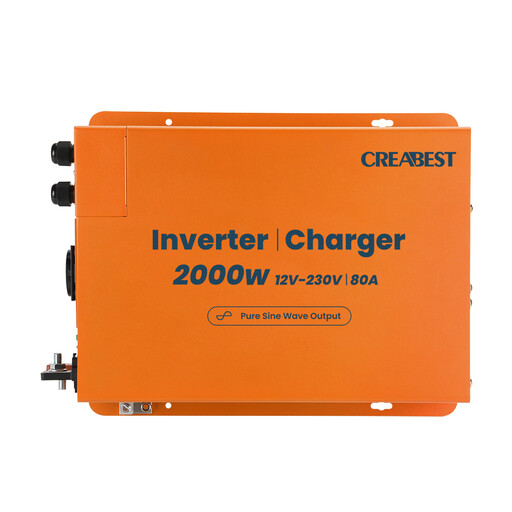 No image available
Suitable for a workstation only if the 12 V battery system and inverter setup are compatible with the connected devices.
The product name specifies a pure sine wave, RCD, mains priority and two 35mm² DC cables. The unit requires a 12 V battery as its power source.
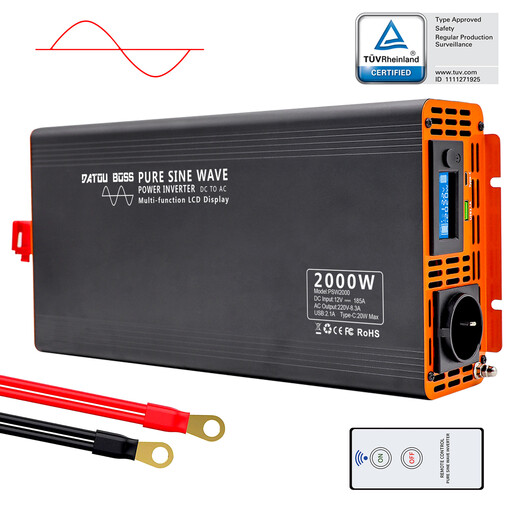 No image available
The product description specifies backup power during outages. For a PC desk setup, the entire 12 V power supply, including the connected devices, needs to be suitable for your intended use.
The product name specifies a rated output of 2000W and a peak output of 4000W. The unit requires a 12 V DC power source.
No. Also compare the watt limit and the runtime quoted for a load similar to your PC and essential peripherals. For example, CyberPower Deutschland specifically states that the BU650EULCD runs for 23 minutes at 90 W.
Check that your computer supports the USB data connection and software, set the shutdown time and test the setup in a controlled way. USB ports for charging devices won’t do this automatically.
At the very least, connect the devices you need to save your work. According to Schneider Electric Deutschland, six Schuko outlets on the APC BE850G2-GR have battery backup, while the other two only provide surge protection. Check the labelling on the specific model.
Check whether and how the battery in the specific model can be replaced. The German Environment Agency advises against putting old batteries in household waste; take them to a suitable collection point instead. Before returning an old device, remove the battery if you can do so easily.
The German Federal Network Agency includes correct CE marking, an identifiable product and accurate manufacturer details among the criteria it checks during market surveillance. Check these details on the specific device; these criteria aren’t a statement about individual models.