What should you look for when buying?
Start by deciding which need matters most to you. For rhythm games, check the game and audio output as carefully as the display.
| Priority |
What should you check before buying? |
Who will find this most important? |
| Timing and synchronisation |
Check that the game is compatible, the supported frame rate and the intended audio output. Android Developers explains that audio latency depends on the device and software version; Xiaomi notes that the refresh rate can vary by app and game. |
If I want to hit notes precisely in time with what I hear, I check the game, input and audio together. Around 26% of consumers put precise timing first. |
| Convenience while waiting |
Compare the dimensions and weight of the exact variant, and think about whether you’ll play with both hands or on a surface. |
If I play without a table and often pack and unpack my device, size and weight matter most. Around 21% of consumers make portability their main priority. |
| Playing without a reliable connection |
Check the offline mode in your specific game, download any content you need in advance and compare battery-life figures only when they’re based on the same test conditions as your needs. |
If I want to play while waiting, whatever the connection is like, I test content I’ve downloaded in advance too. Around 21% of consumers prioritise playing without a connection and having enough battery life. |
| Upfront cost and features |
Compare the exact model variant, what’s included in the box and any audio accessories you’ll need. Decide which features you’ll actually use for your game. |
If I only want to pay for features my game uses, I compare the specifications and accessories I need. Around 16% of consumers put keeping upfront costs down first. |
| Screen size and readability |
Compare the display size and device dimensions, and check how your game looks on screen. If you can, check how easy it is to read where you plan to play. |
If I play on a surface and need more room for the game and touch controls, screen size matters to me. Around 16% of consumers prioritise a larger playing area. |
Joybuy tablets for rhythm games
The tablets below vary in display size and features. Before buying, check that your rhythm game is available on the variant you’re considering and works with your preferred audio accessories.
 No image available
TECLAST P50T 11-inch Android 16 tablet, 16 GB (3 GB + 13 GB virtual), 128 GB
The 11-inch size listed in the title is worth considering if it suits the way you hold your tablet and the surface you’ll play on.
The title lists Android 16, 16 GB (3 GB + 13 GB virtual), 128 GB of storage and a 90 Hz IPS display.
View at Joybuy
 No image available
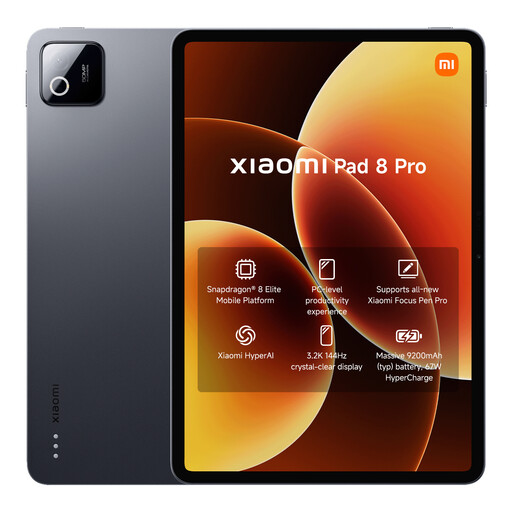
Xiaomi Pad 8 Pro, 12 GB RAM, 512 GB ROM, 3.2K, 144 Hz
This model is worth considering if you want to check out the 144 Hz display specification listed in the title; it doesn’t guarantee a particular in-game frame rate.
The product title lists 12 GB RAM, 512 GB ROM, a 3.2K display and 9200 mAh (type).
View at Joybuy
 No image available
Xiaomi Pad 7 with keyboard, 8 GB RAM, 128 GB ROM
The keyboard mentioned in the product title may be useful if you want to use the tablet for other things too; for rhythm games, you’ll still need to check the specific app.
The title lists a 3.2K display with 144 Hz, Snapdragon 7+ Gen 3 and an 8850 mAh battery.
View at Joybuy
 No image available
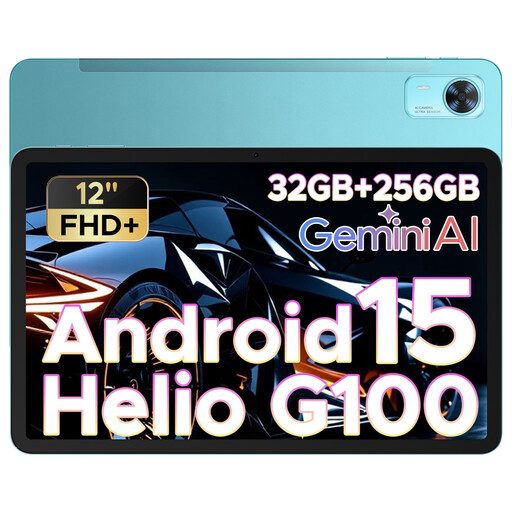
DOOGEE Tab E3+, 12-inch, Android 15, FHD+, 90 Hz
The 12-inch format gives you a larger display option if it suits the space you have while waiting.
The product title lists Android 15, an FHD+ display with 90 Hz and a SIM card slot.
View at Joybuy
 No image available
TECLAST P50TCase 11-inch Android 16 tablet kit, 90 Hz, 128 GB
The title lists a 3.5 mm jack, which may be useful if you want to use wired headphones. Check that the game and your audio accessories work as you’d like with it.
The product title lists a 90 Hz IPS display, 16 GB RAM (3 GB + 13 GB virtual) and 128 GB ROM.
View at Joybuy
Frequently asked questions
Are 144 or 165 Hz enough for precise gameplay?
No, the refresh-rate figure alone isn’t enough to prove that. It describes the display’s refresh rate; Android also distinguishes between touch and audio latency, and Xiaomi notes that the Pad 8’s refresh rate can vary by app and game. Test the specific game with your audio accessories.
What should I set up before setting off?
Install the game and any content you need in advance, then check which features work without a connection. Tablet specifications don’t tell you whether your game has an offline mode. Set up the audio output you plan to use and test the game with it too.
How should I plan battery life when I’m out and about?
Check the battery and charging guidance from the manufacturer for your model. Apple explains that actual battery life depends, among other things, on the apps you use, so a general battery-life figure isn’t a guarantee of how long a gaming session will last.
What are your rights when buying a tablet online in Germany?
For a typical online purchase from a business seller, you generally have a 14-day cancellation period from the day you receive the goods; exceptions and details apply. Your Europe, the European Union’s information portal, also explains that faulty goods are covered by a legal guarantee of at least two years. This is separate from any voluntary manufacturer’s warranty.


