If you want to listen to the training on your own device and ask questions yourself, clear audio, a comfortable fit and the right connection are all important. If you’ll be staying at your desk, a wired stereo headset could be a good fit. If you want to move around, a wireless model may be worth considering, although you’ll need to think about charging and compatibility. If the room’s audio equipment is handling the sound, decide in advance which device will use the speakers and microphone: having several active audio devices in the same room can cause echo. ANC in the headphones does not prove that the microphone will transmit your voice clearly or filter out people speaking in the room.
Who is a headset with a microphone for training sessions aimed at?
Those listening on their own device
If you’re following lengthy online explanations at your own desk, clear playback and a comfortable fit matter. A YouGov survey of German adults published by Logitech, with 2,140 respondents and conducted on 27 and 29 November 2024, identified comfort and audio quality as important factors when using a headset.
Those who want to ask questions
If you’re joining in verbally, you’ll need not only clear audio but also a microphone suited to the way you speak. Before the session starts, check the microphone position and mute function in the conference software you’ll be using.
Participants switching between room and online audio
If you need to follow both the online training and contributions made in the small meeting room, think about the room layout too. Whether you leave one ear free or let the room’s audio equipment handle the sound depends on how the group is taking part in the meeting.
What should you look for when buying a headset for training in a small room?
Wired stereo headset
A good fit if: You’ll be at your own computer and want to listen to the online audio through your headset.
Consider: The cable limits how freely you can move. With both ears covered, you may find it harder to hear people speaking directly in the room.
Wireless stereo headset
A good fit if: You want to move around during the training session or use the headset with several devices.
Consider: Make sure the battery, receiver, connection and specific platform version suit the way you’ll use it. ANC does not guarantee that voices in the room will be less audible.
Mono headset
A good fit if: You need to hear direct instructions from the trainer as well as the online session.
Consider: One ear stays uncovered, but mono offers less isolation than stereo when listening on your own.
Room audio instead of an individual headset
A good fit if: The group is using the meeting room’s speakers and microphone together.
Consider: Adding a headset will not automatically solve the problem of capturing audio for the group. Several active audio devices in the room can cause echo.
| What you need |
What to check when buying |
Who is it important to? |
| Listening for longer periods |
Fit and ear cushions; choose stereo only if you don’t also need to hear people speaking in the room all the time. Don’t confuse ANC with filtering out voices in the room. |
If I need to follow lengthy explanations at my own desk, clear playback and a comfortable fit matter. Around 40% of consumers put listening and comfort at the top of their list. |
| Speaking up yourself |
Check the microphone position and mute function; test the microphone and conference software in similar room conditions. |
If I ask questions during the training, people joining remotely need to hear me clearly. Around 30% of consumers put the transmission of their own contributions first. |
| Awareness of the room and echo |
Agree in advance whether the headset or the room’s audio equipment will handle the sound. If joining individually, weigh up mono and stereo. |
If I need to hear people in the room as well as the online session, the shared audio setup is crucial. Around 20% of consumers prioritise awareness of the room and coordinated audio. |
| Connection and freedom to move |
Check whether you need USB-A or USB-C, the right platform version and the included accessories. If you choose wireless, consider how often it needs charging. |
If I need to change the connection on the training device or move seats during the session, the connection should suit those needs. Around 10% of consumers prioritise connection and freedom to move. |
Common misconceptions about headsets for training
-
Confusing ANC in the headphones with a noise-free microphone
Listening and speaking use different signal paths. Tests carried out by the German Federal Institute for Occupational Safety and Health on headphones in 2019 and 2020 found no evidence that ANC headphones have particular potential to suppress speech in the surrounding environment.
Assess the headphones separately for listening, and the microphone for speaking yourself.
-
Activating audio on several computers in the room at once
Several active audio devices in the same conference room can cause echo.
Decide in advance which device will provide the speakers and microphone. After agreeing this, other devices can join without audio.
-
Assuming the range tells you whether it’s mono or stereo, what connection it uses or what’s included
Products in the same range can differ in design, USB connection, conference version and included accessories.
Check the full model name and included items against your device and planned training setup.
Brands to consider
Jabra
The Evolve2 range includes wired models such as the Evolve2 40 SE, as well as wireless stereo models such as the Evolve2 65 Flex.
- The Evolve2 40 SE data sheet lists three digital microphones. This is not an independent measurement of voice transmission.
- CHIP reported a microphone weakness on the Evolve2 65 Flex it tested when there was a lot of background noise. This observation relates to the tested device and does not apply generally to all Jabra models.
HP Poly
According to HP, the wired Blackwire 3300 series includes mono and stereo models for PC meetings.
- HP describes USB plug-and-play connectivity and a flexible microphone boom.
- Connections and additional 3.5 mm functionality vary across the range. HP lists the Blackwire 3320 USB-C as a stereo model.
Logitech
Zone Wired is a wired business headset for use with a computer, available in UC and Teams versions.
- Logitech describes Zone Wired as having two microphones to reduce background noise and padded ear cups.
- The noise reduction claims come from the manufacturer. Compared with a wireless headset, the cable limits how freely you can move.
EPOS
The IMPACT ranges include wired and wireless on-ear headsets. IMPACT 1000 is a wireless range with ANC.
- EPOS says IMPACT 1000 can connect wirelessly to up to three devices at once.
- Manufacturer claims about superior voice capture or reduced fatigue are not independent comparative results. Check the specific model.
Joybuy product overview
This selection includes wired and wireless stereo and mono headsets for taking part in a training session individually.
 No image available
Logitech H540 stereo headset with microphone
For staying at your computer while listening to online audio in stereo and asking questions yourself.
Wired with a USB-A connection; features an adjustable microphone and volume and mute controls on the headset.
View on Joybuy
 No image available
Jabra Engage 75 SE Wireless Stereo Headset
For taking part wirelessly in stereo, provided the base station connects to the PC or phone you plan to use.
DECT wireless connection with base station; the station needs to be plugged in. The product name lists USB-C to USB-A and telephone adapter cables, as well as a stand.
View on Joybuy
 No image available
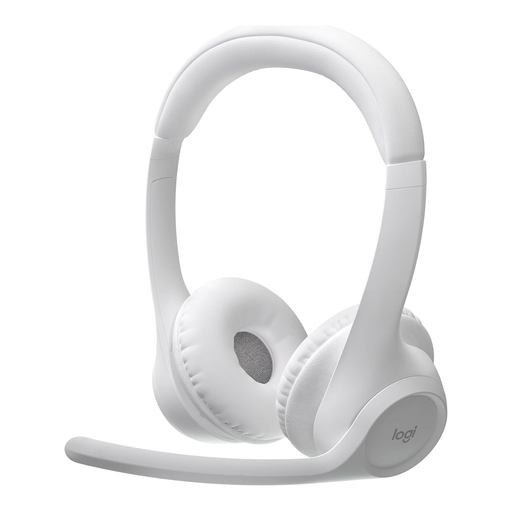
Logitech Zone 300 Wireless Bluetooth Headset (Grey White)
For training sessions where you want to join wirelessly and switch between connected devices.
Bluetooth and multipoint connection; the product description lists two beamforming microphones. The product name specifies 20 hours of battery life. The headset needs to be charged for wireless use.
View on Joybuy
 No image available
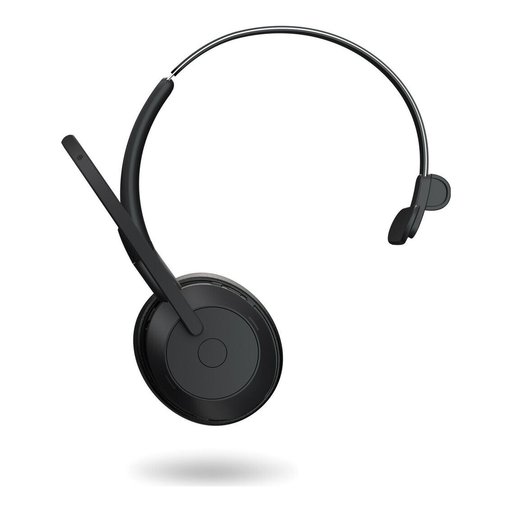
Jabra Evolve2 55 Mono Wireless Headset
For training sessions where you want to hear the online session while also listening out for direct instructions in the room.
Mono design with Bluetooth and wired USB-C operation; the product description lists a USB-C adapter. As a mono headset, it offers less isolation than stereo when listening on your own. The battery needs to be charged for wireless use.
View on Joybuy
 No image available
Jabra Evolve 20 SE Mono Headset (USB-C/A)
For joining from your own computer with a wired connection, while keeping one ear free to hear people speaking directly in the room.
Mono headset for VoIP and softphones with USB-C or USB-A connection, external call controls and mute function.
View on Joybuy
Frequently asked questions about headsets for training
What should I set up before joining the training session?
If you’re joining individually, select the intended speaker and microphone in the conference software and test both. If the room’s audio equipment is handling the sound, agree whether your device will use its audio channel or join without audio. Several active audio devices in the room can cause echo.
How should I prepare my headset and microphone for training?
Check the fit and microphone position before the session starts, and mute the microphone between contributions. If you have a wireless model, check the battery level and make sure you have the right receiver. Connections and accessories can vary by version.
What should I check about costs and returns?
Check exactly what’s included, particularly wireless adapters and any charging accessories, before comparing different bundles. According to the Verbraucherzentrale, consumers buying online generally have a 14-day right to cancel, starting from the conclusion of the contract or receipt of the goods. Conditions and possible exceptions depend on the specific purchase.
What legal requirements should I check for a Bluetooth headset in Germany?
Check the labelling and manufacturer information for the specific wireless model. The German Federal Network Agency lists CE marking, manufacturer details, a declaration of conformity and instructions in German among the points it checks during market surveillance. CE marking is a declaration by the manufacturer, not an independent quality mark.


