What should you consider when choosing one?
First, work out how many wired connections you need at your desk and how your hub and switch will be powered. PoE and network management are additional requirements that you should check separately.
| What matters |
What to look for when buying |
Who it matters most to |
| Ports |
Add up the router uplink, hub and any other wired devices, then compare the total with the number of ports. |
If I want to connect my hub, router and other devices by cable, every free port counts. Around 40% of consumers mainly want enough ports. |
| Quiet operation and desk space |
Check whether it’s fanless, its dimensions, where the ports are, and whether there’s room for the power supply and cables. |
At a small desk, I want to position the switch neatly without hearing a fan. Around 30% of consumers prioritise quiet operation and space. |
| Power over Ethernet |
Check the PoE standard and power requirements of the end device, then compare them with the power available per port and the switch’s total power budget. |
If a device explicitly requires PoE, the power supply must be compatible with it. Around 20% of consumers prioritise PoE. |
| Network configuration |
Consider whether you really want to set up features such as VLANs. If not, a switch without managed features may be all you need. |
If you want to configure specific network features yourself, you’ll need the right management features. Around 10% of consumers make this their main priority. |
Joybuy products for your desk
This selection includes compact desktop switches for adding wired connections, from straightforward models to options with PoE and management features. For PoE models, check that the connected device supports the relevant standard.
 No image available
Ubiquiti UniFi Switch Flex Mini USW-FLEX-MINI-EU
A good fit if you want extra wired connections and UniFi management features.
Five Gigabit ports; powered via USB-C or 802.3af/at PoE. The PoE specification refers to the switch’s own power supply: according to the product details, it does not supply PoE power to connected devices.
View at Joybuy
 No image available
D-Link DGS-1005P/E
An option if you need wired connections and want to power compatible PoE+ devices as well.
Five Gigabit ports, including four PoE+ ports; rated at up to 30 W per port, with a total PoE budget of 60 W. The product also lists a fanless metal casing and plug-and-play operation.
View at Joybuy
 No image available
TP-Link TL-SG1005D
Suitable for simply adding wired connections without the need to configure your network.
Five 10/100/1000-Mbit/s RJ45 ports; the product details list auto-negotiation and plug-and-play operation.
View at Joybuy
 No image available
TP-Link TL-SG105PE
An option if a connected device needs PoE+ or you want to set up VLAN features.
Five Gigabit ports, including four PoE+ ports; rated at up to 30 W per port, with a total budget of 65 W. It also lists VLAN, QoS and IGMP features, as well as a fanless design.
View at Joybuy
 No image available
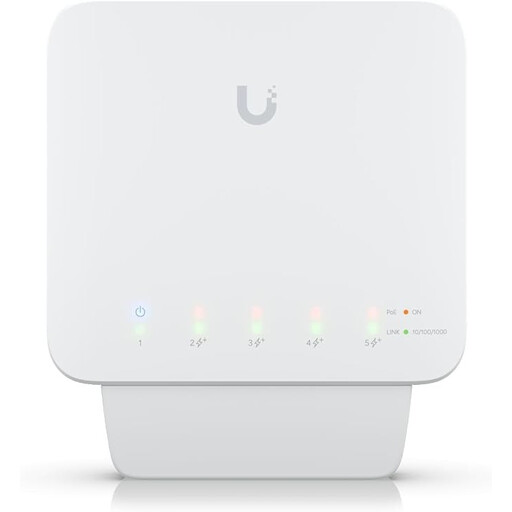
Ubiquiti UniFi Switch Flex USW-Flex
Suitable if you want to connect several wired devices and power compatible devices via PoE.
Five Gigabit ports, including four PoE+ outputs. It requires a compatible PoE++ source or a 60 W PoE adapter to operate; the adapter is not included. Available PoE power depends on the input source.
View at Joybuy
Frequently asked questions
Can a network switch make a hub with its own power supply PoE-compatible?
No. Whether a hub can use PoE depends on its power supply specifications. Home Assistant describes the Home Assistant Green as using its own power supply and an Ethernet cable; an Ethernet port alone does not mean that PoE is required.
How do I connect the switch at my desk?
Connect a port on the switch to your existing network using Ethernet, then plug your hub and other devices into the free ports. Power the switch and hub according to their manufacturers’ instructions. On a five-port switch, the router uplink leaves room for four end devices; TP-Link lists five ports for the LS105G, while Home Assistant describes the Green as using a power supply and Ethernet cable.
How many ports do I need for my hub and other devices?
Count the connection to your router, your hub and all your other wired devices. On a five-port switch, one port for the uplink leaves four for end devices; allow for more if you plan to add extra devices.
Do I need managed features for a basic connection?
You don’t automatically need managed features just to add more wired connections. TP-Link describes the LS105G as ready to use without configuration; VLAN or monitoring features only matter if you want to set them up.
What marking should I look for on an electrical network switch in Germany?
The German Federal Network Agency explains that products covered by relevant EU harmonisation legislation must carry the CE marking. This is not an independent quality mark; check that the product identity and accompanying documents match the specific version in the offer.


