If you’ll mainly be sharing your own contributions, look for an easy-to-reach mute control and a connection that works with your device. If you also need to hear conversations around the table, a mono headset can leave one ear free; however, a personal headset won’t automatically pick up the whole group. Before the session, select your microphone and speakers in the meeting app, and coordinate audio settings if there are several devices in the room.
Which headset is right for you?
Active contributors
If you’ll be sharing your own writing ideas and feedback, a microphone boom that’s easy to position and a conveniently placed mute control are useful things to look for. Logitech and Trust list these features on their respective models.
Participants sitting with the group
If you need to hear both the people at the table and remote participants, consider the headset style and check the details of the specific mono model. HP Poly describes mono and stereo options in its Voyager 4300 UC series, so choosing the right version is important.
Participants using a laptop and taking notes
If you’re joining on your own device, check the connection and select the right microphone and speakers in your meeting app. Microsoft Support explains how to do this before joining a Teams meeting.
What should you look for when buying?
The key questions are whether you’ll mainly be speaking, need to follow conversations in the room, have to check the connection or plan to wear the headset for a long time.
| What matters |
What to check before buying |
Who it matters most to |
| Sharing your own contributions |
Microphone boom and mute control; microphone selection in the meeting app |
When I’m discussing writing ideas, I want to speak clearly and mute quickly when I switch to writing. Around 36% of consumers are likely to put being heard clearly when speaking at the top of their list. |
| Conversations in the room and online audio |
Mono or stereo model; check whether you need to transmit one person’s voice or the whole group’s |
If I need to hear people at the table as well as the online meeting, an open or one-sided design is important. Around 29% of consumers are likely to prioritise hearing people in the room at the same time. |
| Connection and setup |
USB-A, USB-C or the adapter you need; microphone and speaker selection in the app |
If I’m joining on my own laptop, I want to set up the headset without connection problems. Around 21% of consumers are likely to put compatibility with their own device first. |
| Comfort |
Design, adjustable headband and ear cushions; check the charge level on wireless models |
If I’m writing and listening during longer workshop sessions, the headset should feel comfortable. Around 14% of consumers are likely to consider comfort their main concern. |
Avoid common buying mistakes
-
Confusing microphone noise reduction with ANC
Noise reduction on the microphone affects how your voice is transmitted; ANC reduces the noise you hear. If you need to follow conversations around the table, strong noise isolation around your ears could get in the way.
Check the microphone features, headset style and any ANC function separately. Manufacturer specifications can’t tell you whether you’ll still be able to hear what’s happening in the room during your workshop.
-
Using several devices in the room with audio switched on
Zoom notes that several active audio devices in the same room can cause echo. Muting just one microphone won’t necessarily stop sound coming from the speakers.
Before you start, agree which device will handle the room audio. If necessary, disconnect computer audio on the other devices, as Zoom recommends for this situation.
-
Assuming the connector and included accessories from the product family name
The connection and included adapter can vary by model and version. The wrong plug could prevent you from connecting the headset to your laptop.
Before buying, check the exact version, connector and stated contents against your device. For example, Trust lists a USB-C-to-A adapter as included with the Ayda Max.
Key brands at a glance
Logitech
The wired H390 is one option for joining a meeting on your laptop via USB-A.
- Logitech lists a noise-cancelling microphone and an in-line mute control for the H390.
- The cable limits your freedom of movement. Don’t assume the USB-A specifications apply to other versions without checking.
Jabra
Jabra describes the Evolve2 65 Flex as a foldable Bluetooth headset for working in different locations.
- Jabra lists ANC and a background noise-reduction technology for voice transmission.
- Check the specific version and what’s included in the offer. Manufacturer comparisons aren’t independent proof of superior performance.
HP Poly
According to HP Poly, the Voyager 4300 UC series includes personal Bluetooth headsets in mono and stereo versions.
- HP Poly describes a microphone boom with dual-microphone technology, a USB adapter and the option to use the headset with a cable.
- Check the specific version. A mono headset doesn’t mean that a personal headset will pick up everyone in the room.
Trust
The HS-260 and Ayda Max offer different wired USB designs for online meetings.
- Trust lists an adjustable headband and flip-to-mute function for the HS-260, and an over-ear design and USB-C-to-A adapter for the Ayda Max.
- Comfort and sound claims come from the manufacturer. Don’t assume that the connections and features of one model apply to the other.
Joybuy products for your workshop
This selection includes personal wired and wireless headsets for sharing your own contributions and joining a meeting on a laptop.
 No image available
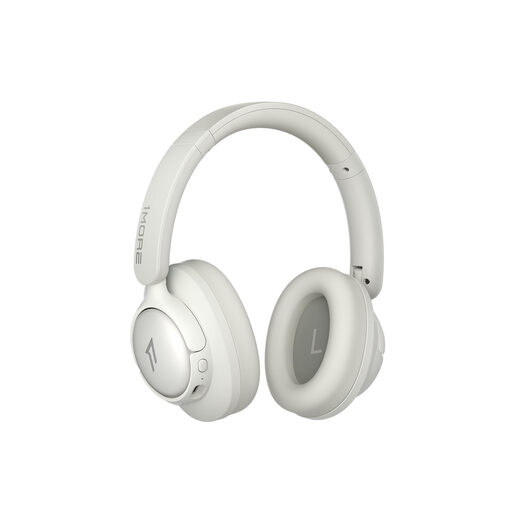
1MORE HQ31 SonoFlow SE over-ear headphones, Oat White
The wireless Bluetooth model features two microphones with AI noise reduction for calls, as well as a transparency mode designed to let you hear surrounding sounds.
Battery life is stated as up to 90 hours. ANC may make it harder to hear conversations in the room, so check whether this level of noise isolation suits your workshop.
View on Joybuy
 No image available
Logitech H540 stereo headset
For speaking during meetings on your laptop, this wired stereo headset features a noise-cancelling microphone and on-ear controls.
It has a USB-A connection and a mute indicator. Check that this connection is compatible with your device.
View on Joybuy
 No image available
Logitech 960 stereo headset, 2.4 m cable
This wired USB stereo headset is an option for taking part in meetings, provided the cable length suits your workspace.
The product title specifies a 2.4 m cable. Features include an adjustable microphone boom and volume and mute controls.
View on Joybuy
 No image available
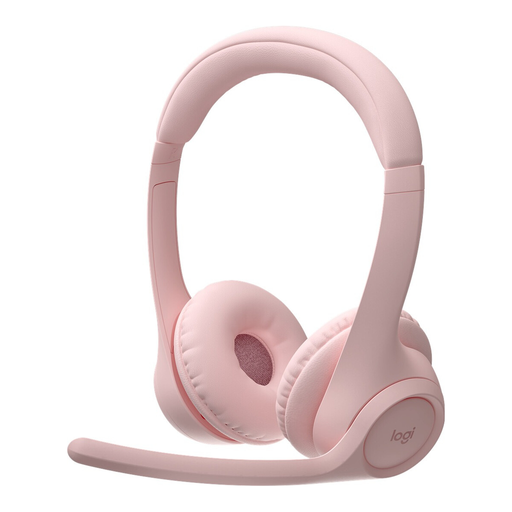
Logitech Zone 300 wireless Bluetooth headset, Pink
For wireless calls, the description lists two noise-cancelling beamforming microphones. Flip the microphone boom up to mute.
Talk time is stated as up to 16 hours. Bluetooth multipoint and USB-C charging are also listed; check the battery level before your workshop.
View on Joybuy
 No image available
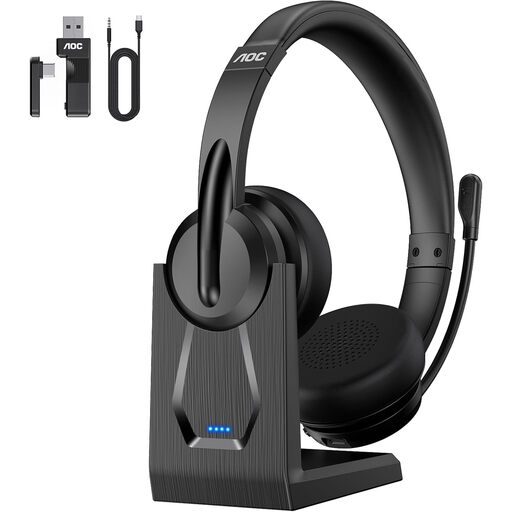
AOC V5.4 Bluetooth headset with microphone
The description lists Bluetooth, a 2.4 GHz dongle and wired use as connection options for taking part in online meetings.
According to the description, ENC microphone noise reduction is only available in Bluetooth mode. Check which mode you plan to use during the workshop.
View on Joybuy
Frequently asked questions
How do I set up my headset before the workshop?
First, check that the connection is compatible with your device. If you’re using Microsoft Teams, select the headset as your speaker and microphone before joining, then check that the mute control works.
Is my personal headset enough if several people are joining online from the same room?
Not without agreeing how to handle the audio first. A personal microphone is designed for the person wearing it and won’t automatically pick up the whole group. Zoom notes that several devices with audio switched on can cause echo, and recommends disconnecting computer audio on the other devices.
What are my rights in Germany if my headset is faulty or bought online?
Your statutory rights if a product is faulty are different from a voluntary guarantee. Many online purchases come with a 14-day right to cancel, starting from the day you receive the goods. Exceptions and the specific terms of the contract may apply.
What should I look for to check the safety of a wireless headset?
For affected electrical and electronic products, the German Federal Network Agency checks things including CE marking, traceability and manufacturer information. Check the details for the specific version; you can’t establish whether it complies simply from the model name.
How do I dispose of an old headset in Germany?
Electrical and electronic waste must not go in your household bin. The German Environment Agency recommends disposing of it separately; check with your local council to find out where to take it.


