
Lieferung heute & morgen

Qualitätsgarantie

Willkommens-Angebote freischalten: KOSTENLOSE Lieferung | Bis zu 80 % RABATT | Kostenlose 30-Tage-JoyPlus-Testphase
App herunterladen
Smart AR glasses with a display can show navigation prompts, translations, notifications or a virtual image directly in your field of vision. For professionals, frequent travellers, gamers and streaming fans, they may sound like a versatile solution. In practice, however, devices can differ considerably in their display technology, app support, privacy features and comfort.
If you focus only on terms such as AI glasses, augmented reality glasses or ‘real-time translation’, you could miss important details. The following criteria can help you look beyond the marketing claims and choose a model that suits your everyday needs.
Not all smart glasses for gaming, or AI-powered smart glasses, have an integrated display. Some models only play audio, take photos or access a voice assistant via an app. So, if you want navigation, teleprompter features or a wearable display, check whether the glasses actually have a Micro LED, Micro OLED or comparable display element.
The term ‘AR’ does not automatically mean that images are fully anchored in 3D space, either. Check whether an image can be fixed in place, whether the glasses simply show information on screen, and which apps they support.
Figures in nits indicate the brightness of the display. A higher figure may make the display easier to read in bright surroundings, but it doesn’t tell you everything about contrast, colour reproduction, viewing angles or how visible the display will be in direct sunlight.
The field of view, resolution per eye and refresh rate are important too. For example, films and games can look smoother at 120 Hz than at lower refresh rates. For brief notifications or translations, however, a smaller field of view may be enough.
Translation glasses often rely on a smartphone app, an internet connection or a connected cloud service. Before buying, check:
Conferences and conversations also come with privacy considerations. Camera-free smart glasses may be more socially acceptable in meetings than a model with a camera. If your glasses can record, consider other people’s consent and the rules that apply.
Resolution, refresh rate and field of view are particularly important for films, games and a virtual big-screen experience. XR glasses with a field of view of 50° or more may display content on a larger scale than glasses designed simply to show notifications. For navigation and meeting notes, a discreet, easy-to-read display is often more practical.
Also check whether the glasses have their own operating system or simply receive video and audio signals from a smartphone, laptop or games console. If you’re buying display glasses for Steam Deck, PC, Mac, Android or iPhone, make sure the connection – usually USB-C – is compatible with your source device.
The weight of glasses is distributed differently from that of a headset. A heavy front section can put pressure on your nose and ears after prolonged use. Figures such as 36 g, 49 g or 58 g are useful for comparing models, but they don’t replace checking the nose pads, arm shape and size options.
If you wear glasses, check whether prescription lenses are available separately. Some models let you adjust the dioptres directly, while others need additional lenses. When using glasses on the road, make sure the display doesn’t distract you. Only use display features when it’s safe to do so.
Check whether the glasses need to be charged themselves or draw power from the connected device. Battery life figures usually depend on display brightness, audio, translation and connectivity. It’s also worth checking the charging case, charging time and whether you can use the glasses without active cloud features.
Microphones, cameras and app permissions are particularly important for conversations, presentations and work notes. A camera-free design can make it easier to use the glasses in an office, educational setting or client meeting.
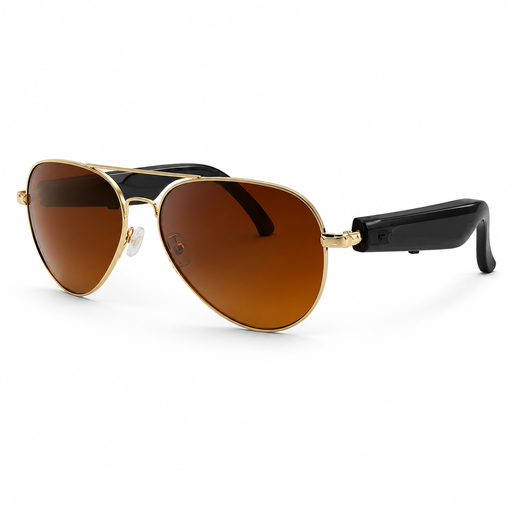
Why this product suits this profile: This model brings together Bluetooth features, calls, music and translation in a relatively straightforward entry-level system for Android and iOS.
The product details specify supported platforms, charging time and app pairing. This lets buyers check in advance whether their smartphone is compatible with the features they want.
Android and iOS support, touch controls and a stated translation feature with a monthly usage allowance.
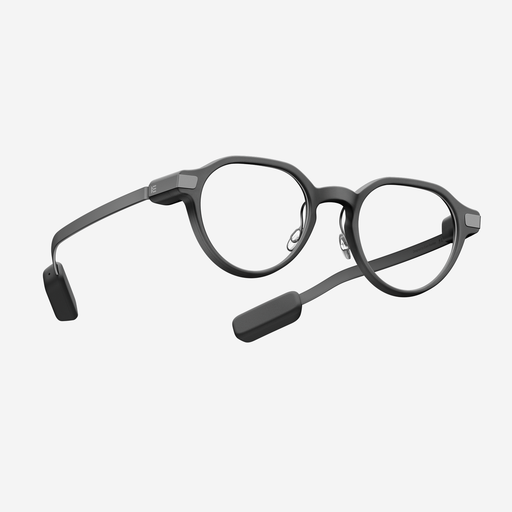
Why this product suits this profile: Its camera-free design, 36 g weight and discreet display make it a good fit for the office, everyday use, conversations and presentations.
The lack of a camera addresses a common privacy and acceptance concern. The system’s display, translation and teleprompter features are also clearly described.
Micro LED display, up to two days of regular use according to the product details, translation in more than 35 languages and a voice-controlled teleprompter.
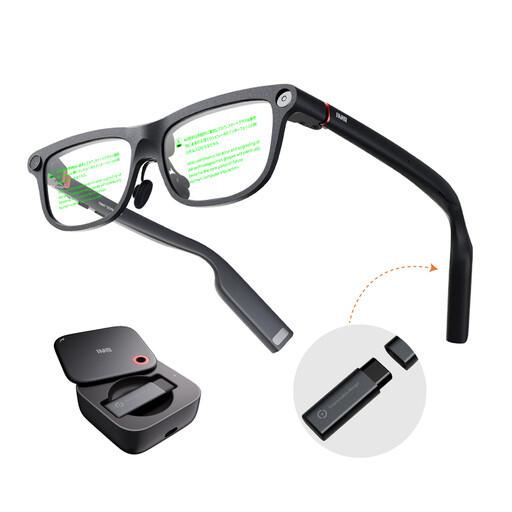
Why this product suits this profile: Professionals and frequent travellers get a combination of display, navigation, translation and meeting notes in one wearable device.
The product gives specific figures for weight and display brightness. This makes it easier to choose a model suited to frequent use outdoors and on the go.
58 g weight, stated brightness of 1500 nits and translation in more than 98 languages according to the product description.
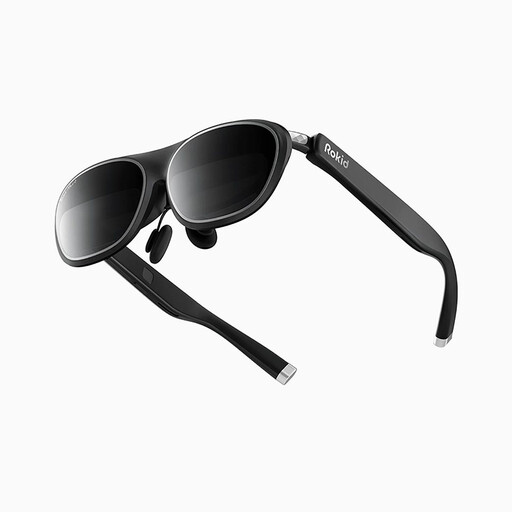
Why this product suits this profile: This model is designed to provide a large virtual screen for films, games and working on the go. It can also connect to a range of source devices.
The product description lists the resolution, field of view, refresh rate, power supply and supported devices. This makes it easier to check compatibility before you buy.
Micro OLED display, 120 Hz, 50° field of view and built-in adjustment for certain levels of short-sightedness, according to the product details.
We’ve put together a complete, regularly updated list of products that meet these strict selection criteria and fully comply with the safety regulations in force in the EU.
It depends on the model. Some devices need a smartphone for app controls, translation, navigation or AI features. Others can receive video signals directly from a laptop, games console or compatible USB-C device. So, check the supported platforms and connections before you buy.
Battery life depends on display brightness, audio, translation, camera and network features. A claim such as ‘up to two days’ usually refers to a specific usage scenario. The battery may not last as long if you use the display or stream content intensively. Remember to factor in the charging case, charging time and availability of replacement parts.
Not necessarily. Even if a product lists a certain number of languages or a usage allowance, it may require an app, internet access or cloud services. Before you buy, read the details about free minutes, subscriptions, supported languages and privacy. This will help you avoid ongoing costs that may not be immediately obvious from the product advertising.