
Lieferung heute & morgen

Qualitätsgarantie

Willkommens-Angebote freischalten: KOSTENLOSE Lieferung | Bis zu 80 % RABATT | Kostenlose 30-Tage-JoyPlus-Testphase
App herunterladen
Switching to smart lighting is a logical next step for many households. A smart E27 bulb offers the convenience of control via app or voice, along with the ability to create the perfect lighting ambiance for any situation. However, the market is flooded with products whose marketing promises often obscure more than they illuminate. Before making a purchase, it's crucial to understand the common pitfalls that can lead to buyer's remorse and frustration.
This guide will help you understand the key technical features and make a choice that is precisely tailored to your needs.
The selection can quickly become overwhelming. Many products entice with long feature lists, but the devil is in the details. Here are three common problems you should avoid:
To avoid these mistakes, focus on the following core technical features. These are what truly determine the functionality and reliability of your smart lighting.
The connection type is fundamental to setup and daily use. Each technology has specific pros and cons:
The flexibility of a smart bulb is defined by its lighting options:
Based on these criteria, we have identified several products that are well-suited for different user profiles and their specific requirements.
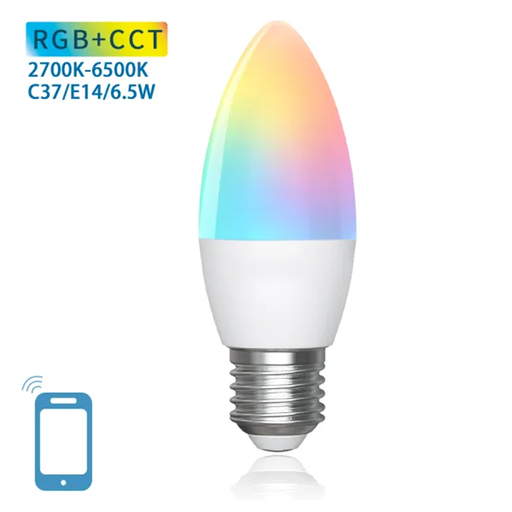
Why This Fits Their Persona: Ideal for users seeking a straightforward and versatile solution. This bulb offers a full spectrum of features (RGB and CCT) and integrates directly into the home network without additional hardware. Perfect for gaining initial experience with smart lighting.
Thanks to dual connectivity (Wi-Fi + Bluetooth), it bypasses the "hub trap." The combination of RGB and a dedicated 2700K-6500K CCT range prevents the issue of poor-quality white tones.
Direct compatibility with Alexa and Google Home; simple setup via the app; a complete feature set in one product.
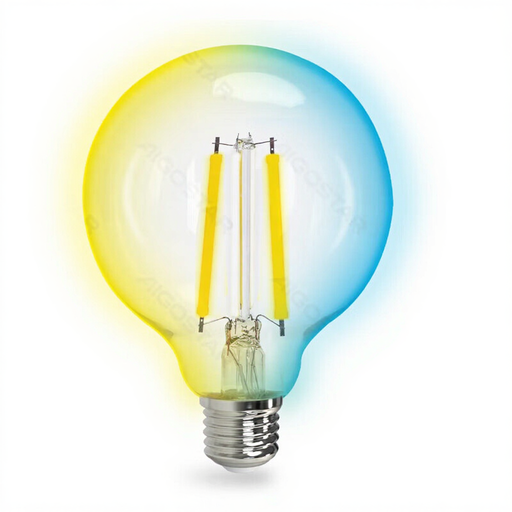
Why This Fits Their Persona: For those who care about the aesthetics of the bulb itself. The G95 globe shape with visible LED filaments is a decorative element, ideal for open fixtures, pendant lights, or industrial-style interiors.
This model avoids the poor light quality trap by focusing on high-quality, adjustable white tones (CCT) instead of making compromises with RGB colours. The Bluetooth Mesh technology ensures a stable connection when using multiple bulbs.
Combines a vintage aesthetic with modern CCT control; 360° beam angle for even illumination; scalable thanks to Bluetooth Mesh.
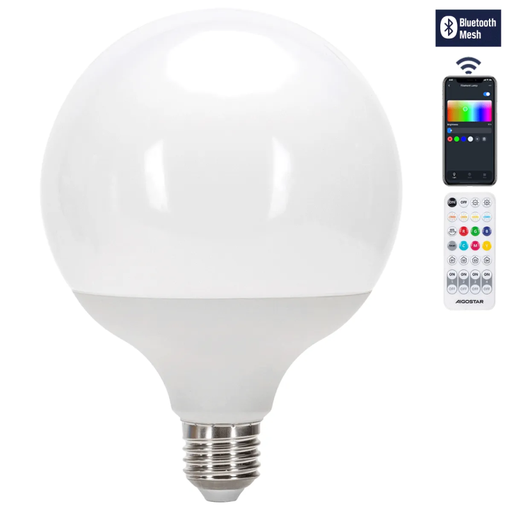
Why This Fits Their Persona: For users who demand maximum control and unique effects. This model is not just a light source but a tool for creative interior design. Its high output also makes it suitable for illuminating larger areas.
This bulb goes far beyond standard features, avoiding the "limited functionality" trap. Its unique dual-zone lighting effect and high brightness of 1800 lumens set it clearly apart from the competition.
Independent control of the upper and lower light zones for colour gradients; very high brightness (equivalent to approx. 115W); Bluetooth Mesh for stable group control.
We have compiled a complete, real-time updated list of products that fully meet these strict selection criteria and rigorous safety standards.
No, it's not always necessary. Many modern models, especially a smart E27 LED lamp with Wi-Fi or Bluetooth capabilities, connect directly to your smartphone or home network. A bridge or hub is primarily required for systems based on the Zigbee or Z-Wave wireless standards. Check the product description for phrases like "Hub required" or "Works directly with Wi-Fi."
The power consumption in standby mode—when the bulb is turned off via the app but remains connected to the network—is very low. It is typically under 0.5 watts. Calculated over a full year, this results in a cost of only one to two dollars/euros, depending on your electricity tariff.
No, you should absolutely avoid this. Smart bulbs marked as dimmable regulate their brightness using internal electronics controlled by an app or voice command. Connecting one to an external, wall-mounted dimmer switch can cause flickering, buzzing, and ultimately, destroy the bulb's electronics. Always operate smart bulbs on a standard on/off switch at full power.