
Lieferung heute & morgen

Qualitätsgarantie

Willkommens-Angebote freischalten: KOSTENLOSE Lieferung | Bis zu 80 % RABATT | Kostenlose 30-Tage-JoyPlus-Testphase
App herunterladen
Smart Glasses can provide a private big-screen experience, open audio, AI assistance or translations directly in front of your eyes. Product descriptions range from AR glasses and XR glasses to AI glasses, translation glasses and video glasses, as well as smart audio glasses. This variety makes choosing the right pair more difficult: not every pair of smart glasses has a display, not every pair of display glasses works with every smartphone, and a stated number of languages says little about real-world use without an app or internet connection.
Figures such as “virtual screen” or “201 inches” describe a virtual image diagonal under specific viewing conditions. You should also consider resolution per eye, field of view, refresh rate, brightness and edge-to-edge sharpness. For tables, subtitles and text, clear rendering is more important than the biggest possible number.
When choosing gaming glasses, buyers should also check whether 120 Hz is actually supported by the device and game being used. A USB-C port alone does not guarantee video transmission.
Many XR and video glasses require USB-C with DisplayPort Alt Mode. Some smartphones charge via USB-C but do not output a video signal. With iPhones, the model, adapter and accessories can all be important. Games consoles, HDMI sources, older mobile phones and devices without USB-C may also require a dock or a suitable adapter.
Before buying, you should therefore check the product page and compatibility list for iPhone and Android, Mac, PC, Steam Deck, Switch or PlayStation. An app such as SpaceWalker can provide additional functions, but it cannot replace missing hardware support.
Real-time translation may depend on a smartphone app, cloud service or integrated system. You should therefore check:
With ChatGPT glasses or another AI model, you should also consider privacy, microphone and camera access, as well as the applicable rules governing recordings during conversations.
For films and games, Micro-OLED, contrast, HDR support and a refresh rate of 120 Hz are useful points of comparison. For work and study, it is also important that letters remain clear at the edges. Display glasses with high brightness can be more practical in changing light conditions, but use should never conflict with the manufacturer’s safety information.
Depending on the model, 3D glasses or XR glasses may display native 3D content or convert 2D material using software. Results depend on the content, app and source device. You should therefore check whether the streaming and gaming content you want to use is supported.
Weight alone does not determine how well the glasses fit. Adjustable nose pads, the arms, weight distribution and the option of using prescription lenses are also important. Models with dioptre adjustment may be suitable for certain levels of short-sightedness; with astigmatism or individual prescriptions, adjustment by an optician may be required.
You should plan regular breaks during long sessions. Display content must not distract you while driving, cycling or operating machinery.
Smart audio glasses with open-ear speakers generally allow you to remain aware of surrounding sounds, but they are not a substitute for hearing protection and may affect your attention. Depending on their features, camera models can be used for photos, videos and image transmission. However, they are not accepted everywhere in offices, universities, shops or private premises.
Glasses without a camera can be a more discreet option for presentations, navigation, notifications and translations. In Germany, audio and video recordings are subject to data protection and personal rights laws. Inform people you are speaking to when a recording is active, where this is legally required.
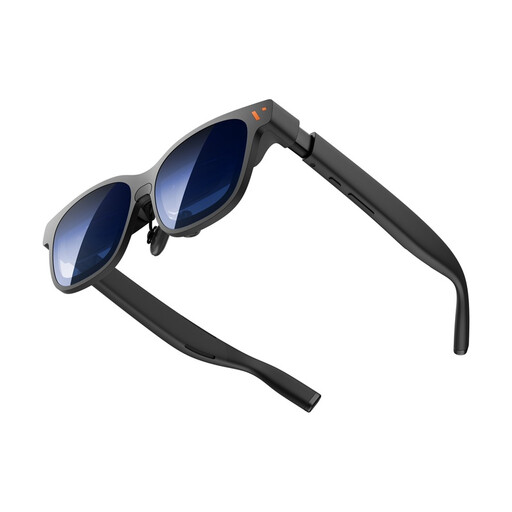
Why this product suits the profile: These XR glasses combine a personal display with gaming, streaming and work functions, making them a versatile USB-C solution for users taking their first steps into the category.
The specifications list compatible USB-C devices, the SpaceWalker app and possible additional adapters for certain consoles and HDMI sources. This makes it easier to check compatibility before buying.
146-inch XR display, 120 Hz, Sony Micro-OLED and integrated dioptre adjustment from 0 to -5.0 D, according to the product information.
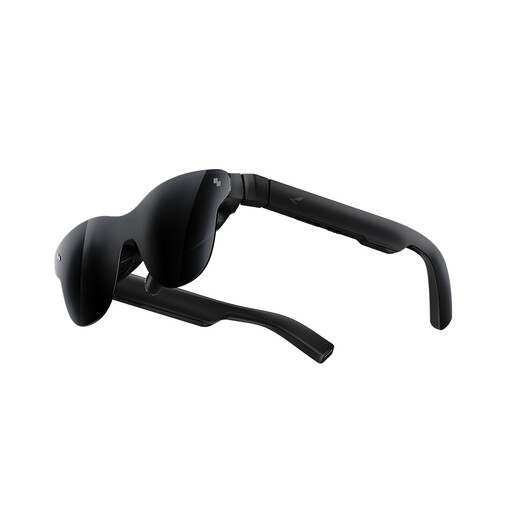
Why this product suits the profile: Film fans and gamers get video glasses with HDR10 support, 3D playback and connection options for several types of device.
The product information lists USB-C plug-and-play, 120 Hz and support for iPhone, Android, Mac, Steam Deck and Switch 2. The specific device configuration should still be checked before buying.
HDR10, a virtual 201-inch screen, integrated speakers and support for both native and converted 3D content, according to the product description.
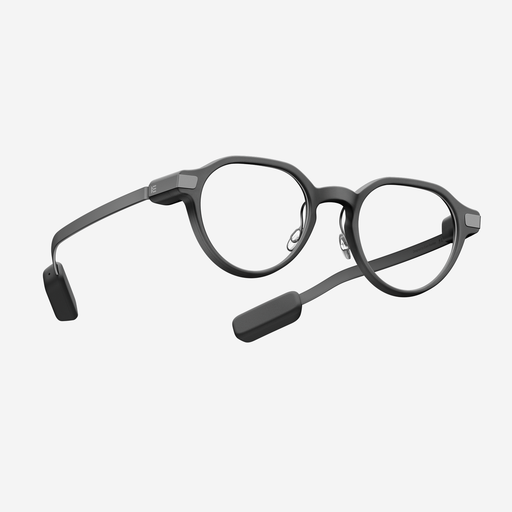
Why this product suits the profile: Professionals, presenters and privacy-conscious users get camera-free display glasses for prompts, navigation, teleprompter use and translation functions.
The camera-free design reduces a common privacy concern. At the same time, the product description points to app-based functions and the possible fitting of prescription lenses.
36 g weight, Micro-LED display, up to two days of regular use and translation functions in more than 35 languages, according to the manufacturer.
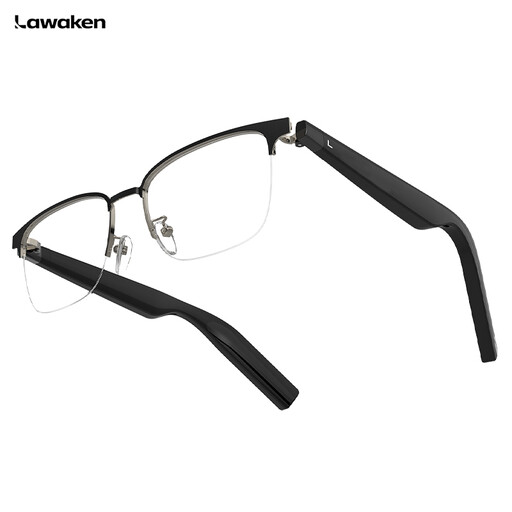
Why this product suits the profile: These smart audio glasses are designed for hands-free calls, music, AI assistance and translation, without requiring a visual display.
The specifications list Bluetooth 5.3, battery life of up to twelve hours, IPX4, as well as information about cloud data and recordings. This helps you assess everyday practicality and privacy in advance.
33 g without lenses, open-ear audio, two-phone connection and claimed translation in 128 languages.
We have compiled a complete, regularly updated list of products that fully meet these strict selection criteria and the safety regulations applicable in the EU.
It depends on the model. Some glasses use USB-C video output, while others require an app or Bluetooth. With iPhones, the model generation and adapter may be important. The compatibility list for the specific product should be treated as the deciding factor before buying.
Practical service life depends on the battery, charging cycles, software maintenance, hinges and daily use. Claims such as “up to two days” refer to a specific usage profile. Battery life may be shorter with intensive display, camera or translation use.
Display and audio functions often do not incur additional fees, provided the source device supplies the content. However, AI and translation functions may require an app, internet access or a limited monthly allowance. Before buying, check whether premium services or cloud storage are chargeable.