
Lieferung heute & morgen

Qualitätsgarantie

Willkommens-Angebote freischalten: KOSTENLOSE Lieferung | Bis zu 80 % RABATT | Kostenlose 30-Tage-JoyPlus-Testphase
App herunterladen
A smart GU10 LED bulb lets you control your room lighting via an app, voice command or schedule. However, many models fail to meet everyday expectations. Problems are often not caused by the LED technology itself, but by an unsuitable fitting, a lack of Wi-Fi compatibility or unclear information about dimming.
Before buying, you should check three common pitfalls:
First, check that your light fitting actually has a GU10 socket. The bulb is generally inserted and secured with a short twist. The mains voltage is also important for use in a German household. The GU10 model selected here is designed for 240 V and intended for indoor use.
The IP20 rating means that the bulb is suitable for dry indoor areas, but not for bathroom areas exposed to direct splashing water or for outdoor use. Enclosed light fittings should also only be used if the manufacturer expressly permits this and sufficient heat dissipation is possible.
Brightness is measured in lumens, not watts. For example, a model with 420 lm is suitable for accent or area lighting in living rooms, bedrooms or studies. The amount required for complete room lighting depends on the size of the room, the position of the fitting and the beam angle.
An RGBW LED bulb combines coloured light with white light. This is more practical than a pure RGB model if the bulb is also used for reading, working or cooking. With Tunable White 2700–6500 K, the setting ranges from warm white light to a cooler, daylight-like white. Colour temperature describes the character of the light, not the actual heat generated.
A smart LED bulb with app control should be as easy as possible to integrate into your existing system. Look out for the platforms specifically named:
Matter can make it easier for different smart-home platforms to work together. Nevertheless, you should check which functions are actually available in the relevant app. Scenes, timers, group control and remote access may be implemented differently depending on the platform.
A hub-free LED bulb connects directly to your Wi-Fi. This saves you from needing additional hardware, but requires a suitable Wi-Fi configuration. Before setup, connect your smartphone to the 2.4 GHz network and have the manufacturer’s app ready.
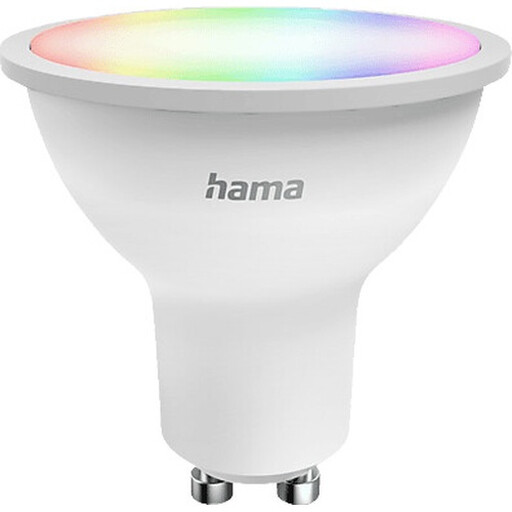
Why this product suits this profile: The bulb uses a standard GU10 socket, requires no additional hub and can be set up via the Hama Smart Home app. This makes it suitable for anyone getting started with smart indoor lighting.
The base, voltage, 2.4 GHz Wi-Fi and IP20 area of use are clearly specified. Its dimmable designation refers to control via the app and compatible voice systems.
4.9 W power consumption, 420 lm, RGBW, 2700–6500 K, app control and support for Matter, Alexa, Google Assistant and Apple HomeKit.
Why this product suits this profile: Matter support and compatibility with several platforms appeal to users who do not want to restrict their lighting to a single smart-home environment.
Rather than naming just one app, the product description specifies Matter, Alexa, Google Assistant and Apple HomeKit. Nevertheless, you should check that your preferred platform is supported before buying.
Colour changing with up to 16 million colours, adjustable white temperature and scene and scheduling functions via the app.
Why this product suits this profile: Scenes, timers and remote control are useful when you want to accommodate several daily routines or regular lighting times.
The product data lists specific control functions rather than relying solely on general smart-home marketing. However, the bulb is not intended for damp areas because of its IP20 rating.
91–120° beam angle, stated lifespan of 10,000–14,999 hours and scheduling and group functions in the Hama Smart Home app.
We have put together a complete, regularly updated list of products that fully meet these strict selection criteria and the safety regulations applicable in the EU.
A soft, dry cloth is all you need for cleaning. The bulb should not be opened or modified. If the bulb or socket shows visible damage, stop using it.
Yes, according to the product information, the selected Wi-Fi model can be used without an additional hub. A compatible 2.4 GHz Wi-Fi network is required for setup. Other systems may require a hub, particularly certain Bluetooth mesh solutions.
This depends on its power rating, how long it is used and the brightness setting. The model mentioned uses 4.9 W. With three hours of daily use, this works out at approximately 5.37 kWh per year. Actual consumption may vary because of standby mode and network functions.
The selected model has a stated lifespan of 10,000 to 14,999 hours. This is the manufacturer’s specification and depends, among other things, on how often the bulb is switched on and off, the ambient temperature, ventilation and the quality of the power supply.