What should you look for when buying?
In a shared studio, it’s best to focus on your main priority. Each row describes a different type of customer choosing a switch to connect a smart home hub.
| Buying priority |
What to check |
Who is it important to? |
| Simple set-up |
Check the LAN connection and instructions for your specific hub; include the router uplink and end devices when counting ports. |
If I want to connect the hub and a few other devices without any extra switch set-up, an easy connection is essential. Around 36% of customers put a simple connection first. |
| Network separation |
Check what separation options your router offers and whether the router and uplink support the VLANs you’re planning to use. |
If I want to secure a shared studio, I also need to make sure the hub remains accessible from the intended control network. Around 29% of customers prioritise separate access areas. |
| Extra ports |
Count the uplink, current LAN devices and any specific additions you have planned. |
If I want to connect more wired devices in future, I want to plan for the ports I’ll need from the outset. Around 21% of customers put extra ports first. |
| PoE power |
Check that the device’s PoE standard and power requirements match the number of PoE ports and the total power budget of the exact switch version. |
If a device is to be powered over Ethernet, it must support the PoE standard on offer. Around 14% of customers prioritise PoE power. |
Joybuy’s pick of switches for studio set-ups
This selection includes basic gigabit switches, managed models with VLAN features and switches with PoE for compatible devices.
 No image available
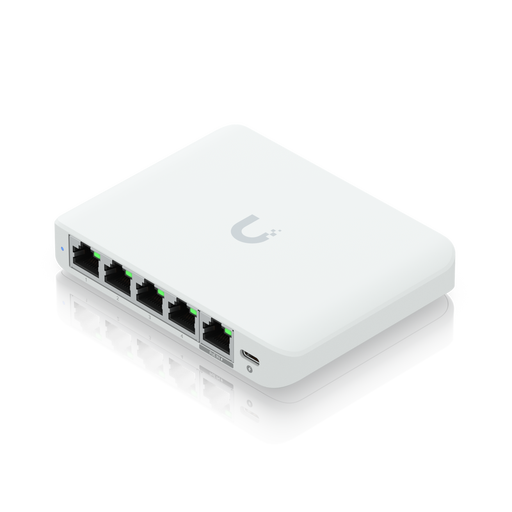
Ubiquiti UniFi Flex Mini 2.5G Managed
This managed model is an option for studios that need VLAN features or port isolation.
Five 2.5 GbE ports; powered via a PoE input or USB-C.
View at Joybuy
 No image available
D-Link DGS-1210-10/E 10-Port Gigabit Smart Managed Switch
If you want to organise wired devices into VLANs, this managed model offers the features you need.
Eight gigabit RJ-45 ports and two SFP slots; web management, CLI and SNMP are listed.
View at Joybuy
 No image available
TP-Link TL-SG1008P 8-Port Gigabit PoE Switch
This model combines extra LAN ports with PoE, making it suitable for several wired devices and compatible PoE devices.
Eight gigabit Ethernet ports; four PoE ports compliant with IEEE 802.3af and a listed total power budget of 55 W.
View at Joybuy
 No image available
TP-Link TL-SG1005D 5-Port Gigabit Desktop Switch
If you need extra ports without having to configure the switch, this model is described as a simple way to expand your wired connections.
Five 10/100/1000 Mbps RJ45 ports; auto-negotiation and Auto-MDI/MDIX are listed.
View at Joybuy
 No image available
TP-Link TL-SG105PE 5-Port Gigabit Easy Smart Switch
This model combines VLAN features and PoE for compatible devices, making it suitable for networks that need both.
Five gigabit ports; four PoE+ ports and a listed total power budget of 65 W.
View at Joybuy
Frequently asked questions
Do I actually need a switch for a smart home hub?
Only if your router doesn’t have enough suitable wired ports available. Check the instructions for your specific hub: Philips Hue, for example, says the Hue Bridge connects to the router via Ethernet. This doesn’t necessarily apply to every hub.
Will a basic switch separate the devices used by different studio members?
A basic plug-and-play switch doesn’t provide configurable VLAN separation. The BSI recommends a separate network for suitable smart home and guest devices. For VLANs, your router and access rules need to support the separation you have planned. Also check whether the hub needs to remain accessible from the network you intend to use.
Can I power the hub via PoE instead of using its power supply?
Only if your specific hub, or a solution explicitly designed for it, supports the PoE standard. Check the standard and power requirements against the switch’s PoE specifications; an Ethernet connection alone doesn’t confirm PoE compatibility.
How many switch ports do I need for the hub and other devices?
Count the connection to the router, the hub and all your other wired devices. The router uplink takes up one switch port, so a five-port model leaves a maximum of four direct connections for end devices.
What should I check before buying a VLAN switch?
Check that your router and uplink support the VLANs you’re planning to use and that the hub will remain accessible from the intended control network. The switch’s VLAN feature alone won’t set up the rest of your network configuration or access rules.


