
Lieferung heute & morgen

Qualitätsgarantie

Willkommens-Angebote freischalten: KOSTENLOSE Lieferung | Bis zu 80 % RABATT | Kostenlose 30-Tage-JoyPlus-Testphase
App herunterladen
A colourful light strip behind your monitor or TV can complement a gaming setup and provide indirect lighting in the living room. However, when buying smart LED lighting for gaming and home, RGB colours and a long list of features are not the only factors that matter. Compatibility, installation and the control standard often determine whether the lighting remains practical in the long term.
TV backlighting is not automatically suitable for every screen size. The Govee Envisual TV Backlight T2, for example, is designed for use with 55 to 65 inches. The camera is mounted centrally above the TV and then calibrated via the app. A different system may be required for smaller or larger devices.
There are also differences when it comes to Wi-Fi connectivity. According to the product description, the T2 kit supports 2.4 GHz Wi-Fi, but not 5 GHz. If you use a separate 5 GHz network exclusively, check your router settings before buying.
A simple RGB light strip usually displays one colour along its entire length. With RGBIC LED strips, several sections can display different colours at the same time. This creates colour gradients and flowing-light effects. The feature is particularly interesting for gaming lighting, but it requires compatible control hardware and an app.
It is also important to check whether the strip can be cut. Not every smart LED strip has marked cutting points. The Govee Envisual TV Backlight T2 specifically states that the strip must not be cut. Cutting it incorrectly can permanently damage the electronics.
Self-adhesive LED products require a clean, dry and smooth surface. Dust, grease or a textured wall can cause the strip to come loose over time. Clean the surface before installation and allow it to dry completely.
LED strips must not remain tightly coiled during operation. The power supply and control box need sufficient ventilation. You should also avoid sharply bending the strips, particularly around the LEDs and connecting elements.
For TV backlighting, the screen diagonal and strip length are crucial. Depending on the furniture and room layout, a 5-metre strip may be suitable for larger wall or desk areas. A shorter solution may be sufficient for a single monitor.
Check the following before buying:
A protective coating does not automatically mean that a product is waterproof. Check the relevant IP rating in the product data. An IP44 solution, for example, is protected against certain types of water splashes, but must not be submerged.
App control usually enables you to choose colours, adjust brightness, select scenes and set schedules. Bluetooth can make initial setup easier, but it is not always sufficient for remote control when you are away from home. For a Wi-Fi LED light, check which frequency band it supports.
If you use Alexa or Google Assistant, check the specific compatibility details. A designation such as Alexa LED light does not necessarily mean that every function can be controlled by voice. You can often switch the light on and off, adjust brightness or select scenes, while more complex effect adjustments are made in the app.
Matter-compatible LED lighting can make it easier to integrate your lights with different smart home platforms. However, your smartphone, hub, Wi-Fi network and app version must still work together. Matter does not automatically replace every manufacturer's app.
With music synchronisation, the lighting typically responds to sounds picked up by a microphone. The response can vary depending on volume, position and the surrounding noise. TV systems with a camera, on the other hand, analyse the image on the screen. Accuracy depends, among other things, on reflections, the mounting position and correct calibration.
For comfortable long-term use, position indirect light sources so that the LEDs do not shine directly into your seating or working area.
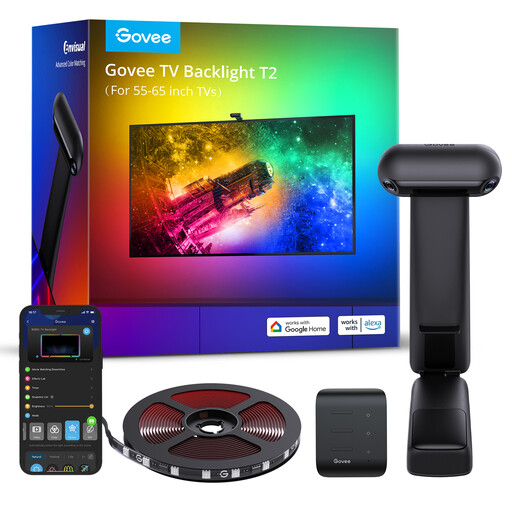
Why this product suits this profile: The set is designed for 55- to 65-inch TVs and combines two cameras with RGBIC technology for image-reactive lighting effects. It can be controlled via the Govee Home app, Alexa or Google Assistant.
The supported TV size, 2.4 GHz Wi-Fi requirement and calibration process must all be taken into account. This makes it easier to assess whether the product is suitable before installation.
Dual-camera system, RGBIC effects, music mode and app and voice control; USB connection and 11.8-foot strip length according to the product data.
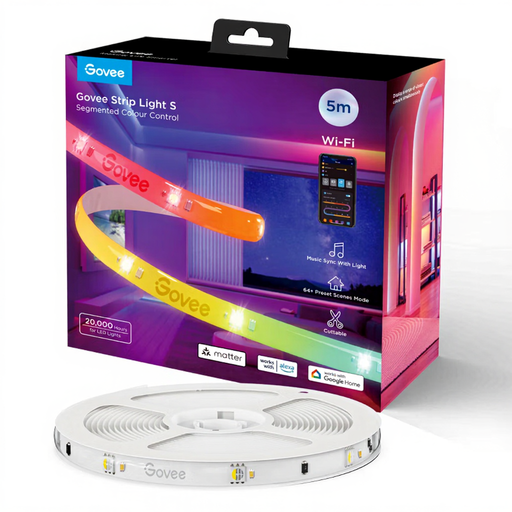
Why this product suits this profile: The 5-metre strip supports Matter, Wi-Fi and Bluetooth. It is suitable for gaming rooms, TV units, shelving or indirect lighting in living areas.
Matter support is clearly stated. Nevertheless, you should check the Wi-Fi band, mounting surface and indoor-use requirements before buying.
Segmented RGBIC colour control, 64 scenes according to the product description, music synchronisation and compatibility with several smart home platforms.
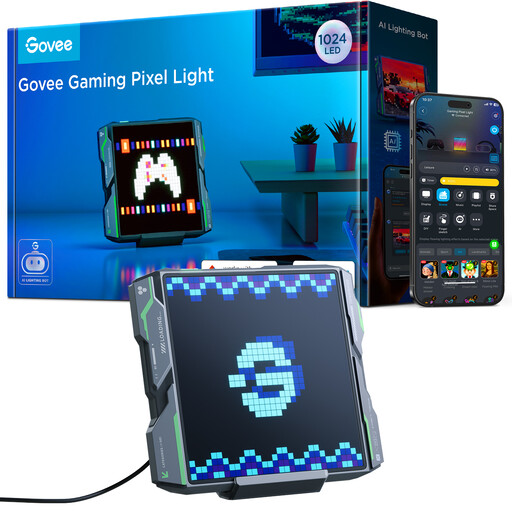
Why this product suits this profile: This LED panel is aimed at users who want more than room lighting, with the ability to display pixel art, animations and dynamic content. It is controlled via an app over Wi-Fi and Bluetooth.
Take the 32×32-pixel resolution and the required firmware update into account before use. This product is more of a display light than a traditional perimeter light strip.
32×32 LED grid, pixel art and animation functions, app control, sound-reactive modes and additional information displays according to the product description.
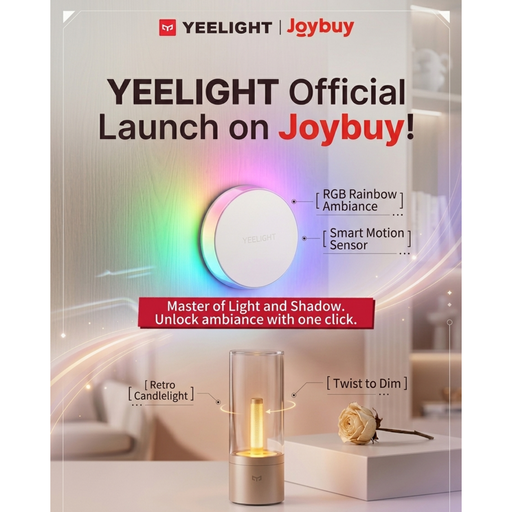
Why this product suits this profile: The compact RGB night light is suitable for bedrooms, living rooms or a small gaming corner. USB-C charging and the magnetic mount make it easy to position wherever you need it.
If you only want to light a small area, you do not need a long strip that has to remain permanently stuck in place. The portable design reduces installation effort.
USB-C battery, magnetic mount, motion sensors and 11 preset effects according to the product description.
We have put together a complete, regularly updated list of products that fully meet these strict selection criteria and the safety regulations applicable in the EU.
First, clean the back of the TV. Then attach the strip along the edge, taking care not to bend the LEDs sharply. With a camera-based system, the next step is calibration via the manufacturer's app. Position the camera according to the instructions.
The actual lifespan depends on operating time, heat dissipation, the power supply and mechanical stress. Running coiled strips continuously, poor ventilation or frequently pulling at the corners can put strain on the electronics. Clean, dry installation and use of the supplied power supply support operation as intended.
Consumption depends on the strip length, brightness, colour mode and operating time. A product with a maximum power rating of 24 W uses significantly more energy at full power than at reduced brightness. Schedules, automatic switch-off and lower brightness can help limit everyday consumption.