
Lieferung heute & morgen

Qualitätsgarantie

Willkommens-Angebote freischalten: KOSTENLOSE Lieferung | Bis zu 80 % RABATT | Kostenlose 30-Tage-JoyPlus-Testphase
App herunterladen
A smart LED strip can provide flexible lighting behind your TV, at your desk or under a shelf. In practice, however, it’s not just the number of colours that determines whether it’s right for you. All too often, unclear information about colour segments, an unsuitable length or a weak adhesive surface leads to a purchase you regret.
This guide explains which technical specifications really matter before you buy, and which LED strip suits different usage scenarios.
A classic RGB LED strip can display different colours depending on the model, but often only as a single colour across its entire length. An RGBIC LED strip, on the other hand, has separately controllable segments. This allows colour gradients, chasing effects or several different colours on one strip.
If you’re looking for dynamic LED lighting for TV and gaming, you should check whether segmented control is actually specified. The term “multicolour” alone is not enough proof.
A Matter LED strip can be integrated into compatible smart home systems. Depending on your setup, you may need a suitable controller, a bridge or a Matter-compatible hub. Some products connect directly to your 2.4 GHz Wi-Fi for app use, while integration with other platforms may require additional components.
So before you buy, you should check:
A self-adhesive LED strip needs a dry, smooth, dust-free and grease-free surface. Textured wallpaper, untreated wood, dusty furniture surfaces or damp areas can affect adhesion. Before installation, the surface should be cleaned and completely dried.
Also, an LED strip must not be operated while tightly coiled. The heat generated can damage the electronics and the adhesive. For corners, gentle curves are better than sharp bends.
A 5 m LED strip is suitable for longer furniture edges, ceiling areas or the back of a large TV. For a desk or a single shelf, a 2 m product may be more practical. Measure the distance before you buy and take the position of the power supply into account.
A cuttable LED strip may only be cut at the marked cutting points. If you cut elsewhere, individual segments may fail or the circuit may be damaged. When extending, you must also check whether the system is designed for it.
RGB produces coloured light from red, green and blue. RGBCCT adds adjustable white tones. With the RGBCCT LED strip described here, the colour temperature ranges from 2,700 to 6,500 Kelvin – from warm white to daylight-like. This is relevant for living areas and workspaces if you need neutral or warmer white light alongside colour.
A dimmable LED strip should offer stepless brightness control. Check whether dimming is done via app, voice assistant, remote control or only through a separate controller.
For dry indoor rooms, IP20 is the standard, for example. Such a strip is not protected against water and should not be installed in bathrooms, near sinks or outdoors. A protective coating can shield the surface from dust and light mechanical impact, but does not automatically mean it is suitable for damp conditions.
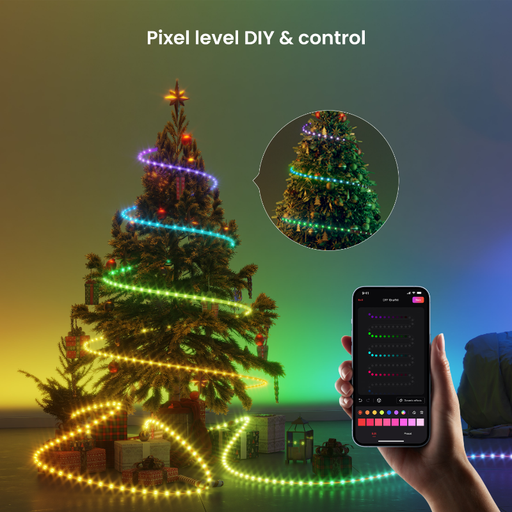
Why this product fits the profile: The 2 m length is ideal for compact areas like desks, shelves or smaller TV setups. The RGBIC version is aimed at users who want to try out segmented colour effects.
The manageable length reduces unnecessary leftover pieces. The RGBIC technology also makes it clearer that multiple colour zones are possible at the same time.
2 m version for compact installations; RGBIC light control for segmented colour effects.
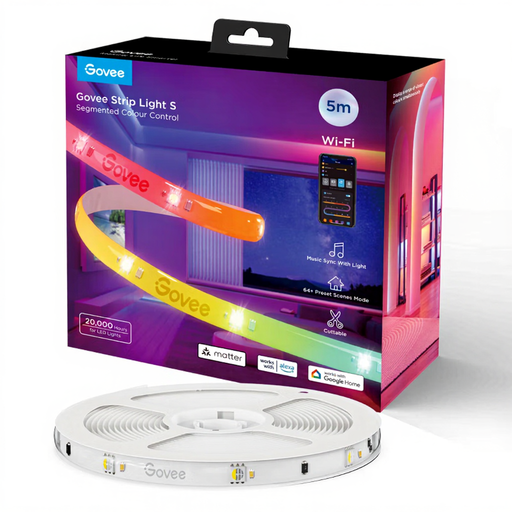
Why this product fits the profile: The 5 m strip combines RGBIC segment control, Wi-Fi, Bluetooth and Matter. A protective coating and 24 LEDs per metre are specified for TV, home cinema and gaming installations.
The details on segment control and Matter clearly distinguish this model from simple, single-colour controllable RGB strips. The installation instructions avoid tight bends and operation while coiled.
5 m length; RGBIC segment control; Matter plus Wi-Fi and Bluetooth; 24 W power consumption according to product specifications.
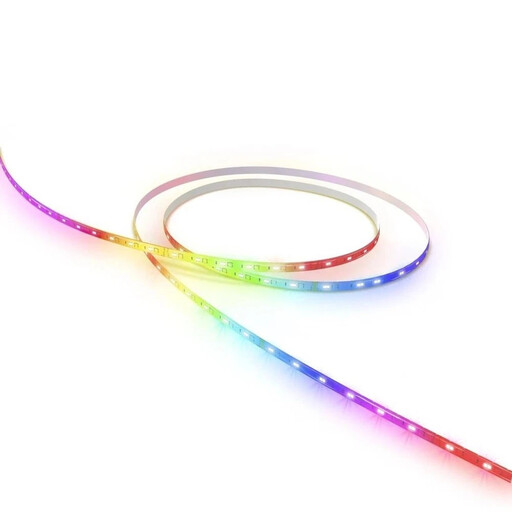
Why this product fits the profile: This RGBCCT LED strip combines 5 m length with stepless brightness control, adjustable white light from 2,700 to 6,500 Kelvin and a direct Wi-Fi connection via the Hama Smart Home app.
The clearly marked cutting points, the indoor protection rating IP20 and the requirement for a 2.4 GHz Wi-Fi network make installation and usage limits easy to understand.
RGBCCT with adjustable white light; stepless dimming; Matter-compatible; self-adhesive and cuttable at marked points.
Before attaching the strip, lay out the entire run and decide on the position of the power supply and control box. The surface must be smooth, dry and free from grease. After peeling off the protective film, press the strip down in sections rather than installing it under tension.
A Wi-Fi LED strip is usually set up via the manufacturer’s app. With an LED strip with app control, you can typically manage colours, brightness, scenes and schedules. For voice control, look for a specific mention such as LED strip with Alexa or Google Assistant. The term “Smart Home” alone doesn’t tell you which platform is supported.
When it comes to power supply, the combination of strip, controller and power supply unit matters. Only use the supplied or explicitly compatible power supply unit. Damaged cables, plugs or power supply units should not be reused.
We’ve put together a complete, regularly updated list of products that fully meet these strict selection criteria and the safety regulations in force in the EU.
First, install the appropriate app and activate Bluetooth if this is required for setup. Many models need a 2.4 GHz Wi-Fi network. Then follow the steps in the app. For Matter devices, you can also use the QR code on the product or packaging.
The actual lifespan depends on operating time, heat dissipation, the power supply unit, installation and product quality. Continuous operation while coiled, tight bends or a covered power supply unit can increase the strain. Free installation with adequate ventilation and using the intended power supply unit are therefore important.
The cost depends on the power consumption and the daily usage time. The simple calculation is: power in kilowatts × operating hours × electricity price. For a model with 24 W, one hour of operation equals 0.024 kWh. The actual cost depends on your current tariff and the brightness level you choose.