
Lieferung heute & morgen

Qualitätsgarantie

Willkommens-Angebote freischalten: KOSTENLOSE Lieferung | Bis zu 80 % RABATT | Kostenlose 30-Tage-JoyPlus-Testphase
App herunterladen
Upgrading your home often starts with the lighting. A smart light switch not only offers convenience by enabling control via app or voice but can also contribute to energy efficiency and security. However, the market offers a vast array of technologies and installation requirements, from simple wireless solutions to fully integrated systems.
This guide is designed to provide clarity. We'll introduce different types of smart switches and explain the key criteria you should consider when selecting one for your specific needs. Our goal is to give you an informed basis for your decision, helping you find the perfect solution for your home.
Before you decide on a model, a few technical and practical aspects need to be considered. These three points will help you narrow down your options.
The biggest hurdle when retrofitting is often the existing electrical wiring.
Important Note: The installation of hardwired light switches (230V) must be performed by a qualified electrician.
The type of connection determines how the switch communicates and whether additional devices are needed.
If you already use a smart home system or plan to build one, compatibility is crucial. Check if the switch is compatible with platforms like Amazon Alexa, Google Assistant, or Apple HomeKit. An Alexa light switch can be seamlessly controlled via voice command. Nearly every connected switch also offers light switch with app control, enabling schedules, automations, and remote control while you're away. A smart dimmer further enhances functionality with stepless brightness adjustment.
Here is a selection of different products that cover various use cases and requirements.
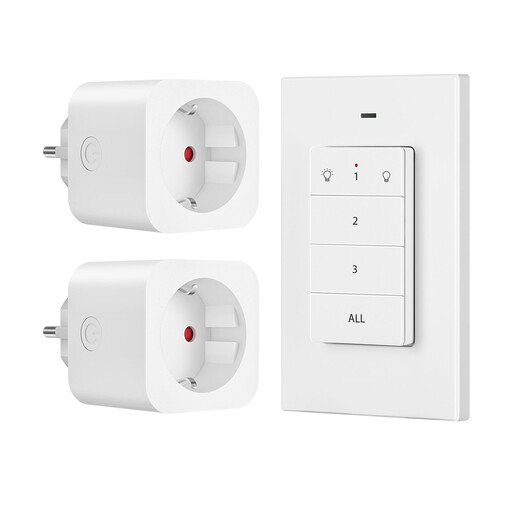
Why It Stands Out: This solution is a remote-controlled smart plug and requires zero installation. It's ready to use right out of the box and is ideal for remotely controlling conventional lamps or appliances.
Pros:
Who Is It For? For renters who can't make structural changes, or for users looking for a hassle-free solution for hard-to-reach outlets, such as for Christmas lights or a floor lamp behind the sofa.
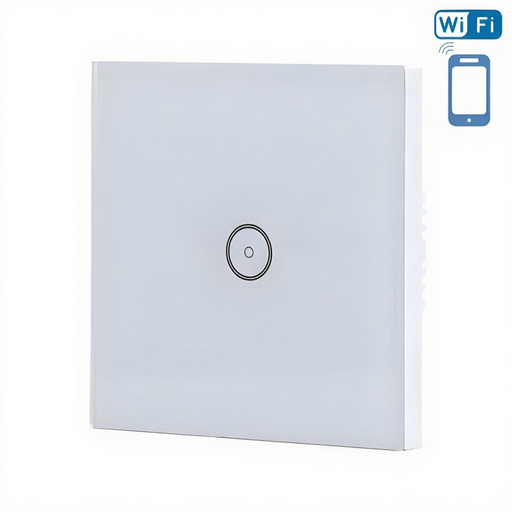
Why It Stands Out: As a classic Wi-Fi light switch, this model integrates directly into your Wi-Fi network without needing an additional hub. Its elegant glass design gives it a modern look.
Pros:
Who Is It For? For homeowners and users who want a permanently installed smart solution and prefer the simplicity of a direct Wi-Fi connection without a hub. Requires a standard electrical installation with a neutral wire.
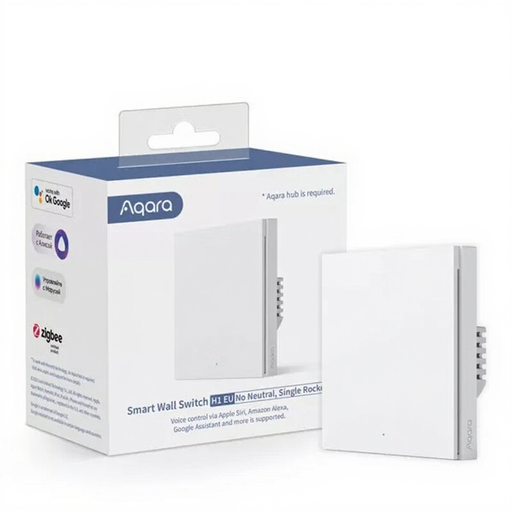
Why It Stands Out: This model is a no-neutral-wire light switch, making it a perfect solution for many older homes. It uses the stable Zigbee 3.0 protocol and is broadly compatible, including as a HomeKit switch.
Pros:
Who Is It For? For users living in a building without a neutral wire in the switch boxes. Also ideal for those who already run or want to build a Zigbee-based smart home (e.g., with an Aqara or HomeKit hub).
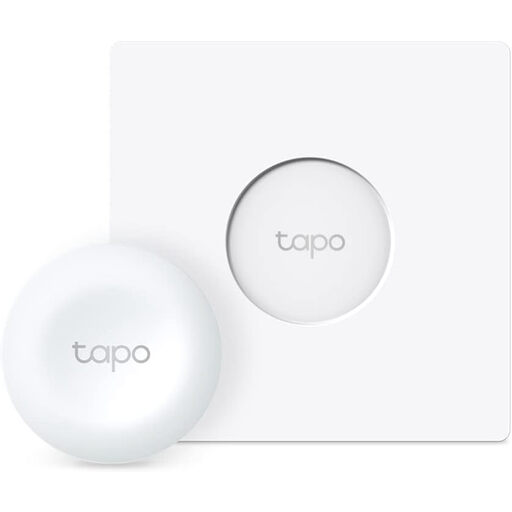
Why It Stands Out: The Tapo S200D is not a direct light switch but a wireless smart dimmer and remote for the Tapo ecosystem. It can be placed anywhere to control Tapo bulbs, plugs, and scenes.
Pros:
Who Is It For? For users who already have Tapo smart bulbs or plugs and want to add a flexible, physical control for dimming or switching scenes anywhere in the room. Requires a Tapo Hub (H100/H200).
Haven't found the right solution yet? There are many more models and technologies to discover that cater to different design preferences and technical requirements.
Browse our wider selection of digital light switches to compare more options.
1. What's the difference between a smart light switch and a smart bulb? A smart light switch controls the entire electrical circuit. This means all lights connected to that switch become smart, and the physical wall switch remains fully functional. A smart bulb, on the other hand, only makes itself intelligent. If the power is cut via the conventional wall switch, the smart bulb becomes unresponsive.
2. Do I always need a neutral wire for a smart light switch? No. While many models require a neutral wire to power their electronics, there are special models designed as no-neutral-wire light switches. These are intended for retrofitting in older buildings where this connection is missing in the switch box.
3. Can I control smart light switches with my voice? Yes, most connected models, especially Wi-Fi light switches and Zigbee switches, are compatible with voice assistants. Check the product description to ensure compatibility with systems like Amazon Alexa (Alexa light switch), Google Assistant, or Apple HomeKit (HomeKit switches).