
Lieferung heute & morgen

Qualitätsgarantie

Willkommens-Angebote freischalten: KOSTENLOSE Lieferung | Bis zu 80 % RABATT | Kostenlose 30-Tage-JoyPlus-Testphase
App herunterladen
A smart plug can switch household appliances, lights and office electronics on and off via an app, schedule or voice command. However, not every model is suitable for every home or device. Unclear Wi-Fi requirements, insufficient load capacity or missing details about energy monitoring can often lead to the wrong purchase.
This buying guide explains what smart home beginners and tech-savvy households in Germany should look out for.
Many devices are designed to work only with 2.4 GHz Wi-Fi. This is not necessarily a drawback for a Wi-Fi plug, but it should be compatible with your router. If you select only a 5 GHz network during setup, you may not be able to connect the plug. Before buying, check that your router provides a 2.4 GHz band and that the app can detect this network.
A smart plug is an adaptor plug, not a replacement for fixed electrical wiring. Figures such as 10 A / 2,300 W or 16 A / 3,680 W refer to the maximum load. These limits must not be exceeded. With heaters, kettles and irons, you should also bear in mind that remote switching while unattended is not suitable for every appliance.
App control, timers and voice control are standard features on many products. However, a plug with energy monitoring needs additional measuring hardware and compatible app features. If you want to track energy use or historical readings, look specifically for “Energy Monitoring”, “Current Measurement” or a similar feature description.
A smart plug with app control usually connects directly to your home network. None of the models mentioned here requires a separate hub. Key things to consider include:
Check the voltage, current and maximum power rating. A 10 A, 2,300 W model is suitable for many smaller household and office appliances. Models rated at 16 A and up to 3,680 W offer a higher rated capacity according to the product details, but they are not automatically suitable for every use either.
For outdoor use, the right ingress protection rating is essential. The IP44 rating on the DEWENWILS model indicates protection against solid foreign objects above a certain size and against splashing water. This does not mean the plug can be submerged or left exposed to extreme weather for long periods.
A smart plug with a timer may offer scheduled switching, countdown functions or an away mode. Check whether the feature you want is available directly in the app. A plug with a remote control, on the other hand, is operated via a radio signal rather than Wi-Fi. This may suit people who would rather not set up an app or prefer straightforward controls.
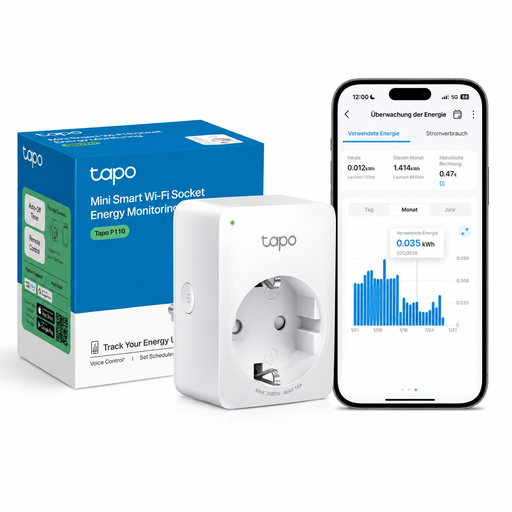
Why this product suits this profile: This model combines app control, schedules, remote access and energy monitoring. According to the product details, it works with 2.4 GHz Wi-Fi, Alexa and Google Assistant, and does not require a hub.
The product details specify both the 2.4 GHz requirement and the maximum load of 2,300 W / 10 A. This makes it easier to check key compatibility and power requirements before setup.
Compact design, schedules, Away Mode and energy monitoring according to the product description.
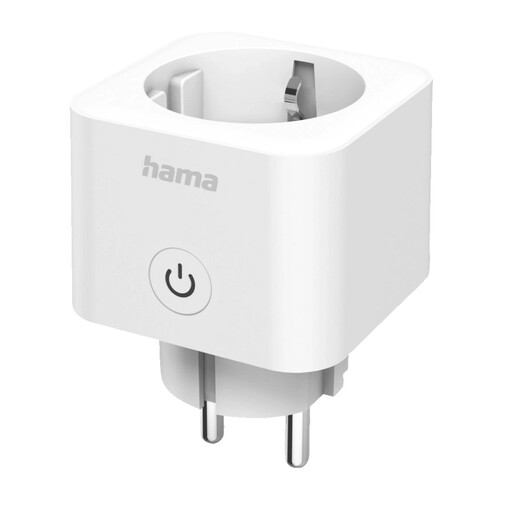
Why this product suits this profile: The product details list Matter support, 2.4 GHz Wi-Fi, energy monitoring and compatibility with Apple Home, Google Home, Alexa, SmartThings and Home Assistant.
The supported platforms and Matter QR code are clearly specified. This makes it easier to check compatibility with your smart home setup before buying.
Matter protocol, energy monitoring, and remote and voice control according to the product description.
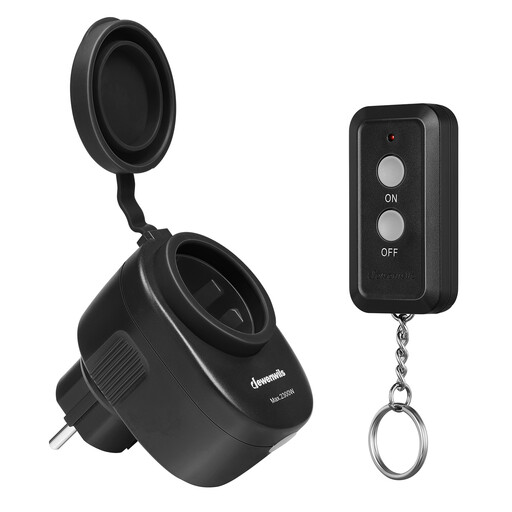
Why this product suits this profile: According to the product details, this plug needs neither Wi-Fi nor an app. Switching is handled by a pre-programmed radio remote control, with a range of up to 30 m outdoors.
The radio-controlled setup avoids the usual 2.4 GHz connection issues. However, the IP44 rating does not mean the plug can be submerged or exposed to extreme weather conditions.
IP44, 2,300 W / 10 A, a pre-programmed remote control and a stated range of up to 30 m outdoors.
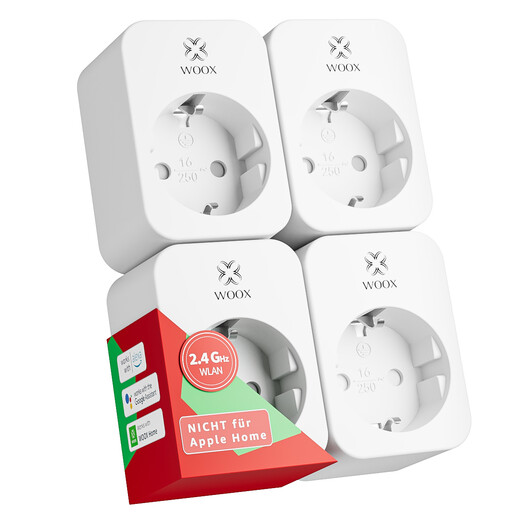
Why this product suits this profile: The four-pack is designed for multiple rooms, workspaces or groups of lights. According to the product details, it includes Tuya Smart, Alexa and Google Home compatibility, as well as timer and countdown functions.
The key specifications list 2.4 GHz, 16 A / 3,680 W and indoor use only. This makes the intended use clearer.
Four devices, energy monitoring, schedules and TÜV, CE and RoHS details according to the product description.
We’ve put together a complete, regularly updated list of products that meet these strict selection criteria and the safety regulations in force across the EU.
It depends on the model. Wi-Fi plugs need a network connection for app control and remote access. A plug with a remote control, for example one using a 433.92 MHz radio signal, can be used without Wi-Fi or an app. Wi-Fi models usually need an active connection for timer or voice functions.
A smart plug uses a small amount of energy itself while in standby mode. The actual power consumption depends on the model. For example, the DEWENWILS model is listed as using 0.7 W in standby. To estimate the cost, you can convert the consumption into kilowatt-hours using the formula “watts × hours of use ÷ 1,000”, then multiply it by your electricity rate.
No. The maximum power rating, type of load and manufacturer’s safety instructions are all important. Before connecting an appliance, compare its rating plate and instruction manual with the plug’s specifications. Heaters, irons and other appliances that generate a lot of heat should not be operated unattended through an adaptor plug.