Jazz listeners in a fixed spot
You want to pick out individual instruments in the stereo image and can position two speakers appropriately in your living space.


For listening to jazz in a fixed spot, a compatible stereo pair makes sense if you can position two speakers in the same room. If you move between the kitchen and living area, check which playback options are available and whether one device will cover the places where you want to listen, or if you’ll need several speakers.
You want to pick out individual instruments in the stereo image and can position two speakers appropriately in your living space.
You move around the open-plan space while listening and mainly need a straightforward way to play your albums.
You want to control your music through an app or Bluetooth, but don’t want voice control built into your speaker.
| Priority | What to check before buying | Who is it important to? |
|---|---|---|
| Stereo listening in a fixed spot | Check whether exactly two speakers of the model you want can work as a stereo pair and be positioned appropriately. | If I mainly listen to jazz in one fixed spot, I want to be able to position two speakers on the left and right. Around 33% of consumers prioritise stereo listening in a fixed spot. |
| Music in several areas | Think about which listening areas you want to cover and whether one device or several speakers will suit your needs. | If I move between the kitchen and living area, I want to be able to hear music wherever I spend time. Around 27% of consumers prioritise playback as they move between areas. |
| Access to your jazz albums | Check the specific music service you use, your smartphone and, if necessary, the adapter you’ll need for an external audio source. | If I want easy access to my albums and favourite services, I check the supported playback options first. Around 27% of consumers put source compatibility first. |
| Controls and microphones | Compare app and button controls, as well as the microphone controls on the model you’re considering. | If I don’t want to use voice commands on my speaker, I look for controls without built-in voice assistance. Around 13% of consumers make controls and microphones their top priority. |
Playback from a single speaker housing isn’t the same as two separate speakers, each assigned to the left or right channel.
Decide whether you’ll mainly listen in one fixed spot or while moving around, then check the pairing requirements for the specific model.
The Era 100 and Era 100 SL differ in areas including built-in voice control and the playback options available.
The HomePod (2nd Generation) may suit buyers with a compatible Apple device for setup, who have checked their audio sources in advance.
The JBL Authentics 200 is aimed at buyers looking to compare several streaming options and voice assistants in one device.
Google speakers may appeal to users who want to pair supported devices for stereo listening through Google Home.
This selection from Joybuy includes Apple HomePod models whose product descriptions mention stereo pairing and multi-room playback.
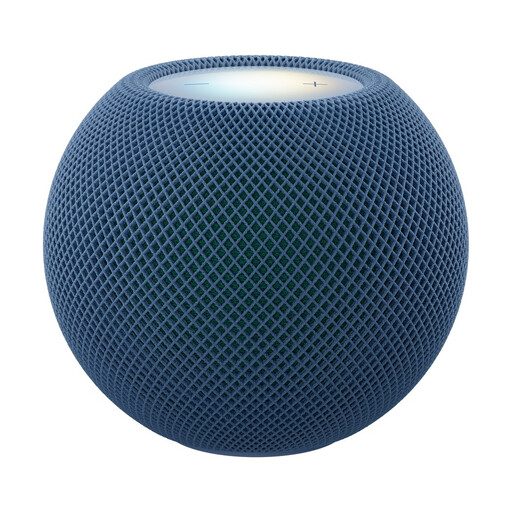 No image available
For listening to jazz in a fixed spot, the product description says you can pair it with a second HomePod mini 2 to create a stereo pair.
The description also mentions AirPlay multi-room. You’ll need a compatible iPhone or iPad to set it up.
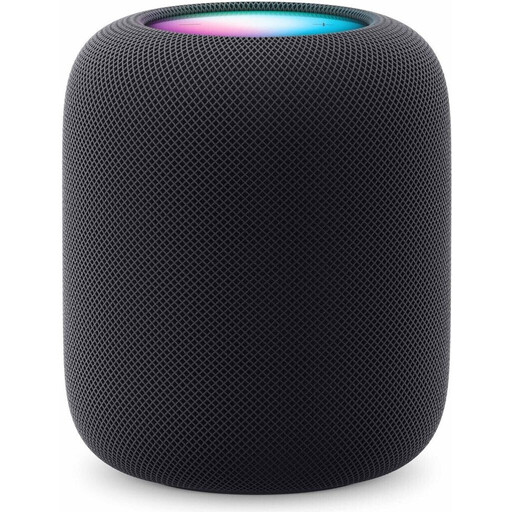 No image available
For a compatible Apple system, Apple lists stereo pairing and multi-room audio for the HomePod (2nd Generation).
According to Apple, you’ll need a compatible iPhone or iPad and internet access to set it up.
No. A stereo pair assigns two supported speakers of the same model in the same room to the left and right channels. A speaker group plays audio on several devices. Check which features your specific model supports.
No. Sonos requires you to set it up on a Wi-Fi network first. Only then can you use the Era 100 SL in Bluetooth mode.
Apple specifies a compatible iPhone or iPad and internet access for setting up the HomePod (2nd Generation). Before buying, also check how your music service plays albums on HomePod.
For consumer purchases in the EU, your statutory rights apply in relation to the seller. European Union consumer information generally states that these rights last for two years from receipt of the goods. Any additional manufacturer’s guarantee does not replace these rights.