What should you look for when buying?
First, measure the viewing distance and available space. Then check that your device is compatible with the connection method, and finally look at the viewing angle and energy consumption of the specific model.
| What matters |
What to check before buying |
Who it matters to most |
| Seeing photos from further away |
Measure the distance to the furthest seat and the available width. RTINGS suggests dividing the viewing distance by 1.6 as a guide to a viewing angle of around 30°; also test how easy it is to see details in your own photos. |
If you want to show costume details to guests further back, the right screen size for your actual room matters. Around 31% of consumers are likely to prioritise screen size. |
| Reliably sharing costume photos |
Check that your phone, app and TV model are compatible with the method you plan to use. For USB, check the supported image formats in the manual and test playback before the party. |
If your photos are on a phone or storage device you already own, a compatible connection method is essential. Around 25% of consumers are likely to put connectivity first. |
| Picture quality for guests sitting to the side |
Compare the viewing angles for each model, and assess reflections and room brightness where you plan to set up the TV. |
If your guests will be spread out, you’ll want the photos to look good from the side too. Around 25% of consumers are likely to prioritise viewing angle. |
| Set-up and energy consumption |
Check the dimensions of the TV and stand against the space you have, and look at the EU energy label for the specific model. |
If you want the TV to fit into your room and get use beyond the party, ease of set-up and ongoing energy use matter. Around 19% of consumers are likely to prioritise these factors. |
Joybuy products for viewing photos on a big screen
This selection includes large Smart TVs for sharing photos, with both LCD and OLED models. Check which connection methods are available for the specific model and your device.
 No image available
TCL 75Q7D PRO 75-inch 4K SQD Mini LED TV
The listed 75-inch screen size may be worth considering if you want to share photos on a big screen; check your viewing distance and available space.
The product name lists 4K, Mini LED and Google TV.
View at Joybuy
 No image available
TCL 75T8D 75-inch QLED TV
The listed screen size is worth considering for a slideshow viewed from further away; check it against your room and seating layout.
The product name lists QD Mini LED, 4K and Google TV.
View at Joybuy
 No image available
Hisense 75E8S 75-inch MiniLED 4K Smart TV
The listed 75-inch screen size may be a good option for sharing photos from further away; check the viewing distance and set-up.
The product name lists MiniLED, 4K, QLED and VIDAA OS.
View at Joybuy
 No image available
LG OLED77G67LW OLED Evo AI G6 77-inch 4K Smart TV (2026)
This 77-inch OLED model is an option for sharing photos on a big screen. If you plan to display still images for a long time, note the product description’s advice not to leave static images on screen unnecessarily.
Features listed include 4K and webOS 26. According to the product description, a table stand is not included; the TV is designed for wall mounting. Check that your wall and fixings are suitable for your planned set-up.
View at Joybuy
 No image available
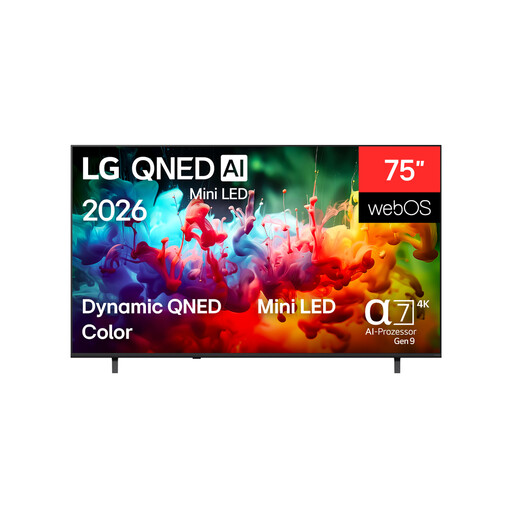
LG QNED 75QNED72B6A 75-inch 4K Smart TV
The listed screen size offers a useful comparison for viewing photos on a big screen; measure the viewing distance and available space before choosing.
The product name lists 4K and QNED Mini LED.
View at Joybuy
Frequently asked questions
Does a TV need to be a particular size for a carnival slideshow?
No, there’s no one-size-fits-all minimum screen size for a slideshow. Measure the distance to the seats that matter and the space available. RTINGS describes its screen-size guidance as a starting point, not a perfect solution for every room or photo.
Can I share photos from any phone to any Smart TV?
No, the “Smart TV” label alone doesn’t confirm compatibility. Samsung Deutschland lists Smart View for compatible Galaxy devices, while AirPlay 2 depends on the model. Sony Deutschland describes Google Cast on supported Google and Android TVs, using a compatible app and a shared Wi-Fi network. Check your phone, app and TV model together.
What should I test before showing photos from a USB stick?
Test a few of your photos on the specific TV and check the supported formats in its manual. LG Deutschland notes that file extensions and codecs can vary by model.
How important is viewing angle for a group?
If guests will be sitting well to the side, consider how the picture looks from those positions when choosing a TV. RTINGS lists wide viewing angles as an important factor for spread-out seating; check the specifications for the specific model and your planned set-up.
Is OLED suitable for a long photo slideshow?
The OLED label alone isn’t enough to answer that. If you often display still images for long periods, check the guidance and warranty terms for the specific TV. The LG burn-in guidance cited here relates to monitors and is not a warranty statement for a particular TV model.


