A Smart TV is suitable for playing your own choir concert recordings directly only if the files’ file system, video codec and audio codec are compatible with the specific model; a USB port alone isn’t enough. To assess the sound, the connections on your TV also need to match those on your existing audio system. If the files won’t play directly on the TV, a PC or another playback device connected via HDMI may be a better option.
Who is this use case for?
Choir directors with an archive of recordings
If you regularly open different concert recordings and revisit particular passages, check that the file system, video codec and audio codec are supported by the specific TV model. Sony, for example, publishes this information for the K-55S3.
Contributors who prioritise sound
If you want to assess the voices and overall sound through an existing audio system, it’s important to check the recording’s audio format and the connection between the TV and the system.
Group viewing sessions
If several people will be watching, make sure everyone can follow the recording clearly from their usual seat. Measure the viewing distance and check how the screen size and positioning will work in the room. The Verbraucherzentrale recommends taking your usual viewing distance into account.
What should you look for when buying?
Play directly from USB storage
Suitable if: you want to avoid using an additional playback device and your files, including their audio tracks, are compatible with the specific TV model.
Keep in mind: support depends on the model, storage format and codecs.
PC or another playback device via HDMI
Suitable if: you already manage your files on a computer or they won’t play directly on the TV.
Keep in mind: you’ll need an additional device. Also check the TV’s HDMI port and the audio connection to your system.
| What matters |
What to check before buying |
Who is it important to? |
| Play files directly |
Check that the file system, video codec and audio codec of a typical recording from your own archive are compatible with the specific model. |
If I want to open concert recordings without an additional playback device, I check that both media tracks are supported. Around 36% of consumers would put file compatibility first. |
| Listen through an audio system |
Check the recording’s audio format and the compatible connections on the TV and your existing audio system. |
If I want to assess the voices through my audio system, I check that the audio connection and ports are compatible. Around 29% of consumers would prioritise external sound. |
| Watch together |
Measure the viewing distance and available space; check the view of the screen from seats at the sides. |
If several people are watching the recording together, the screen size should suit the room and seating. Around 21% of consumers would make group viewing their priority. |
| Energy use and additional devices |
Compare the energy consumption figures for the specific models on the EU energy label and factor in any playback devices you’ll need. |
If I want to keep track of ongoing energy use and additional devices, I compare the consumption figures for the specific models. Around 14% of consumers would prioritise weighing up these costs. |
Common misconceptions
-
A USB port will play any concert recording
A TV may recognise a USB storage device but still reject an individual video file because its format or codec isn’t supported.
Check that the file system, video codec and audio codec of a typical recording match the specifications for the full TV model.
If a file won’t play directly, you may need an additional playback device or a compatible version of the file.
-
Models with similar names are identical
Different model numbers don’t prove that TVs support the same ports or playback formats. Sony K-55S3 and K55S32, and TCL 55C6K and 55Q6C, are differently named models.
Check the full model number and the specifications relevant to your files before considering one model as a replacement for another.
-
eARC automatically delivers the right sound for choir recordings
eARC is a way to transmit audio, not a guarantee that a particular recording or audio system will sound the way you want. Both devices need to support the connection, and the file’s audio format must also be compatible.
Check the connections, audio settings and audio format together. Sony says ARC/eARC can’t be enabled if only one of the connected devices supports it.
TV brands to consider
Sony
The German K-55S3 is a specific model to consider when checking direct USB playback. Sony lists supported file systems and playback codecs, two USB ports, and eARC/ARC.
- The K-55S3 specifications make it easier to check compatibility with an existing archive.
- The specifications don’t prove that every file or another BRAVIA 3 model variant is supported. Sony also notes that the built-in player on the model group mentioned doesn’t support playback from a home network server.
LG
The OLED55C5ELB is a German OLED screen option. LG also explains how USB playback works on its TVs.
- LG explains that the file extension and codec must be supported for playback.
- Support varies by model. General USB guidance doesn’t confirm that the OLED55C5ELB is compatible with a particular archive.
TCL
The 55C6K is a German Mini LED option. For this model, TCL lists features including an ONKYO 2.1 system.
- The model specifications give you a specific starting point for checking sound and connections.
- The manufacturer’s information about the built-in audio system doesn’t establish how it sounds in a listening comparison or whether it will play your own files.
Samsung
The GQ55QN80FAUXZG is a German 55-inch Neo QLED option. Samsung lists 4K upscaling and Dolby Atmos as features of this model.
- The specifications offer some specific features of the model to help you compare.
- They don’t prove that your own concert recordings, including their audio tracks, will play directly. Connection guidance for a different model shouldn’t be applied to the QN80F without checking.
Joybuy products
This selection includes TVs for watching recordings stored locally; HDMI ports are listed for several models, allowing you to connect an external playback device. Check separately whether your files will play directly via USB on the model you’re considering.
 No image available
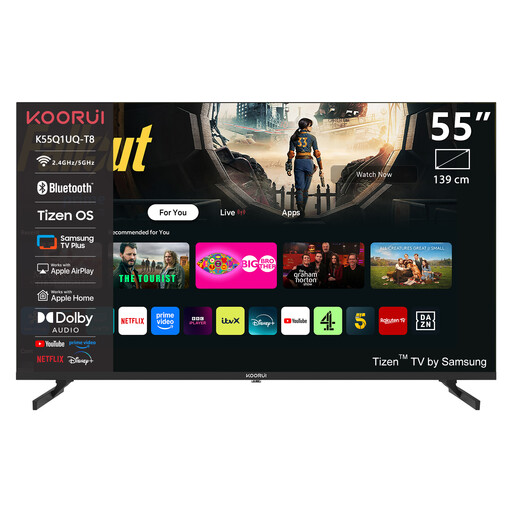
KOORUI K55Q1UQ-T8 55-inch 4K UHD QLED Smart TV
The stated 55-inch screen size may be useful for group viewing; check the viewing distance and available space to make sure it will work in your room.
Listed in the product name: 55 inches, 4K UHD, QLED and Tizen OS.
View at Joybuy
 No image available
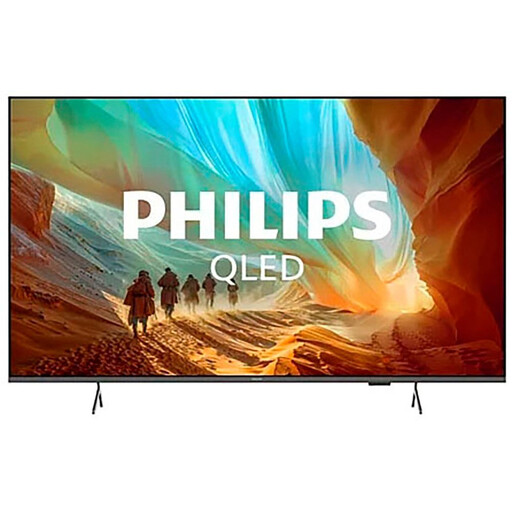
Philips 43PQS7801/12 43-inch 4K QLED Smart TV
The listed HDMI ports may be useful for connecting an external playback device; check that the audio connection works with your system.
Specifications include a 43-inch screen, 4K, QLED, two USB ports and three HDMI ports, one with eARC. Titan OS is listed as the operating system.
The product information states that the VESA wall mount isn’t included.
View at Joybuy
 No image available
LG OLED83C67LA 83-inch OLED 4K Smart TV
The product information lists wide viewing angles, but it’s still worth checking that the view works from your specific seating positions.
Specifications include an 83-inch screen, OLED, 4K, and USB and HDMI ports.
The product information states that a VESA mount, available separately, is required for wall mounting.
View at Joybuy
 No image available
LG OLED55B68LA 55-inch OLED 4K Smart TV
The listed HDMI ports are relevant if you’re using a PC or another playback device; check that the connection works with your audio system.
Specifications include a 55-inch screen, OLED, 4K, two USB ports and four HDMI ports, one with eARC.
View at Joybuy
 No image available
LG OLED77C67LA 77-inch OLED 4K Smart TV
The product information lists wide viewing angles. Compare the screen size with your viewing distance and available space.
Specifications include a 77-inch screen, OLED, 4K, three USB ports and four HDMI ports. The product information gives it an energy efficiency rating of D.
The product information states that a VESA mount, available separately, is required for wall mounting.
View at Joybuy
Frequently asked questions
Is a USB port enough to play my concert recording?
No. Check that the specific model supports your file system, video codec and audio codec. LG lists unsupported codecs as one possible reason why individual videos may not play.
Can I play files from a home network server?
That depends on the player you use. Sony says the built-in player on the BRAVIA 3 model group mentioned doesn’t support playback from a home network server. Check downloaded apps and the specific model separately.
How do I connect an existing soundbar for a viewing session?
Check whether the TV and soundbar have compatible ARC or eARC ports, and review the audio settings. If this connection isn’t available on both devices, check which other audio connection is compatible with your equipment.
How should I factor in ongoing energy use?
Compare the energy consumption figures for the specific TVs on the EU energy label, and factor in how long you’ll use them and any additional devices you may need. The Verbraucherzentrale offers a cost calculator; you’ll need your own consumption and tariff details for an individual calculation.


